36
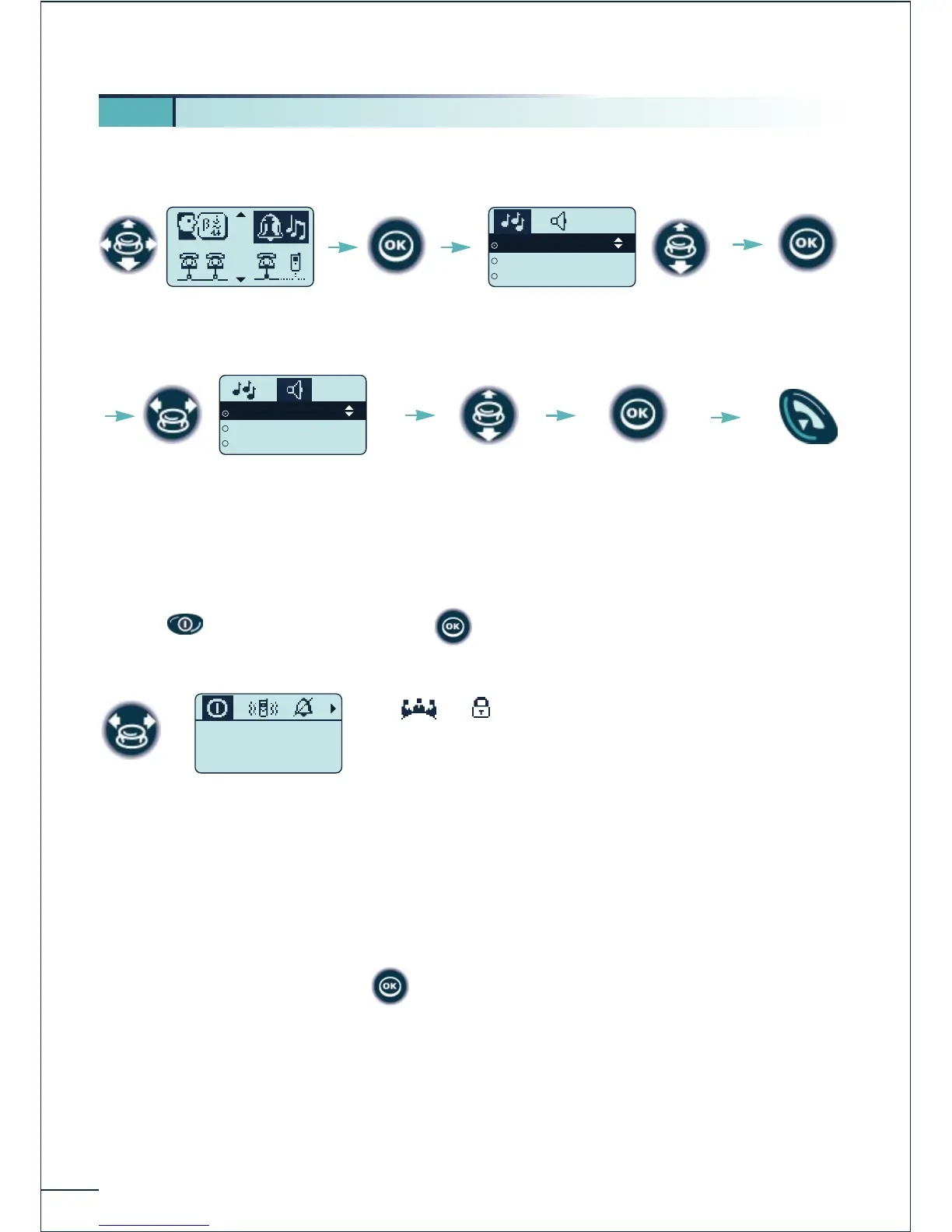
Choosing the melody and volume
Rapid customizing of the ringer
Depending on your activity, the ringer parameters can be modified rapidly by a short press
on the key and then pressing the key.
Switch off the telephone
Activate / disable the vibrator (Mobile 200)
Activate / disable the ringer ¯
Activate / disable meeting mode (progressive ringing)
Activate the keyboard lock
Validate the chosen option with
5
6. Customizing the ringer
Select the "Ringer"
function
Confirm















 To Next Page