42
(*) If you do not enter a number, the appointment reminder will be given on your terminal
by default.
At the programmed time, your telephone rings:
To cancel your appointment reminder request:
Select the "Cancel appointm" and confirm.
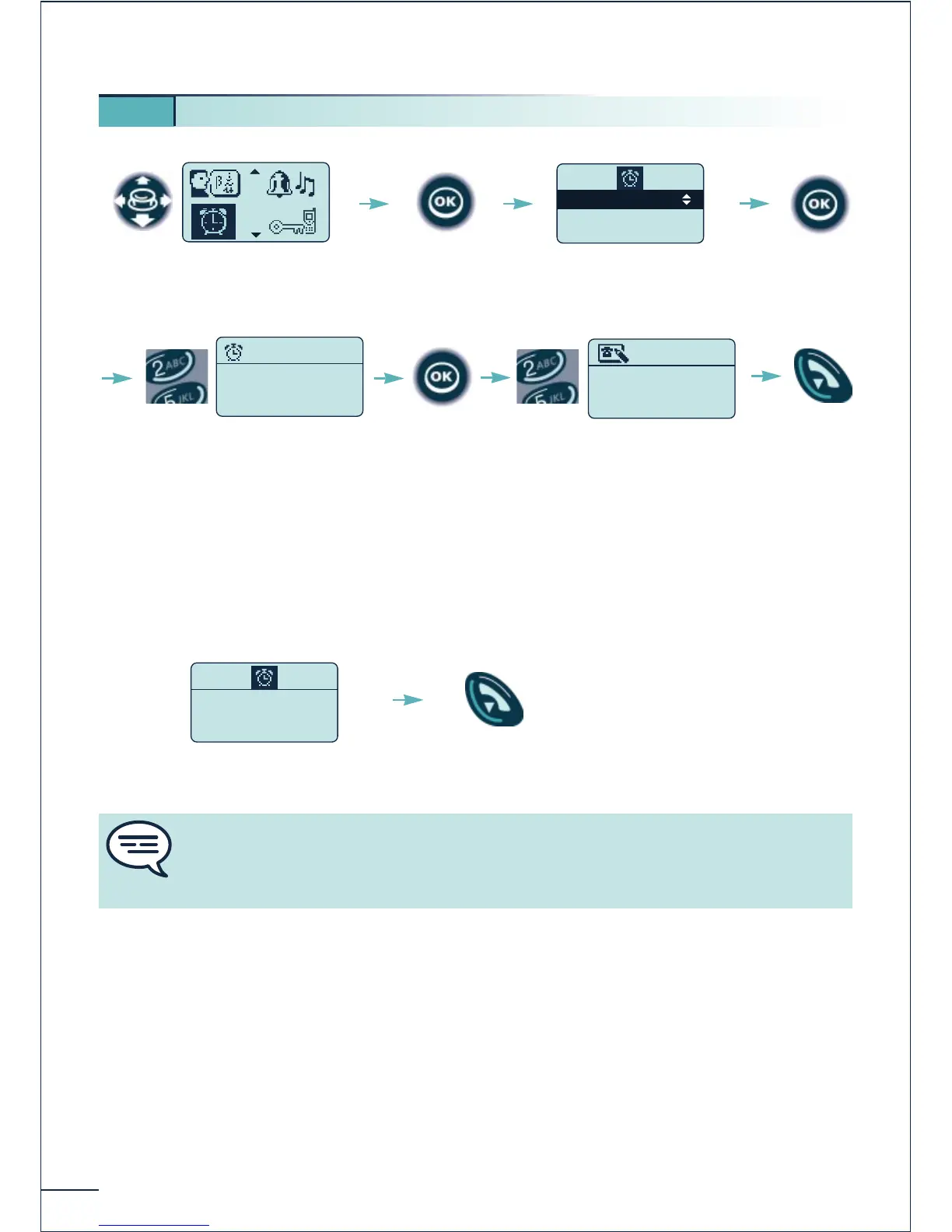
5 13. Programming an appointment reminder
Select the "Appointment"
function
Confirm
Set appointment
Cancel appointm
Select
"Set appointment"
Confirm
Enter the time of the reminder
(hour, minutes)
Return to
idle
Enter the number of the
reminder addressee terminal
(*) if applicable and confirm
Confirm the
response
If you do not confirm the response to the first call, a second call will be made. If the
second call remains unconfirmed, the reminder request will be cancelled. If your line
is forwarded to another number, your call will not follow the forwarding.















 To Next Page