EasyManua.ls Logo

Alcatel 100 - Remote Forwarding of Calls

Alcatel 100
84 pages
Print Icon
To Next Page IconTo Next Page
To Previous Page IconTo Previous Page
Loading...
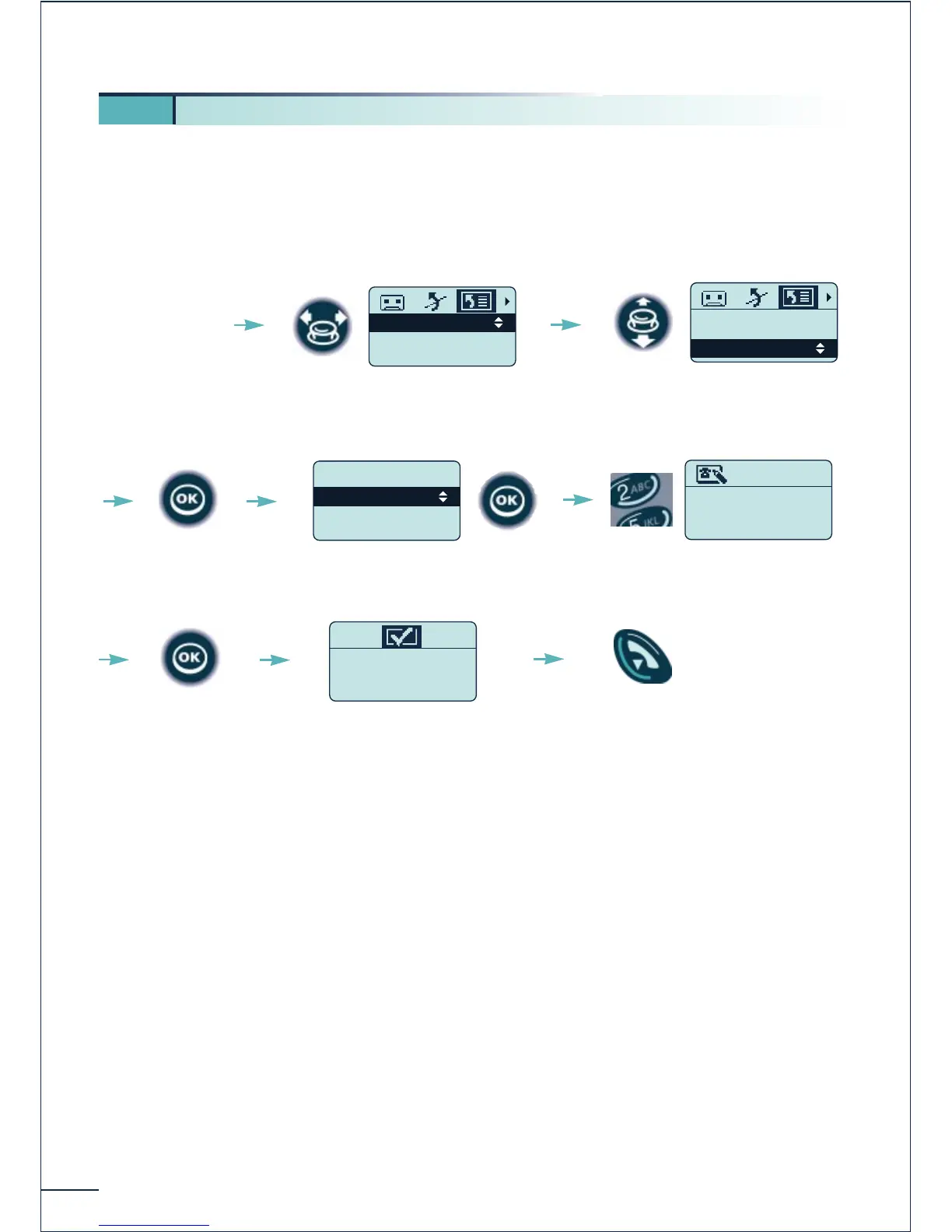
Forwarding your calls from another terminal (follow me)(*)
You are working temporarily in another office and you want your calls to be forwarded
to that office. On the terminal to which you want your calls to be forwarded:
48
6 4. Remote forwarding of calls (immediate forwarding)
Access the
"Forwarding"
function
Fwd On Busy
Fwd On No Rep
Fwd Busy/NoRep
Select the "List of
forwarding options" icon
Addressee ?
75491-----
Enter the number of the
terminal to forward
Select "Remote Forward"
Programming OK
Confirm
The forwarding is
accepted
Return to idle
Fwd On No Rep
Fwd Busy/NoRep
Remote Forward
Confirm
.Dial a Number
.Personal Dir
.Phone Book
Remote Forward
Confirm "Dial a Number"
or use another option

Table of Contents

Related product manuals