45
While you are away - When you return
There are several types of call forwarding. Whatever the type of forwarding you choose,
you must access the "Forwarding" function.
To do this:
This number can be that of an internal terminal (operator etc.), a home number, a mobile
phone number, your voice message service or the pager.
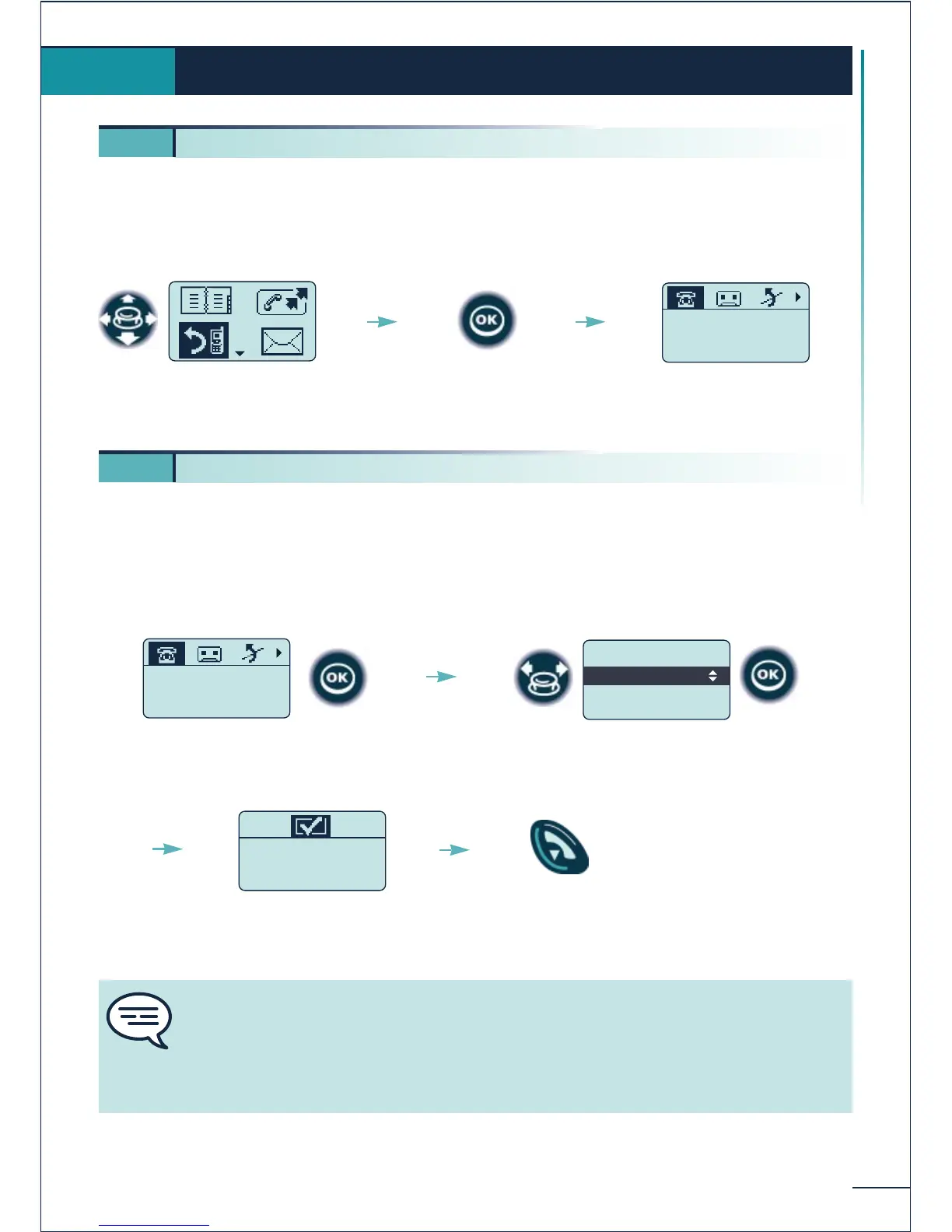
To activate forwarding to the last number used
While you are away - When you return
6.
6 1. Forwarding calls
Select the "Forwarding"
function
Confirm
Fwd immediate
00388674526
Desactivated
Status of last forwarding
action
The forwarding is
accepted
Confirm access to immediate
forwarding
.Activate Fwd
.Modify Fwd
.Back
Fwd immediate
Confirm the "Activate Fwd"
option
Return to
idle
You can continue to make calls while your telephone is forwarded. Only the
forwarding addressee can call you.
General remark concerning forwarding: you can only activate a single forwarding
option on your telephone.
Programming a new forwarding option will cancel the previous one.
6 2. Forwarding calls to another number (immediate forwarding)
Fwd immediate
00388674526
Desactivated















 To Next Page