Management from the attendant set
3BA 19875 ENAA - Ed. 02 - April 2000 - Alcatel 4035 - Attendant set 3-41
- External visitor
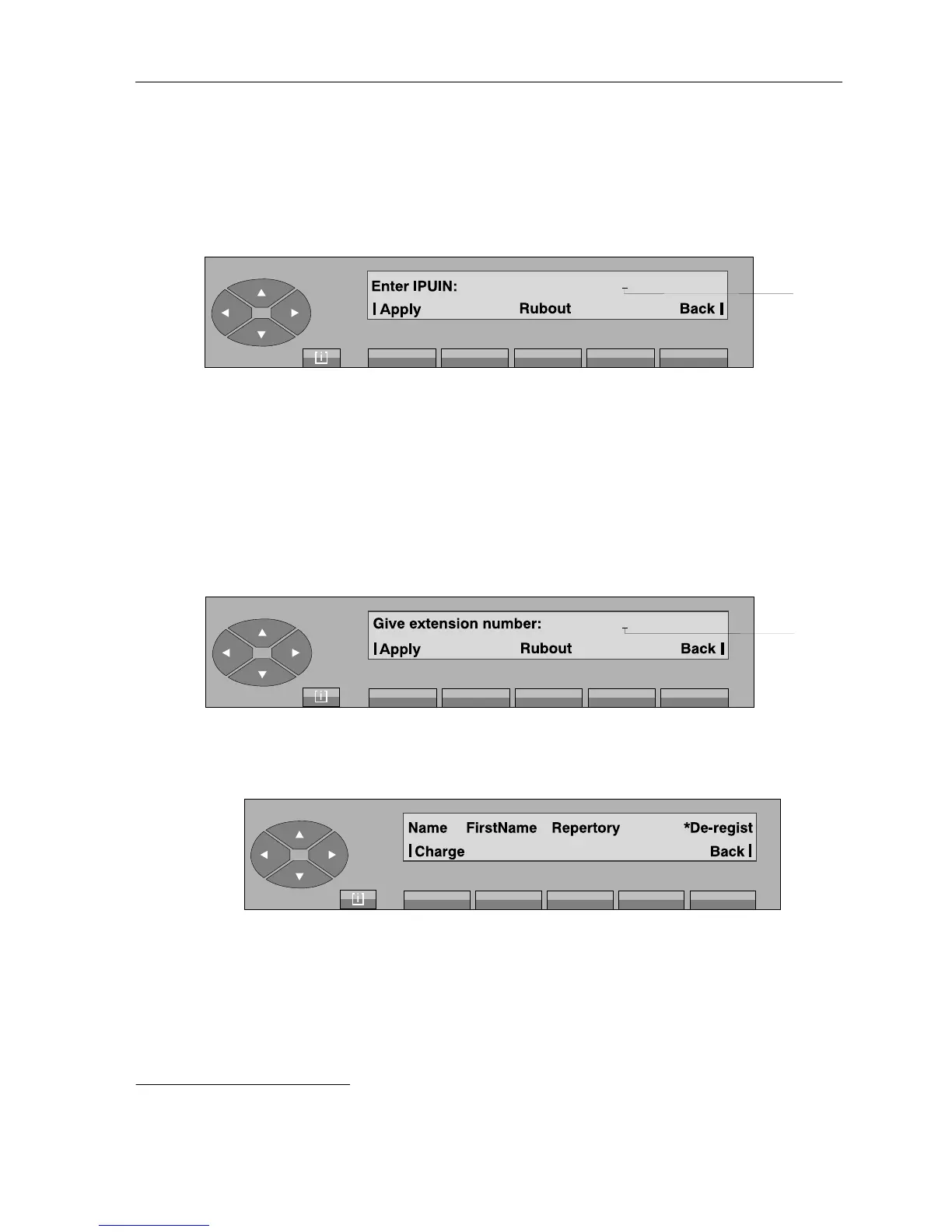
Pressing the «Ext-Vi» key displays:
Apply after entering the identification number of the Dect mobile set, pressing this
key is used to personalise this set (name, first name, category).
Rubout used to erase the characters displayed.
Back used to return to the previous menu.
▼ De-registration
Pressing the «Dereg» displays:
After entering the repertory number of the Dect mobile set to de-register, press the «Apply» key
to display the following screen in the case of an internal or external visitor
1
:
1. In the case of a permanent user, pressing the «Apply» key displays the acceptance of the «De-registered» operation.
Cursor
position
Cursor
position



 To Next Page