Chapter 3 Management from the attendant set
3-2 3BA 19875 ENAA - Ed. 02 - April 2000 - Alcatel 4035 - Attendant set
3-1 Attendant set operation
3-1-1 «ON/OFF» fixed key
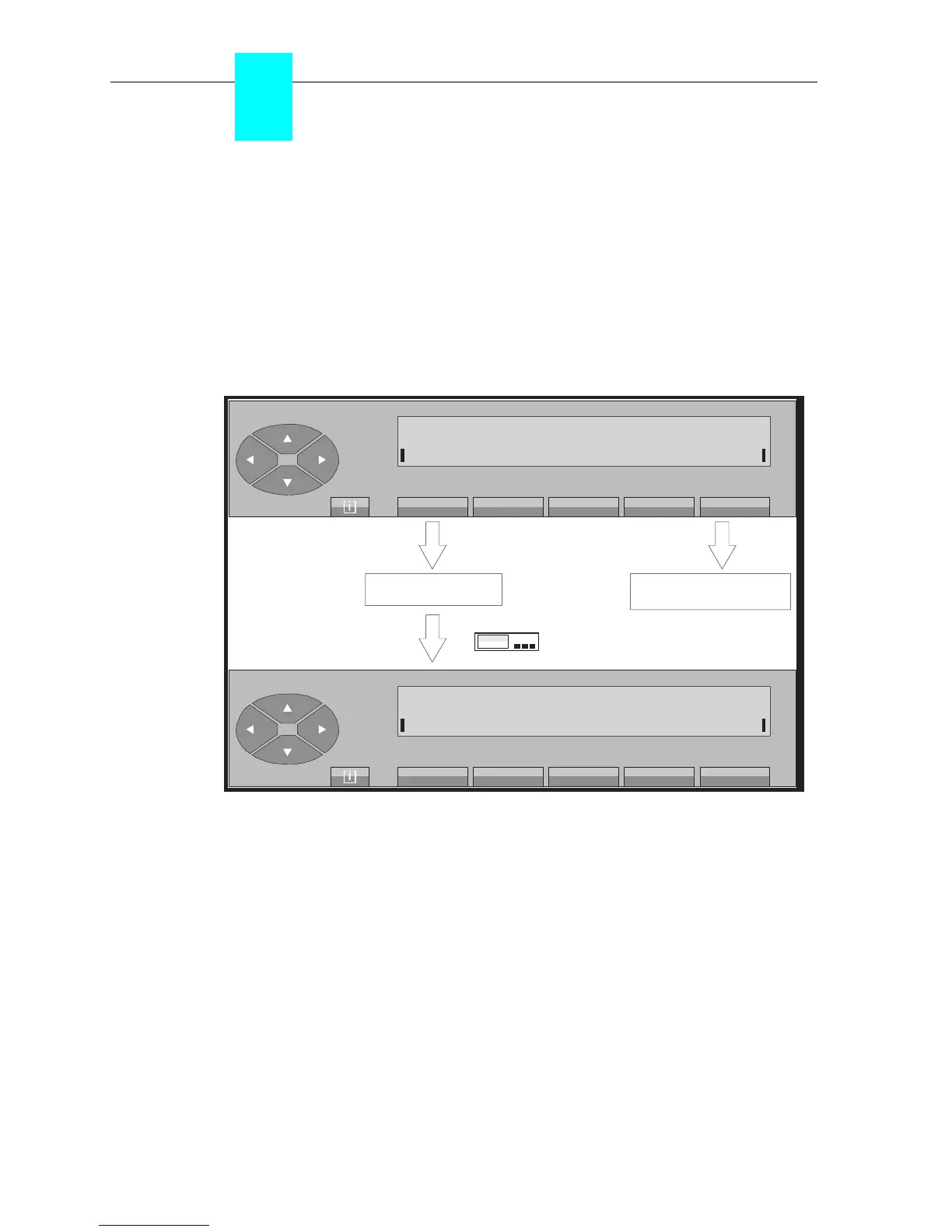
This key is used to activate the attendant set and switch it to the mode in force for the group. If
it is the first attendant set to be brought into service, it validates «Day service» for the whole group.
On pressing the «ON/OFF» fixed key, the screen displays:
Normal service idle screen («Plugged in» position)
On pressing the «Yes» key, the attendant set changes to «normal service» («Plugged in»
position).
Pressing the «No» key cancels the operation in progress and the attendant set returns to
«Unplugged» position with the associated screen. The group status is displayed
(see§1-7-2)
.
Note: At the attendant sets operating mode level, there is no longer a difference between the day, night,
forwarding 1 and forwarding 2 modes.
If authorised by the administrator, the attendant can program night mode for the group while remaining in
operating mode.
ON/OFF
«activation »
return to
«unplugged» position
No
Please confirm
Yes
Normal wait = 0 Urgent wait = 0



 To Next Page