Management from the attendant set
3BA 19875 ENAA - Ed. 02 - April 2000 - Alcatel 4035 - Attendant set 3-11
▼ Adjusting the contrast
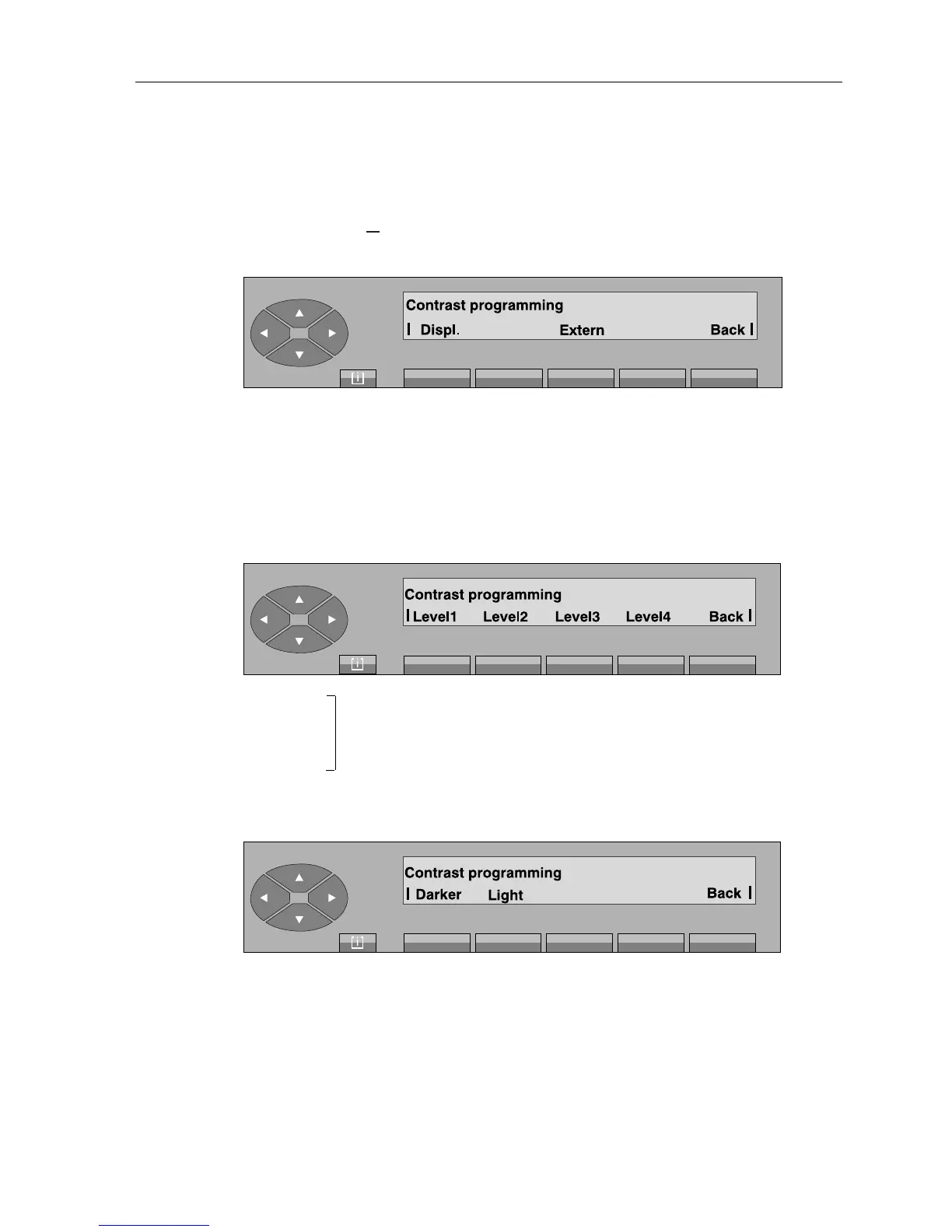
On pressing the « » fixed key, followed by «Prog» and «Cntrst» keys, the following is
displayed:
Displ. used to adjust the display and the pictograms of the attendant set.
Extern used to adjust the pictograms of the additional unit(s).
Note: This screen is displayed if the set possesses one or more additional unit(s). Otherwise, only the
following screen is displayed.
- On pressing the «Displ.» key, the following is displayed:
Level 1 used to modify the contrast of the display and pictograms. On pressing one
to of these keys, the contrast is immediately modified to the corresponding va-
Level 4 lue and this modification is stored.
Back used to return to the initial screen.
- On pressing the «Extern» key, the following is displayed:
Darker
and allows the contrast of the pictograms of the additional unit(s) to be adjusted.
Light
[ i ]



 To Next Page