Management from the attendant set
3BA 19875 ENAA - Ed. 02 - April 2000 - Alcatel 4035 - Attendant set 3-13
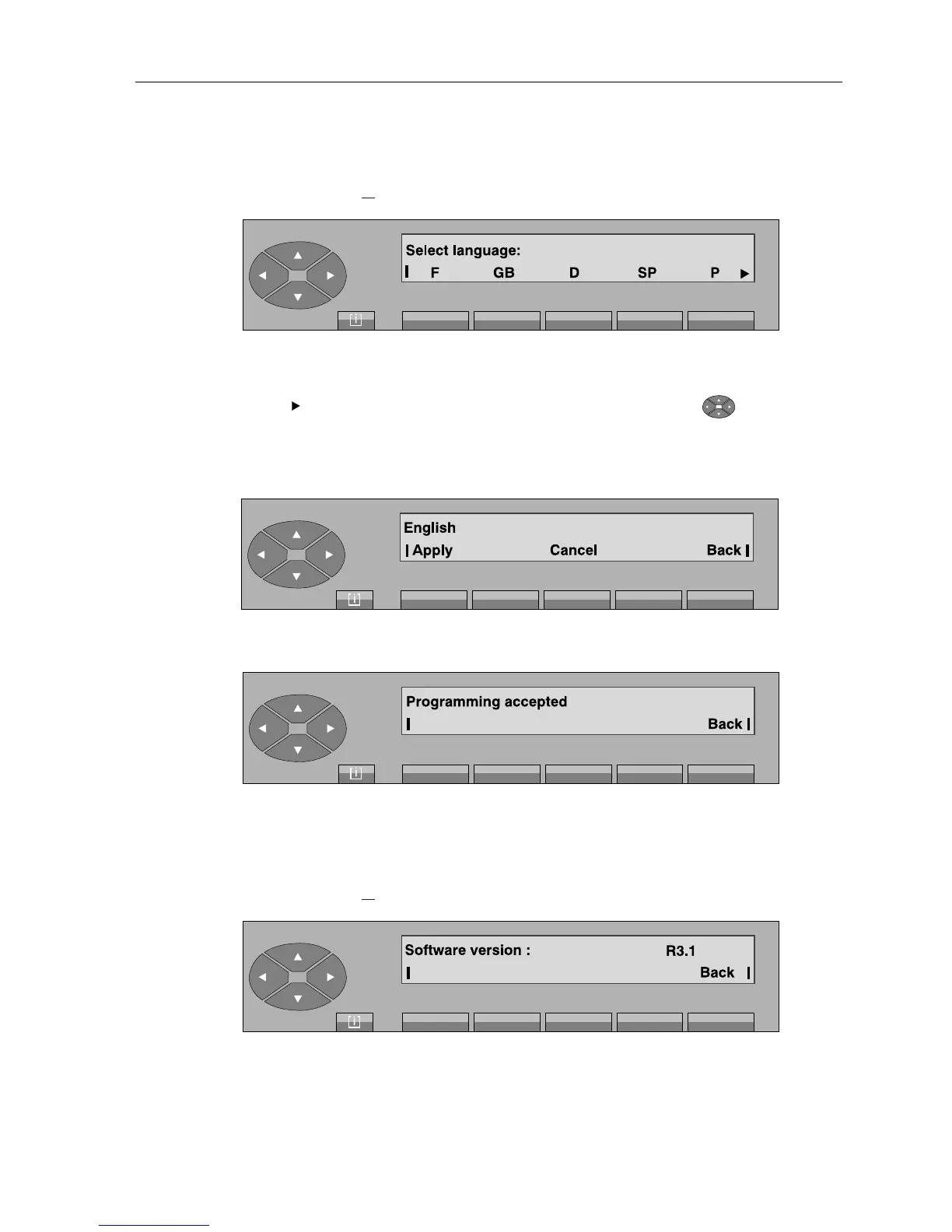
On pressing the « » fixed key, followed by «Lang» key, the screen displays:
F GB D SP P used to select another language for the displays.
If the « » symbol is shown on the right of the display, pressing the « » key is used to
access other languages (NL, DK, I, A).
After pressing the key for the language required (e
.g.: «GB» key
), the following is displayed:
The attendant validates this choice by pressing the «Apply» key and the screen becomes:
Pressing the «Back» key is used to return to the initial menu.
3-1-3-6 Software version
On pressing the « » fixed key, followed by «Issue» key, the screen displays, for example:
The screen displays the software version supported by the PBX on which the attendant set is
connected.
[ i ]
[ i ]



 To Next Page