EasyManua.ls Logo

Alcatel GO FLIP - Setting Up Your Phone; Phone Parts, Layout, and Basic Components

Alcatel GO FLIP
120 pages
Print Icon
To Next Page IconTo Next Page
To Previous Page IconTo Previous Page
Loading...
Set Up Your Phone 3
Set Up Your Phone
The following topics give you all the information you need to set up your phone and wireless service the first
time.
Parts and Functions
These topics illustrate your phone’s primary parts and key functions.
Note: Your phone's screens and apps layouts are subject to change. This user guide uses sample images
only.
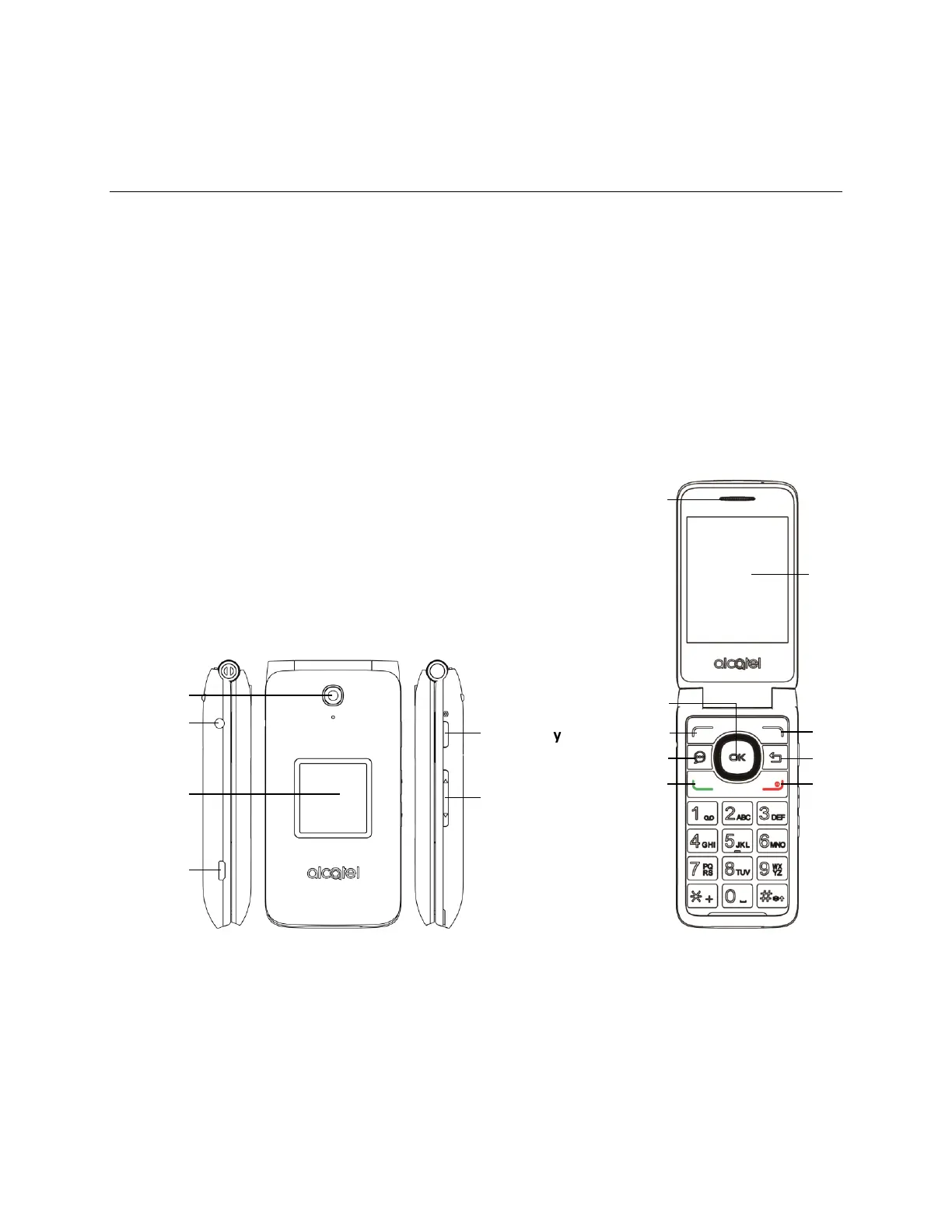
Phone Layout
The following illustration outlines your phone’s primary external features and keys.
3.5 mm headset jack
Camera
Charging port
Camera key
Volume key
Sub screen
Main screen
Right soft key
Back/clear key
End/power key
Left soft key
Messages key
Call key
Center soft key
Receiver

Table of Contents

Other manuals for Alcatel GO FLIP

Related product manuals