Alcatel IP1020 Administrator Guide ed1.0 13/58
2.2 LEDs
Table 1 – Handset backlit keys
Blinking, short
duty cycle
There are new Voicemail messages in any of the accounts
associated to this handset
Blinking, short
duty cycle
Microphone is muted (your correspondent cannot hear you)
Base is connected to network or router
Base not yet up, or no network connection
Alternating amber and
blue
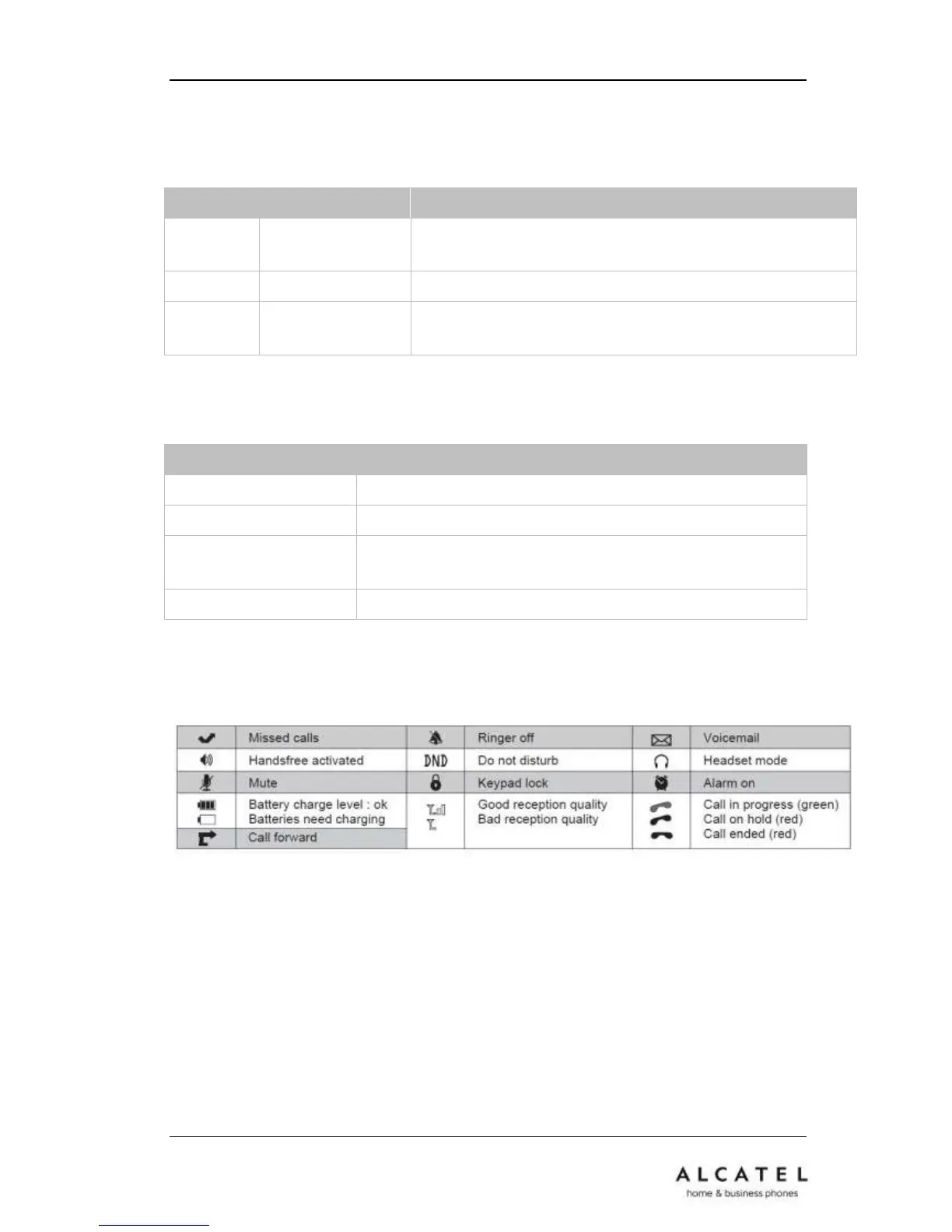
2.3 Icons
The table below summarizes the icons Alcatel IP20 displays on its LCD.
2.4 User Interface
There are two ways to customize specific options on your phone: using keypad and
display on the handset, or through the web user interface (WUI) you can access with an
internet browser from your PC.











 To Next Page