Alcatel IP1020 Administrator Guide ed1.0 48/58
Transfer in-call menu option, or
Release the active call using Release in-call menu option.
We will review these functions in next subchapters.
4.4.2.1 Call Waiting Configuration
To enable/disable Call Waiting via Phone interface press MenuServicesCall
Waiting.
Use the navigation keys to select the desired status and press Save softkey to store
your changes or Back to return.
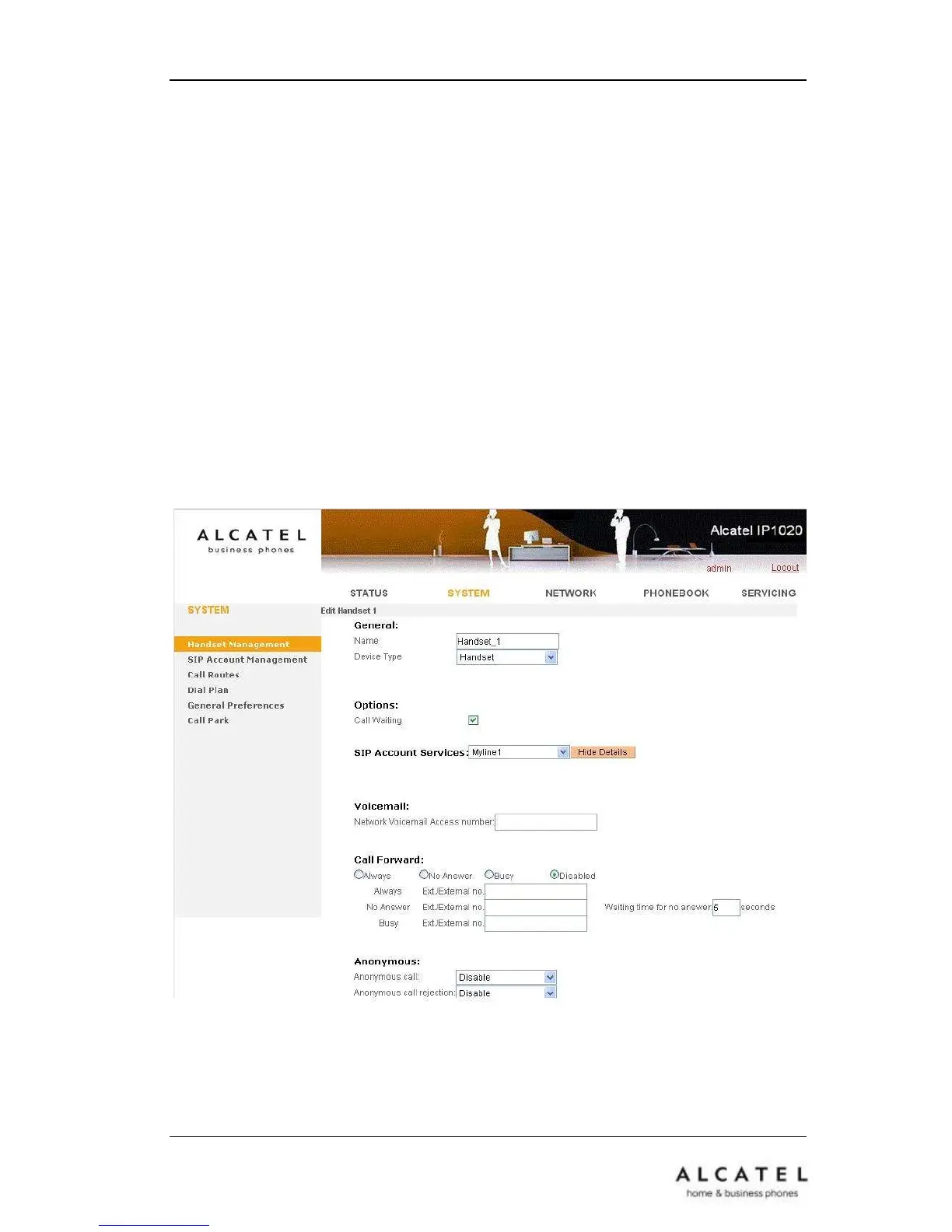
To enable/disable Call Waiting via Web interface:
Choose SystemHandset Management. Select the handset and tick or untick the
Call Waiting box. Press Save to store.











 To Next Page