Alcatel IP1020 Administrator Guide ed1.0 28/58
3.3.2.2 Using the WUI to manage your Shared Phonebook
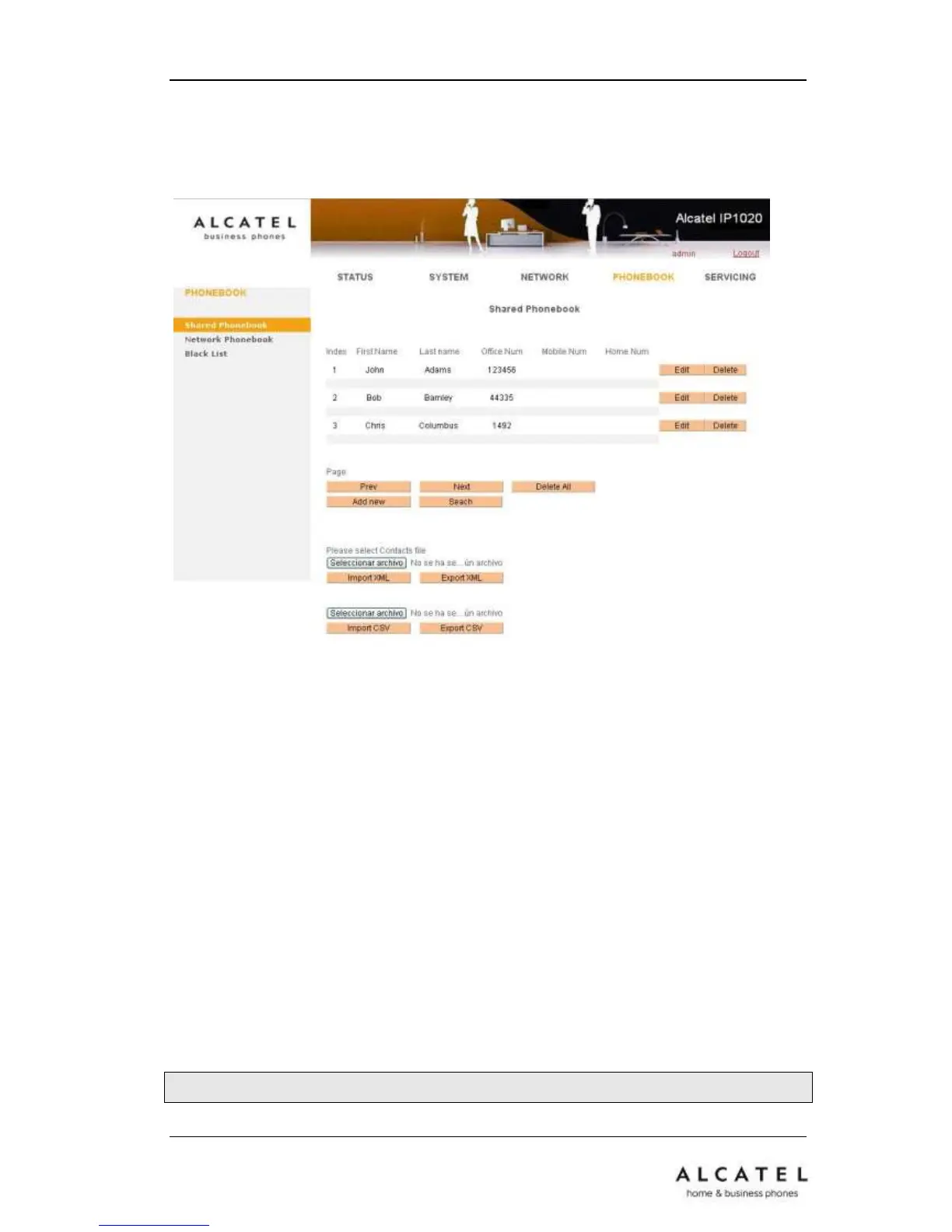
You can add/delete/edit contacts via Web interface:
Choose PhonebookShared Phonebook
To add a contact: press Add new button, fill in name and number and press Save.
To delete a contact: select the contact in the list and press Delete button.
To edit a contact: press the Edit button by the desired contact, modify it and press Edit
button.
3.3.2.3 Import/Export your Shared Phonebook
Your IP1020 Shared Phonebook can be imported and exported using the web interface
an also via auto provisioning. Please check the APS guide for more details on this
feature.
Through the WUI:
Go to PhonebookShared Phonebook.
Browse to select your contact list file in .XML or .csv format, and then click Import
button. The imported contact lists will be showed in the Shared Phonebook list.
Click the Export button to export your contacts.











 To Next Page