Alcatel IP1020 Administrator Guide ed1.0 40/58
4.1.6.3 Forbidden numbers (Block Out)
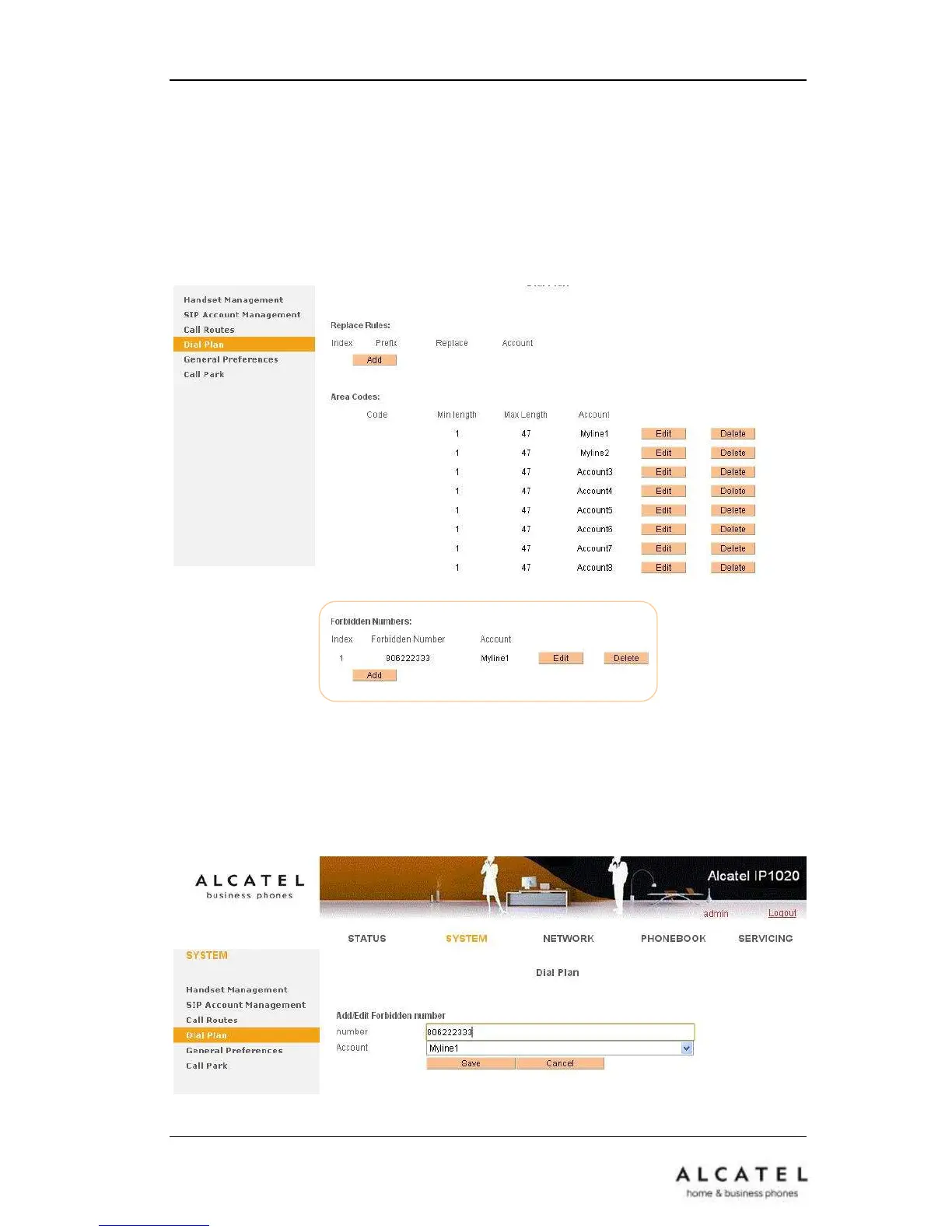
Administrator can set specific phone numbers for which dial out operation will be
forbidden from your phone.
To set Forbidden Numbers via the Web interface:
Choose SystemDial PlanForbidden Numbers
Click Add button, then enter the number and press Save to store the changes, or
choose a specific entry in the list, click Edit to modify or Delete to erase the record.
Once a number is included in the Forbidden Numbers list, it will not be possible to dial
out that number.











 To Next Page