Alcatel IP1020 Administrator Guide ed1.0 51/58
4.4.6 Call Transfer
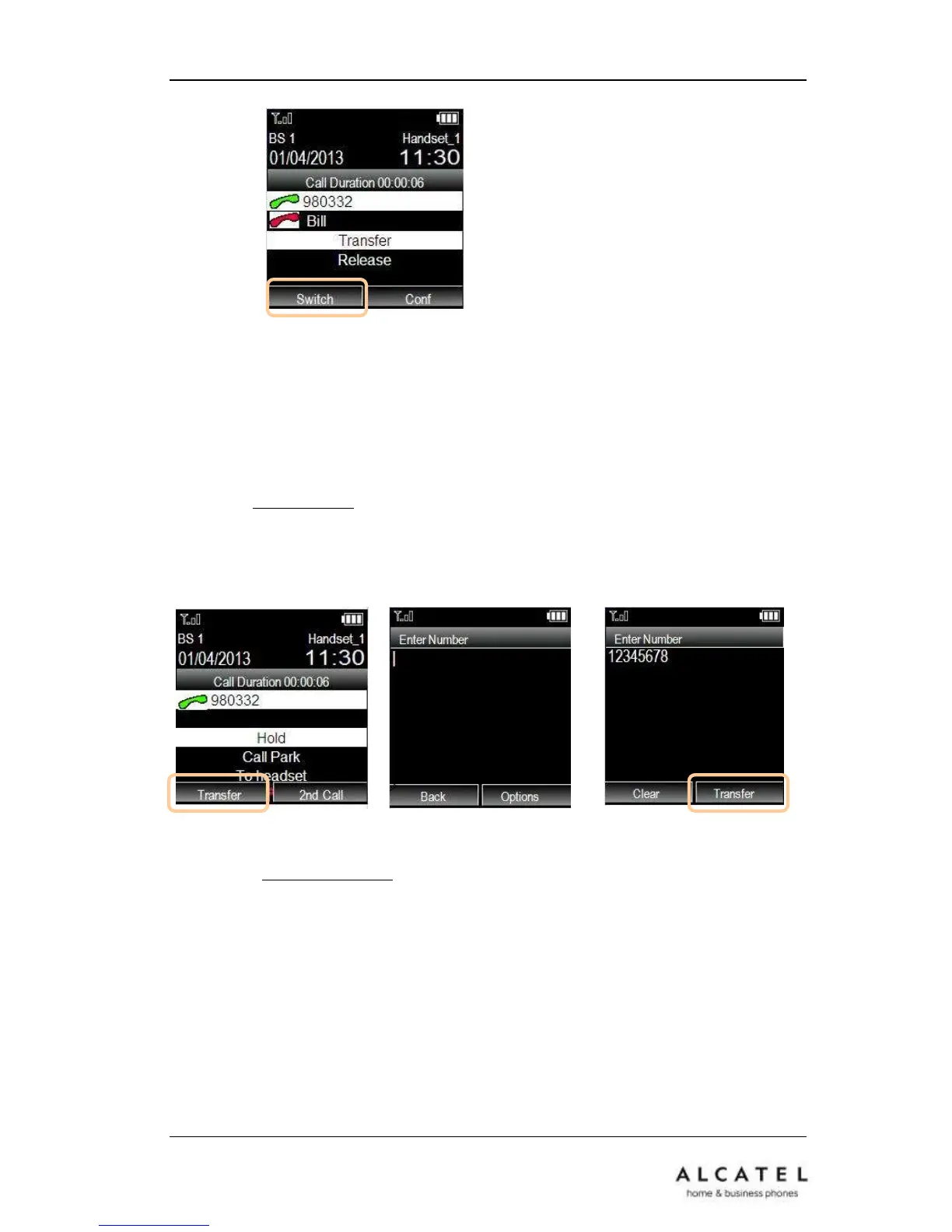
This feature allows your phone to transfer an active call to another phone: Blind Transfer,
Attended Transfer and Semi-Attended Transfer are supported.
To make a Blind Transfer ( with no prior announcement of the call):
During an active call press Transfer soft key. Dial destination number (or retrieve it
from your contacts or call logs by pressing Options softkey) and then press Transfer
softkey again.
To make an Attended Transfer (with consultation call):
During an active call, set up a second call either by initiating it (See Consultation Call
chapter) or by answering an incoming call (See Call Waiting chapter).
Please note these calls can be either external (another number) or internal (another
DECT extension via intercom).
Once the two calls are set up simply use up/down navigation keys to select Transfer
option from the in-call menu and press OK key.











 To Next Page