Alcatel IP1020 Administrator Guide ed1.0 55/58
4.4.8.2 Retrieving your Voicemail messages
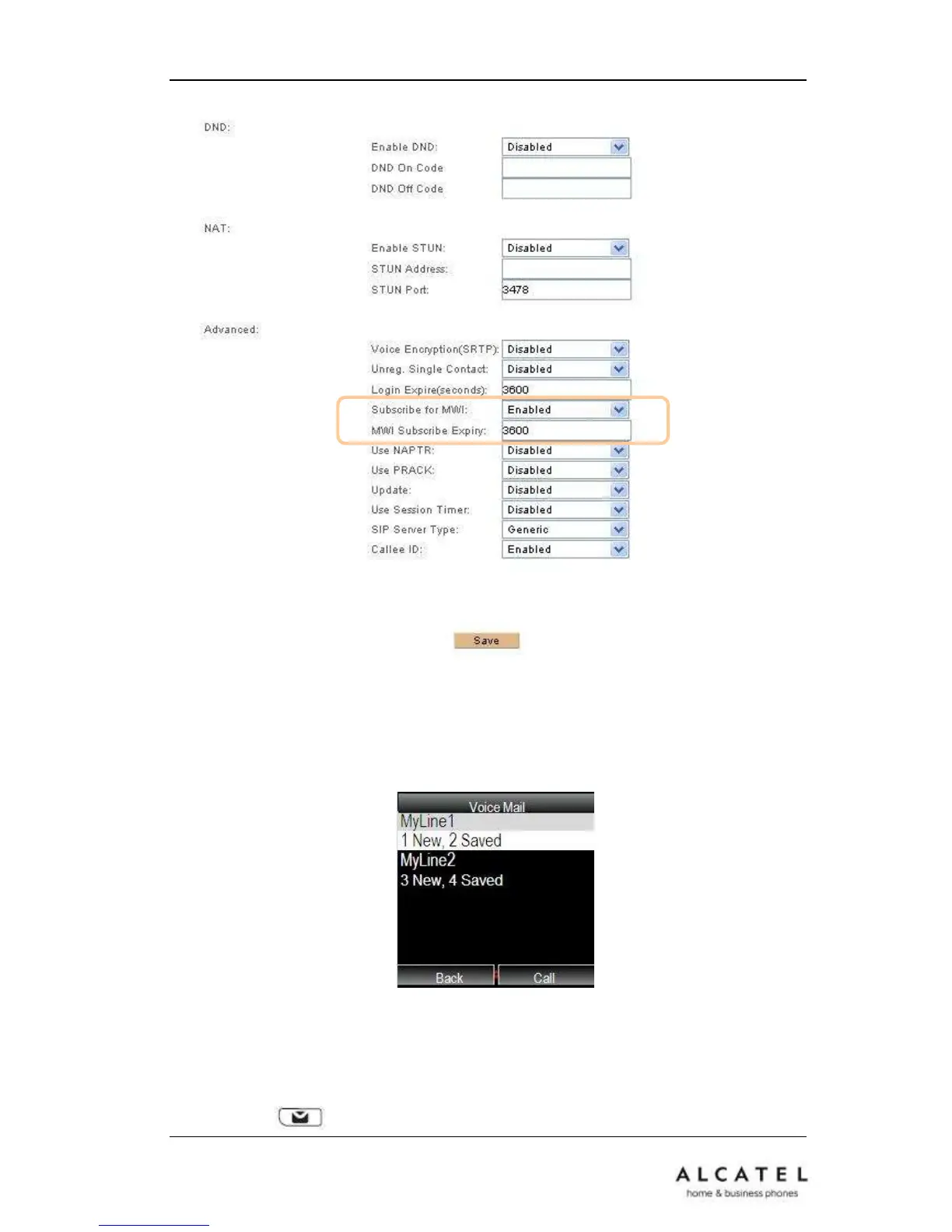
To view Voicemail information for all lines assigned to your IP20 handset interface, go
to MenuVoicemail
Number of new and old messages per line will be listed. Choose one of the accounts and
press the Call soft key. Your Voicemail access number for that line will be dialed out and
you will be able to retrieve your messages.
You can press button to directly call the voicemail corresponding to your default











 To Next Page