B 10
5 / 6
Alcatel Vacuum Technology France --- IPUP A100 Instruction manual
Unpacking / Handling / Storage
Move the pump by pushing it
(cont’d)
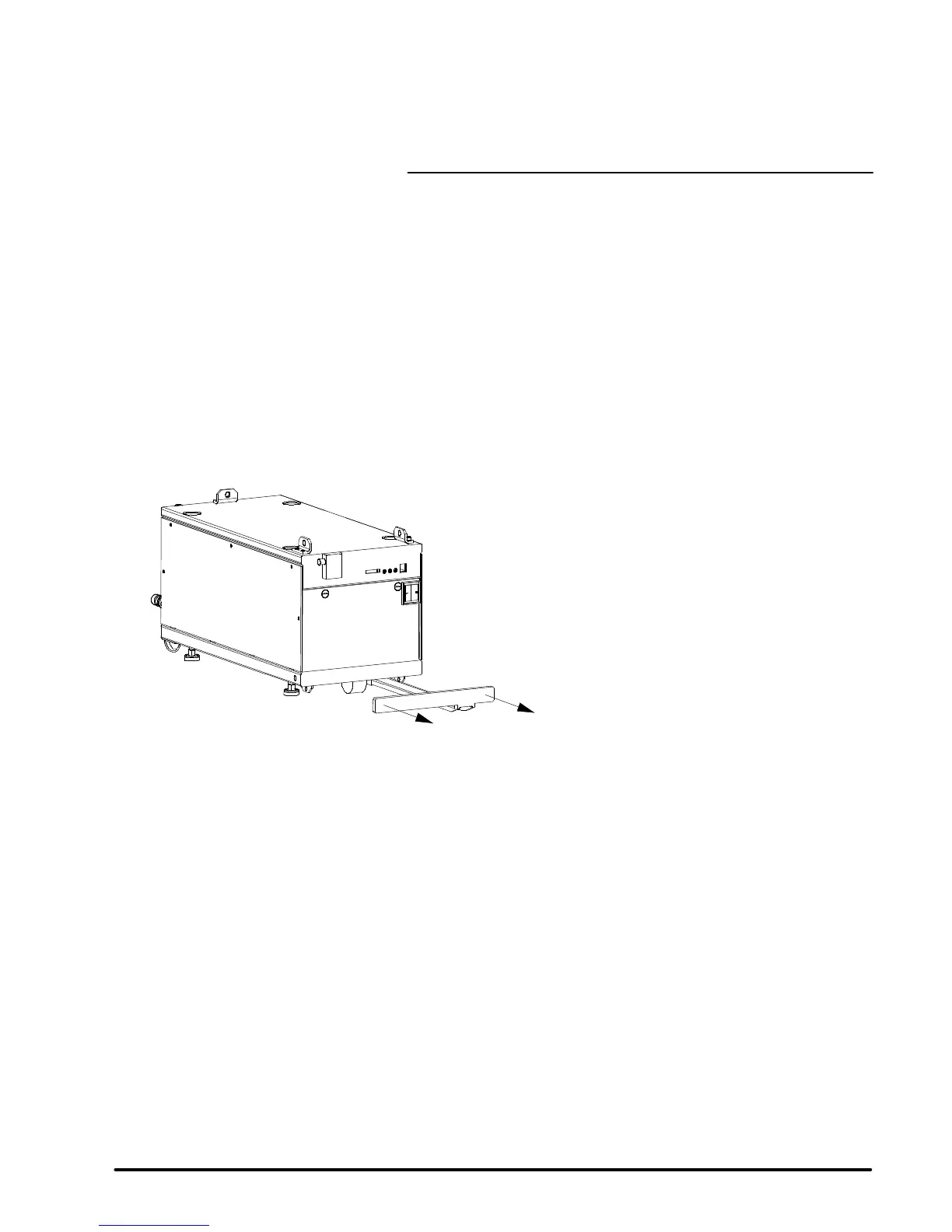
Remove the handle from its support under the frame as follows:
l Pull the handle along the frame rail up (1) to remove it.
1
Install the handle on the upper part of the front panel as follows (see
figure next page):
l pull manually the spring connecting pin,
l install the handle and release the spring connecting pin, (check
that the spring connecting pin is correctly positionned in the
handle hole).
Push the handle to move the pump.
When the pump is in the desired location, position it (see B 20).
Then storethe handle under the frame by proceedingin reverse manner.


 To Next Page