C 80
1 / 1
Alcatel Vacuum Technology France --- IPUP A100 Instruction manual
Monitoring system setting for
transport
Setting “storage” mode for
transport and prolonged storage
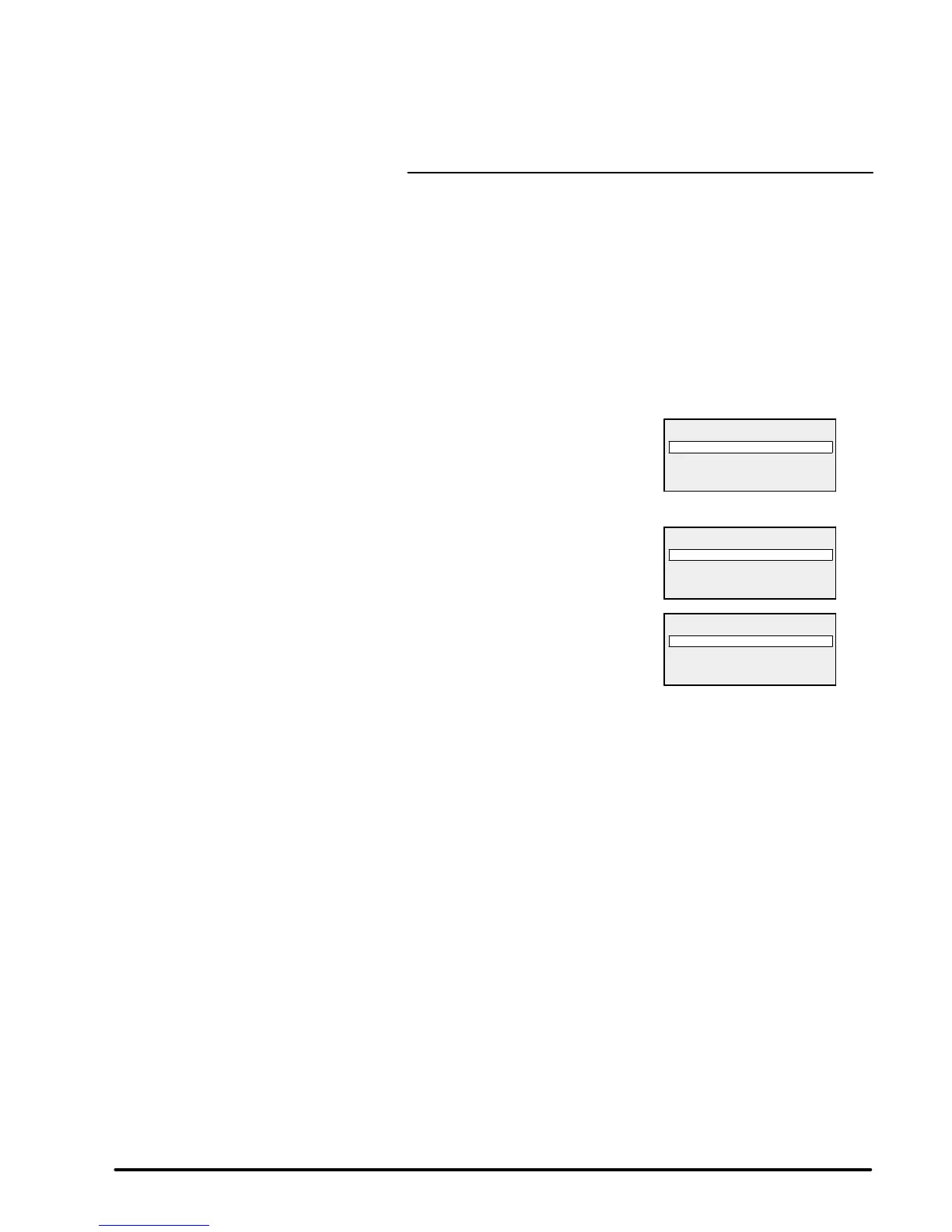
Enter the menu by pressing SET.
Press the + key repeatedly to access
the MANAGEMENT menu.
Validate with the ENTER key.
With the + key, move through to
STORAGE menu.
Validate with the ENTER key.
Choose ENABLED.
Validate with the ENTER key proceed
twice on the SET key.
STOCK appears on display.
The pump start up is no longer possible and the hour counter is
stopped.
NOTE : when power comes on, STORAGE mode is automatically
deleted.
Date and time reset is only necessary (see C 20).
MAINTENANCE
MANAGEMENT
OPERATING TIME.
LAST WARNING(S)
VERSION
STORAGE
CONFIG SAVE
CONFIG LOAD
STOCK 15H
PUMPING STOPPED
09/30/99 12 : 35


 To Next Page