C 20
2 / 3
Alcatel Vacuum Technology France --- IPUP A100 Instruction manual
Start up of the monitoring system
l A membrane protects the keys. Make selection by hand only and
do not use hard objects such as pens, screwdrivers, etc..., which
could damage the keys.
Fast scroll can be obtained for the
+and --- keys by continuously
holding down the button.
For all the other keys, press several times.
Power ON
l Study the preliminary precautions (See B 00).
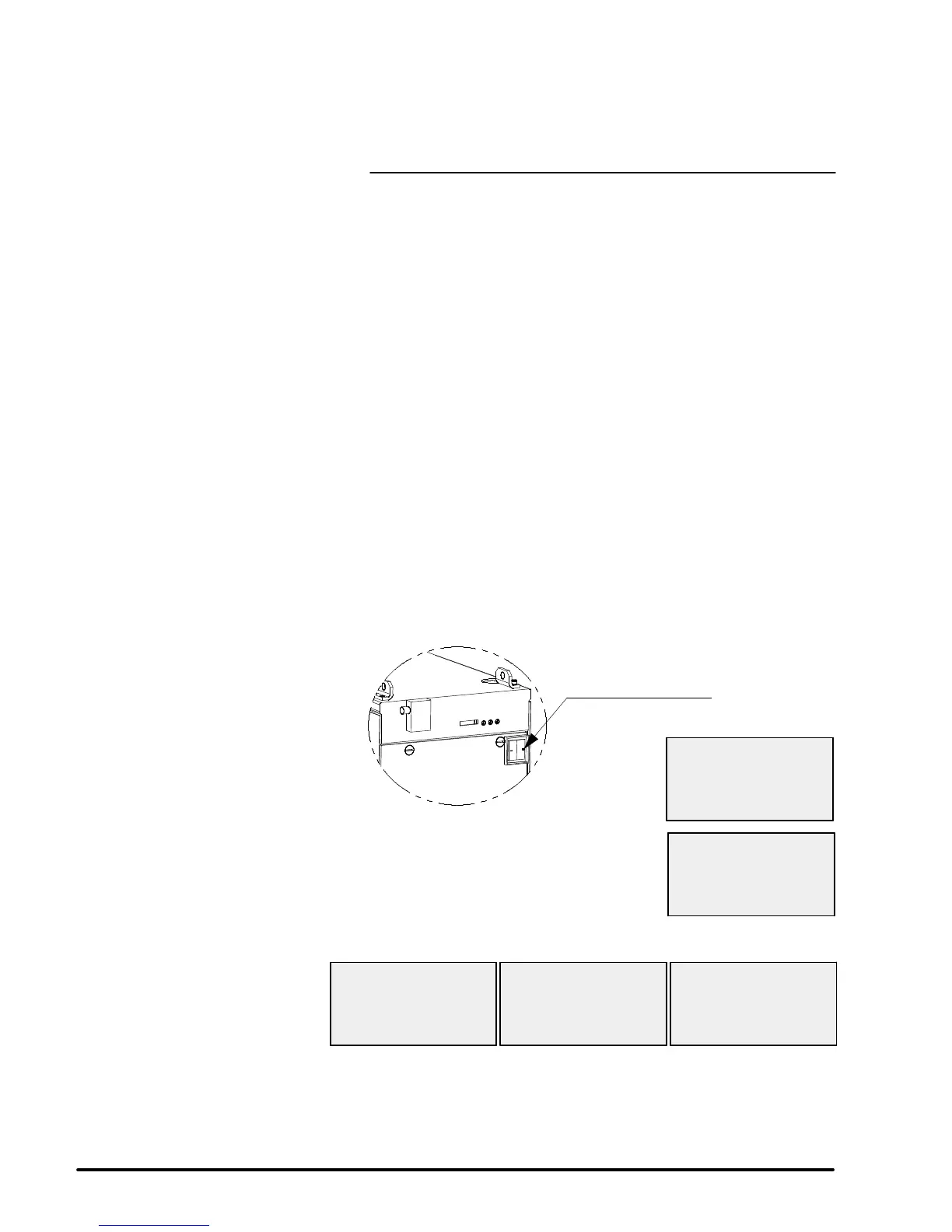
Position the electrical switch RT1 to position
1, the display lights up
and the following screens appear:
ONLY FOR ADP 100
SERIAL XXXXXXXX
RT1 electrical switch
ALCATEL AVTF
MONITORING VX.XX
PRESS ENTER
FOR COMMUNICATION
Press the ENTER key to continue:
WAITING FOR ADP 100
???
WAITING FOR ADP 100
OLWRTA
120 H REM N2
PUMPING STOPPED
09/30/99 10H40
The monitoring system has been configured in the factory.
This configuration allows the pump to run (see C 30).
If necessary, parameters may be customized (see C 50 and C 51).


 To Next Page