10
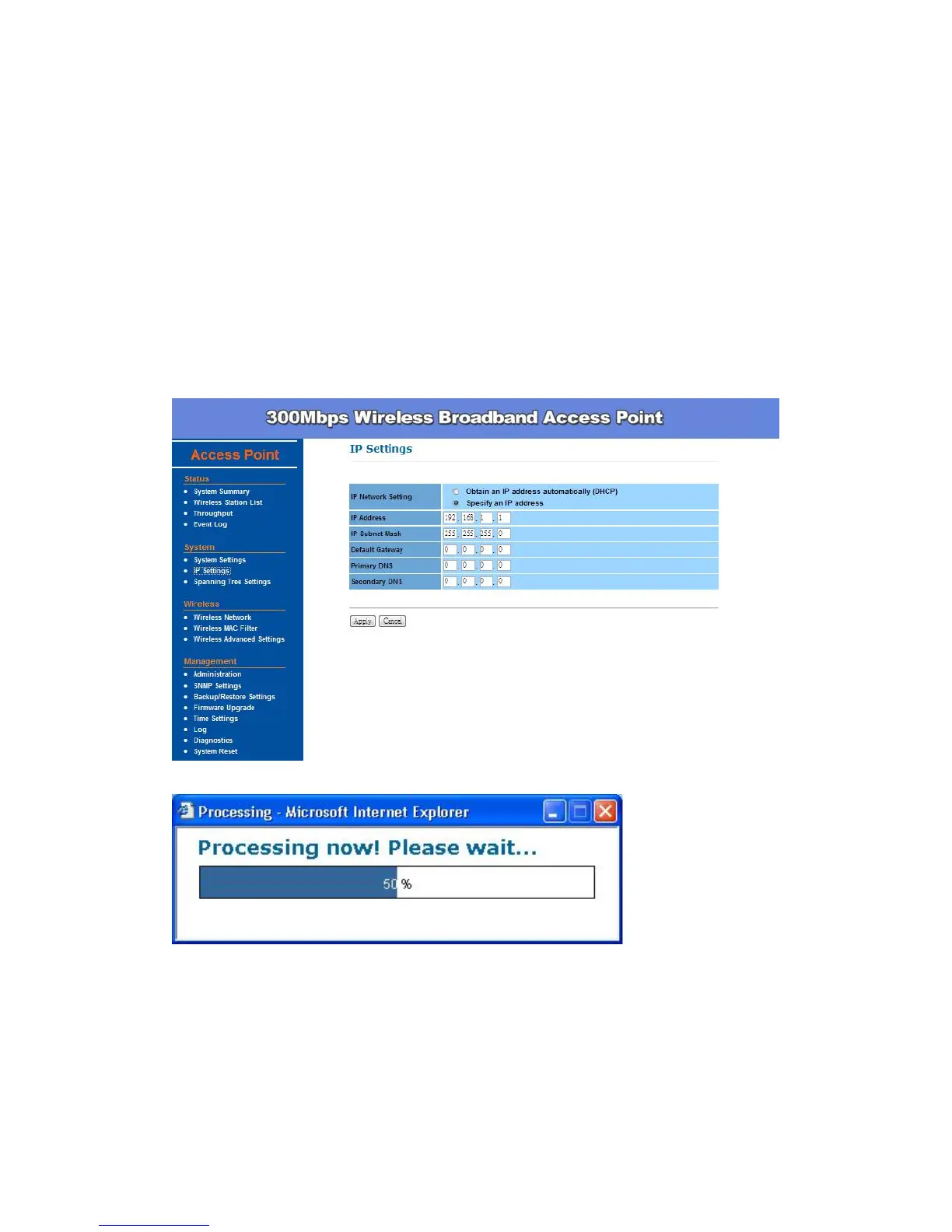
Otherwise, you can manually setup IP address.
IP Address – The IP address need to be unique to your network. We
would like to recommend you stay with default IP address 192.168.x.x.
This is private address and should work well with your original
environment.
IP Subnet Mask – The Subnet Mask must be the same as that set on
your Ethernet network.
Default Gateway – If you have assigned a static IP address to the Access
Point, then enter the IP address of your network’s Gateway, such as a
router, in the Gateway field. If your network does not have a Gateway,
then leave this field blank.


 To Next Page