17
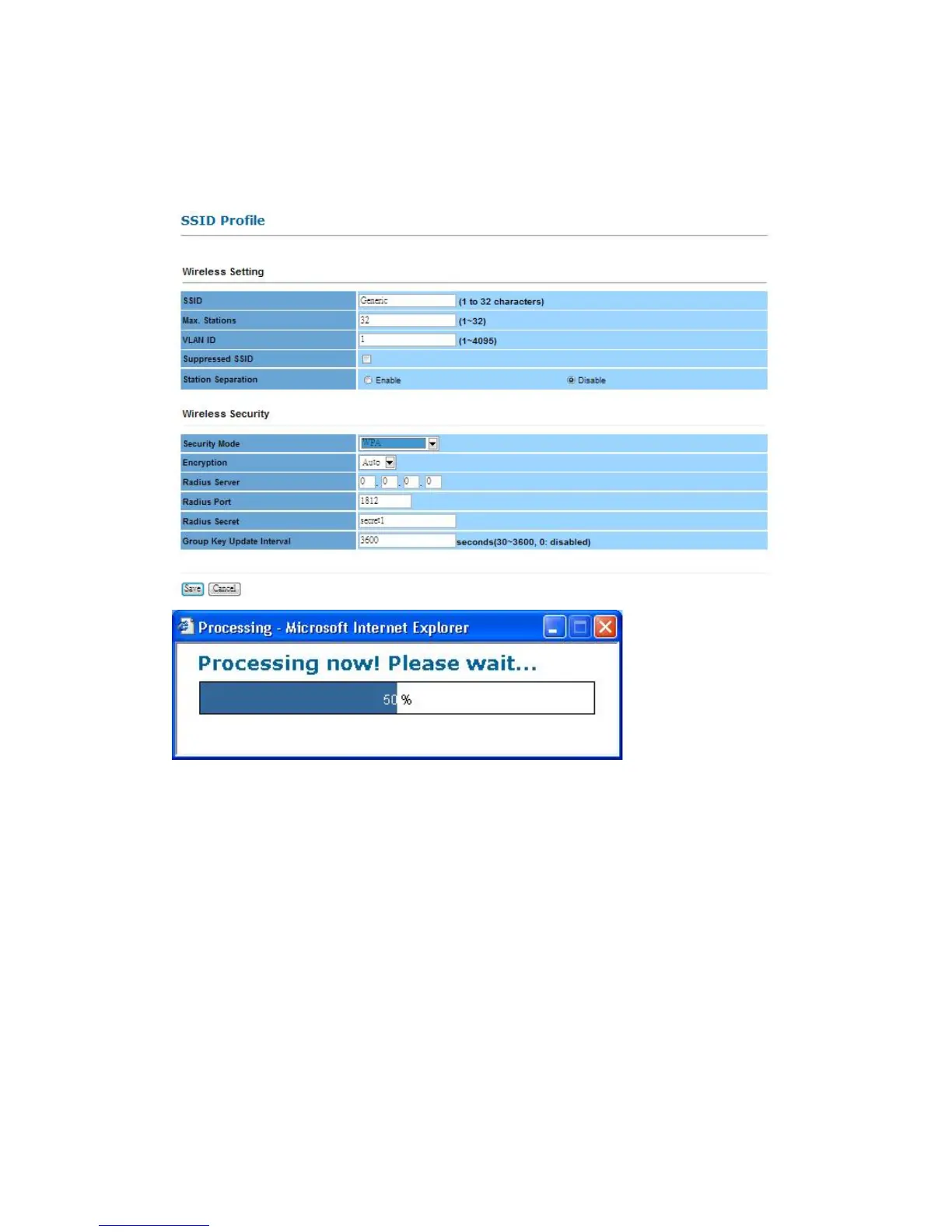
Group Key Update Interval – This column indicate how often should the
Access Point change the encryption key. Default value is 3600 seconds,
set 0 in Group Key Update Interval to disable key renewal.
Wireless MAC Filter –
In this page, you can filter the MAC address by allowing or blocking access the
network.
ACL (Access Control) Mode: You may choose to Disabled, Deny MAC
in the List, or Allow MAC in the List. By selecting Allow MAC in the List,
only the address listed in the table will have access to the network; all other
clients will be blocked. On the other hand, selected Deny MAC in the List
means only the listed MAC addresses will be blocked from accessing the
network; all other clients will have access to the network.
MAC Address: Enter the MAC address.


 To Next Page