27
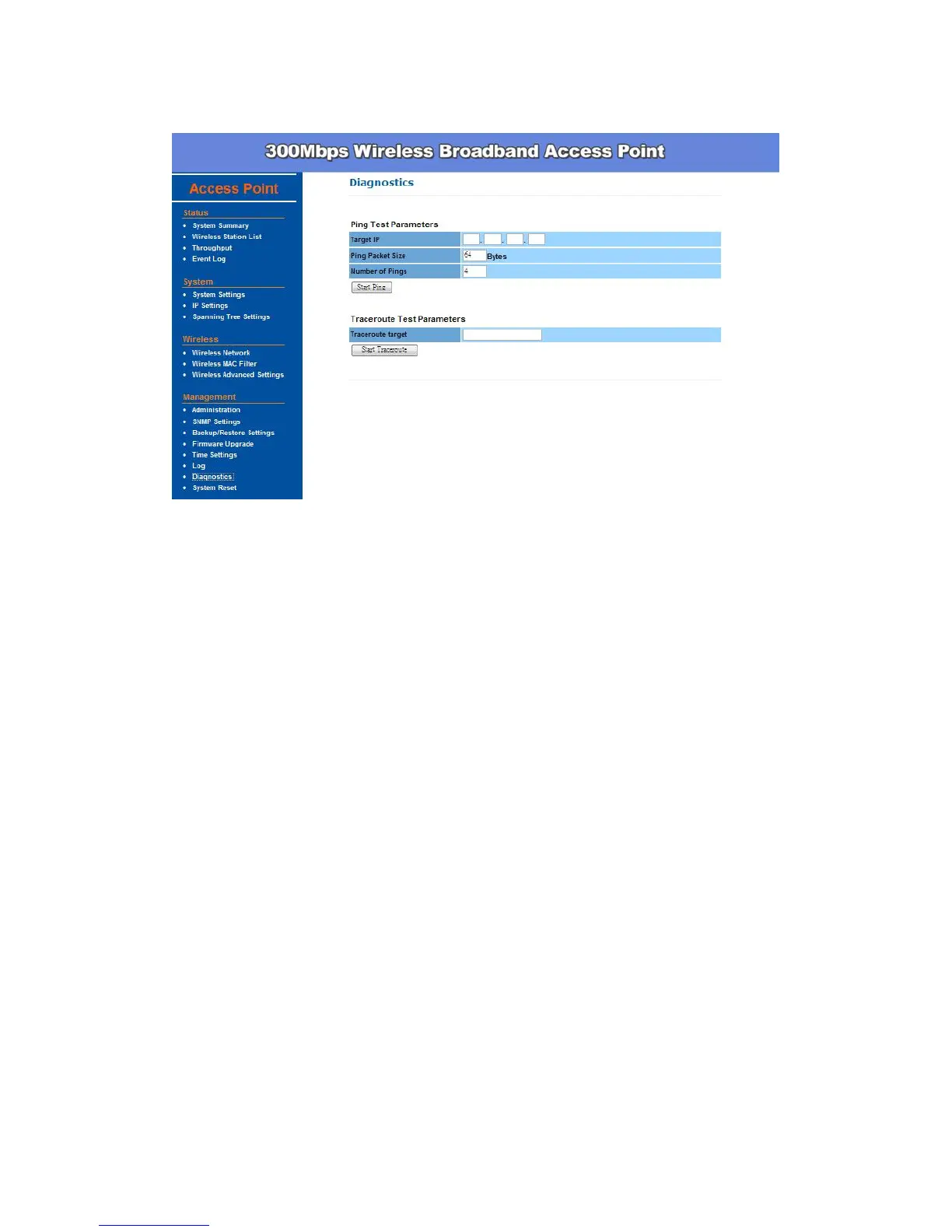
Diagnostics –
Target IP: Specify the IP address you would like to search.
Ping Packet Size: Specify the packet size of each ping.
Number of Pings: Specify how many times of ping.
Traceroute Target: Specify an IP address or Domain name you would like
to trace.
System Reset –
There are 2 different mechanisms for the device t reboot: Auto Reboot and
Schedule to Reboot.
Auto Reboot: When you enable this function, you will need to specify an
IP address which you want this device to ping. This IP address could be
another wireless device, a server or any device with IP address. And you
can decide the time period (in seconds) or the failure counts to trigger this
function.
Schedule to Reboot: This function is used when there are large data
communicating in your network which may cause system unstable as
sometimes the buffer memory on different devices such as the Access
point, IP camera, switch, or computer would run out and you may find the
fastest way to get the whole system back to work by unplug the power
(any device) and power it up again. This is because the buffer memory will
be released when you unplug the power. Thus, you may use this function
to specify a time that you want this device to reboot.
Reboot Now: you can choose to Reboot the Device or Restore to


 To Next Page