34
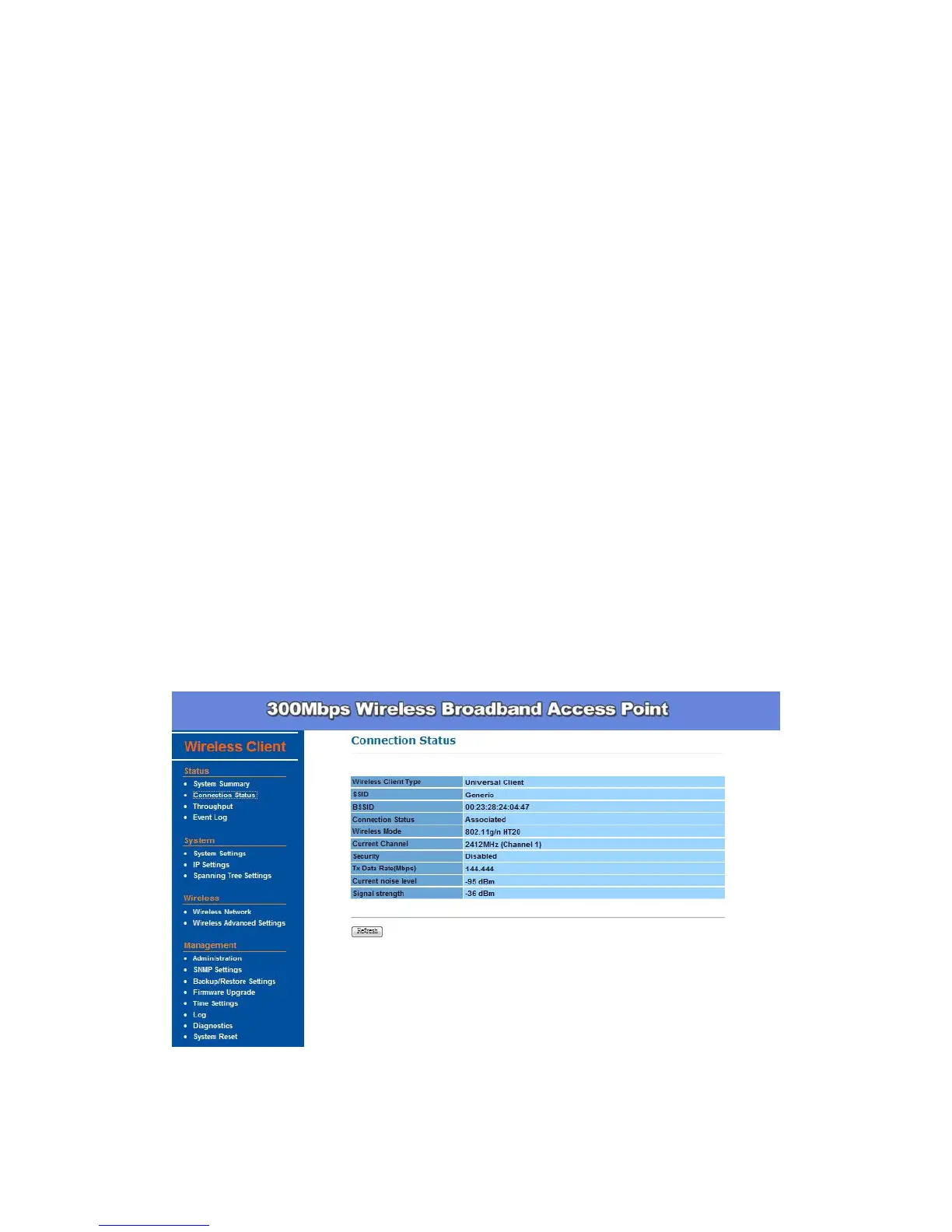
Connection Status -
This column show current connection status. If this device already
connects to an Access Point or station, here will show the MAC address of
the associated Access Point or station. Otherwise, connection column will
show N/A which means no connection to any Access Point or station.
Wireless Client Type – Here indicates the information of this device.
SSID – SSID column displays current SSID assigned to the AP.
BSSID – Basic Service Set Identifier. This is the assigned MAC address
of the station in the access point.
Connection Status – Showa the current status Associated or N/A.
Wireless Mode – Shows the Access Point current work in either 11g or
11n mode.
Current Channel – This column indicates the radio channel currently in
use.
Security – Indicates AP security settings in client mode. Should be either
Disabled, WEP or WPA-PSK.
Tx Data Rate(Mbps) – Shows the current Tx Data rate status.
Current noise level –This column shows current link quality with AP by
noise level in 0 to -96 dBm scale.
Signal strength – This column shows current link quality with AP by
signal strength in 0 to -96 dBm scale.
Wireless Network -


 To Next Page