8
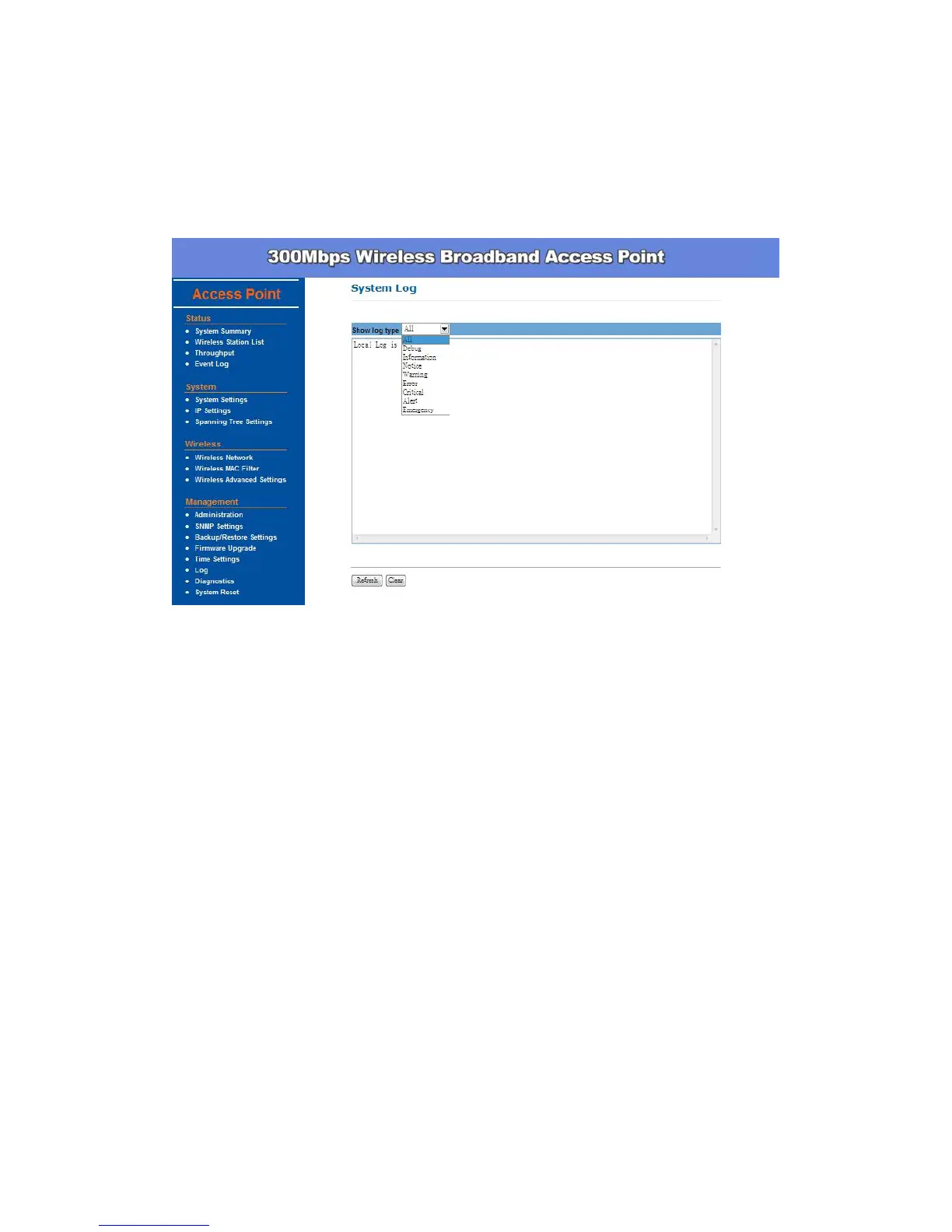
System Log –
Click Event Log, the device automatically logs (records) events of possible
interest in its internal memory. If there is not enough internal memory for all
events, logs of older events are deleted, but logs of the latest events are
retained.
You can start to configure the system. In System Settings page, you can
configure:
Device Name – You may assign any name to the Access Point. Using
memorable and unique names are helpful, especially if you are employing
multiple access points in the same network. The device name needs to be
less than 32 characters. After verify the name you input, click Apply to
save the change.
Country/Region – Here you can set the AP to follow different country and
region regulation.
Operation Mode - The default operation mode is Access Point, this
connects your wireless PCs and devices to a wired network. In most
cases, no change is necessary. You can switch operation mode to
Wireless Client, Pt(M)P Bridge or Repeater mode depends on your
application. Wireless Client mode allows this device to act as a client
within its range. Your Ethernet devices behind the unit can connect to
remote AP. Repeater mode is able to talk with one remote access point
within its range and retransmit its signal. Choose repeater mode if you


 To Next Page