21
Management
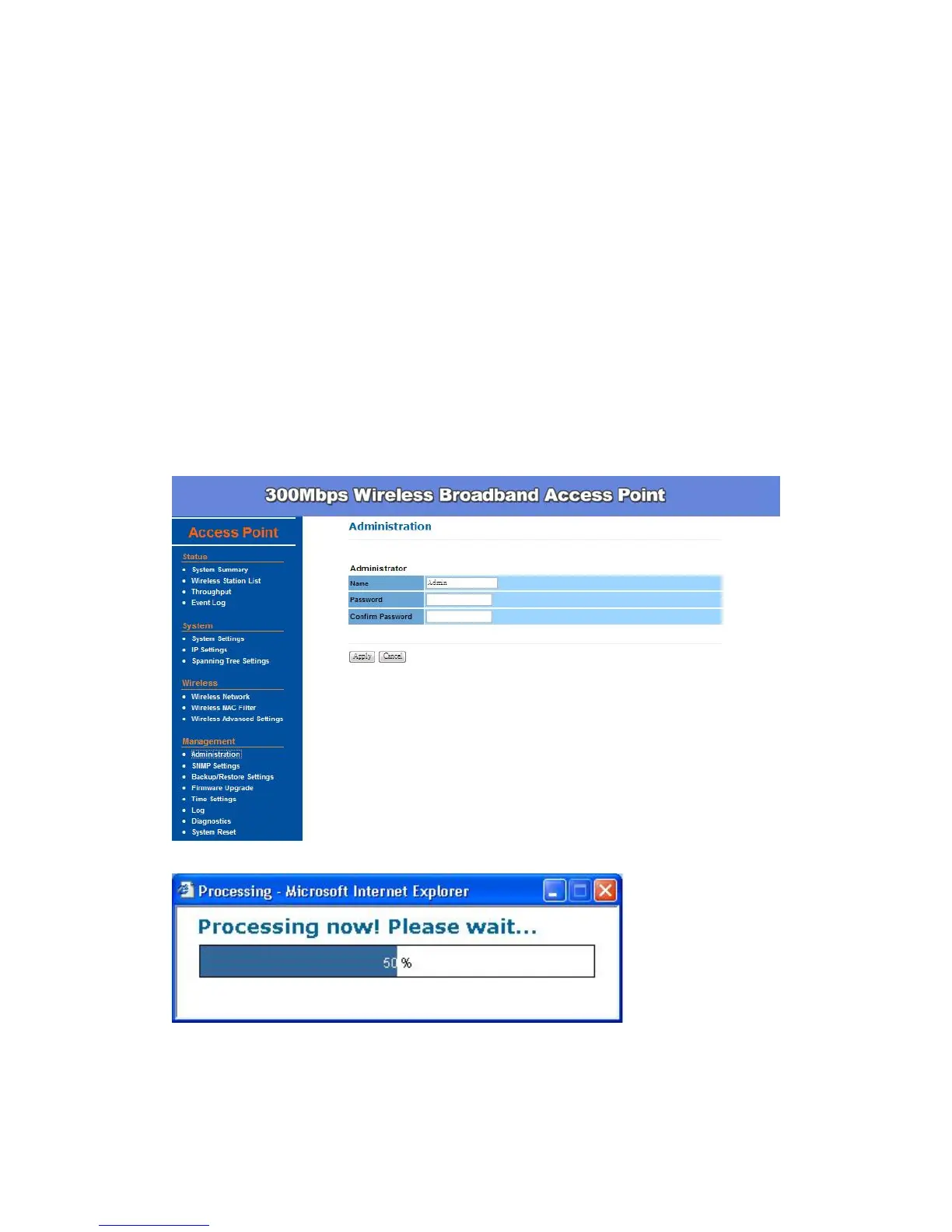
Administration –
In the administration page, you can modify the Name and Password for
administrator. Changing the login user name and password is as easy as
entering the string you wish in the column. Then enter the password in the
second column to confirm. This option allows you to create a user name and
password for the device. By default, this device is configured with a user name
Admin and password is (leave blank). For security reasons, it is highly
recommended that you create a new user name and password.
Click Apply to finish the procedure. Be sure you noted the modification before
apply all changes.


 To Next Page