25
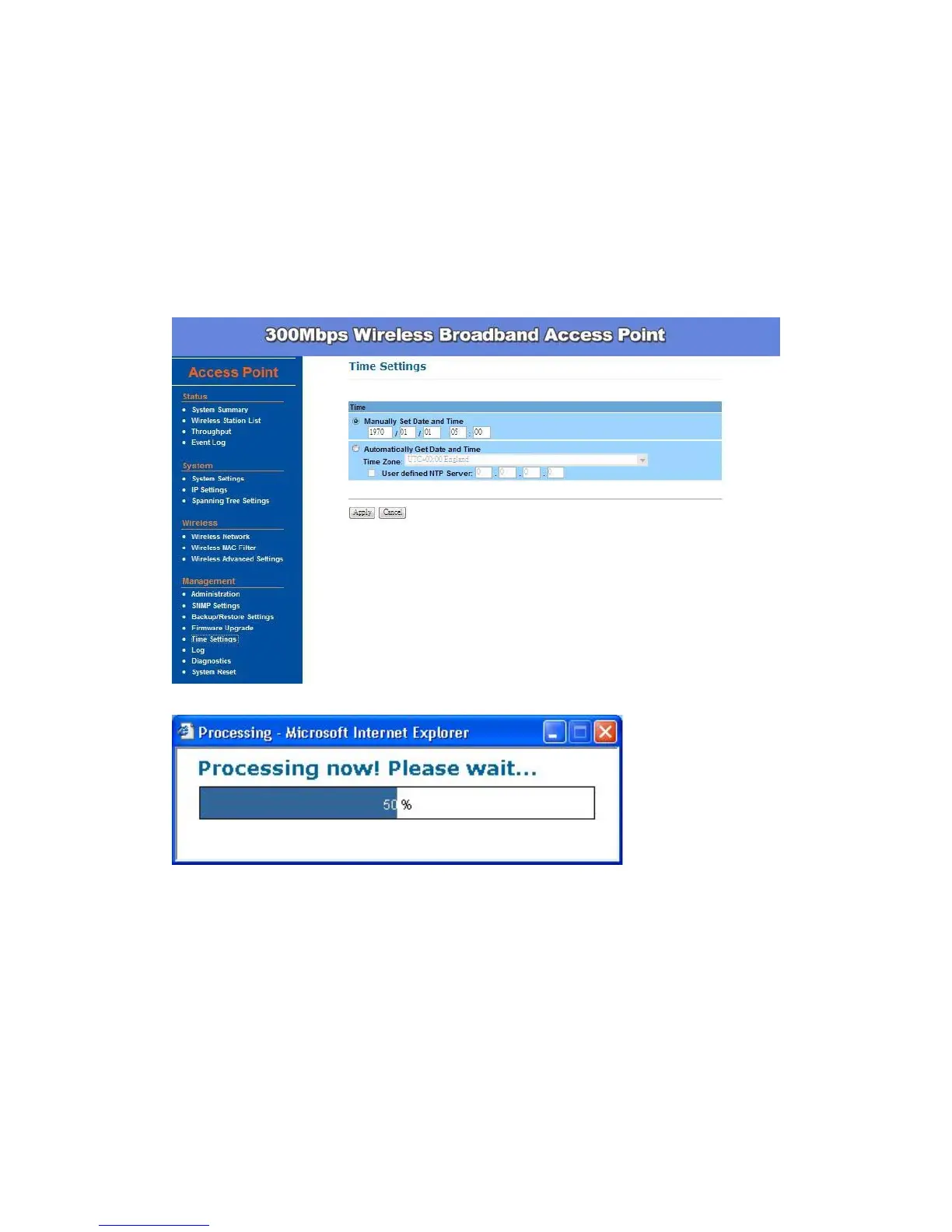
Time Settings –
This page allows you to configure the time on the device. You may do this
manually or by connecting to a NTP server.
Manually Set Date and Time: Setup the date and time
Automatically Get Date and Time: Select the time zone from the drop
down list and then specify the IP address of the NTP server.
Click Apply to save the changes.


 To Next Page