33
Wireless Configuration – Wireless Client Mode
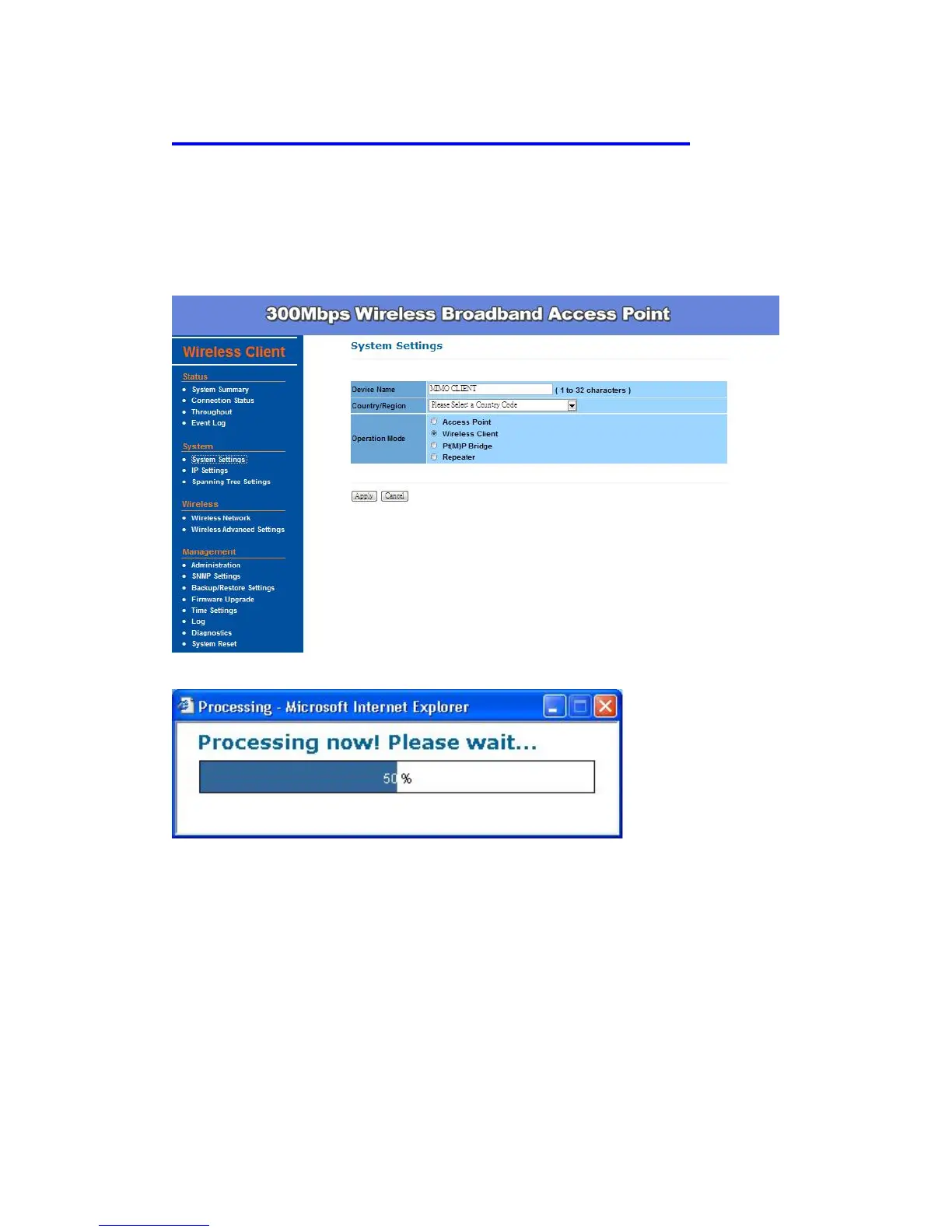
This device can also work as a client device. In order to setup this device to
work in such mode, you need to choose Wireless Client mode and click
Apply.
After the system reboot is done, you can see the page as below. Status page
show the device is now working in Wireless Client mode.


 To Next Page