Chapter 5
26 ALESIS ML-9600 REFERENCE MANUAL
5.2 SIGNAL FLOW
It is important to understand how the audio signal path is routed in order to effectively use the Digital
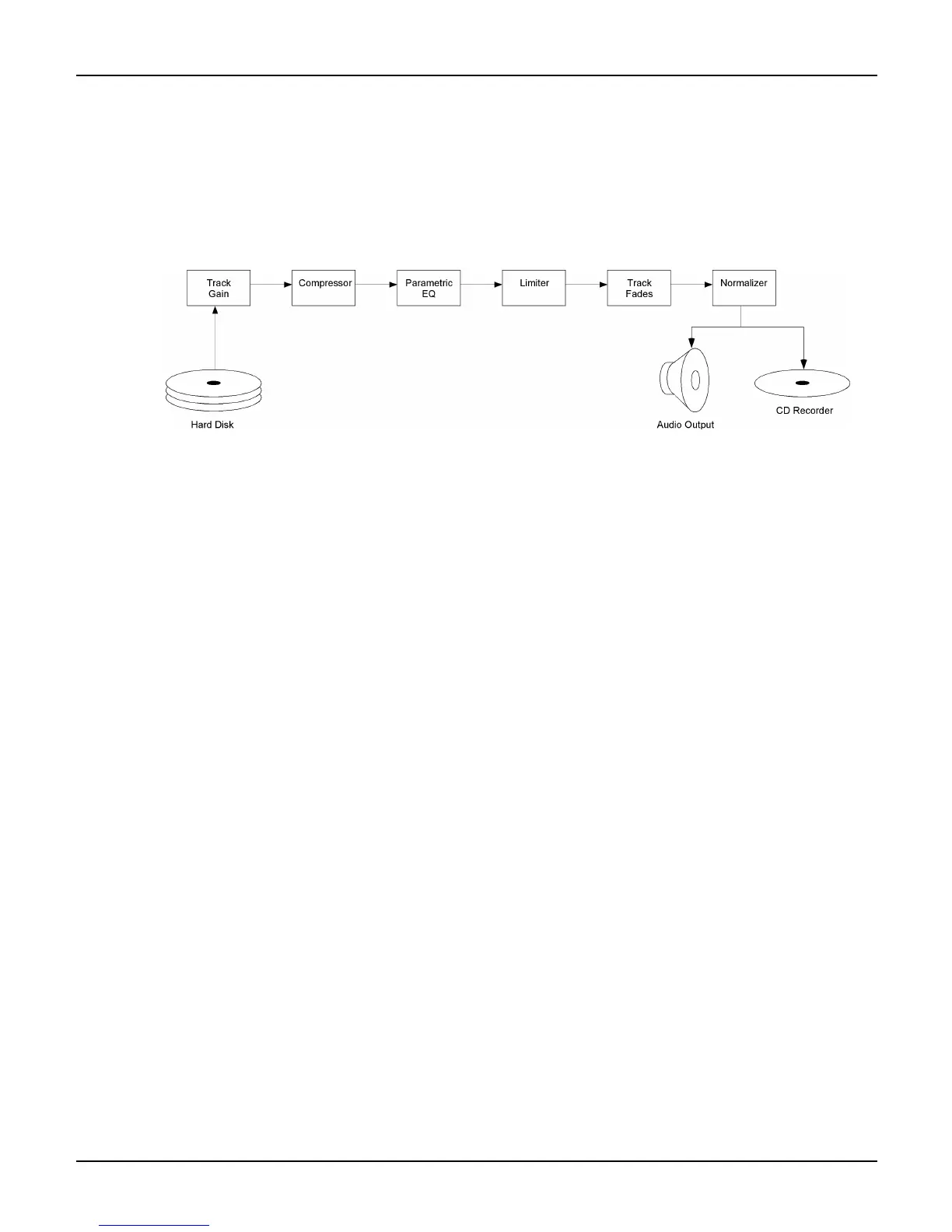
Signal Processing power of the ML-9600. DSP is applied only to audio being played back from the hard
disk, and goes through six different DSP "blocks" before reaching either the audio outputs (in the case
of audio playback) or the CD drive (in the case of CD creation). Figure 5.2.1 shows these DSP blocks
and their order.
Figure 5.2.1
DSP Blocks
The first block is the Track Gain block. The amount of gain is adjusted in the top line of the display in
the Playlist Edit pages. This gain is applied immediately after data is read from the hard disk. Although
not strictly a DSP block, its position relative to the other blocks is important because it sets the input
gain for the other DSP modules, as this gain block can be used to prevent clipping in subsequent DSP
blocks.
The second block is the Compression block. Its parameters are adjusted from the Cmpress pages under
the Track DSP button.
The third block is the Parametric EQ block. Its parameters are adjusted from the EQ pages under the
Track DSP button.
The fourth block is the look-ahead Peak Limiter block. Its parameters are adjusted from the Limiter
pages under the Track DSP button.
The fifth block is the Track Fade block. Its parameters are adjusted using the FdIn and FOut pages in
Playlist Edit mode.
The sixth and final DSP block is the Normalizer block. Its parameters are adjusted from the Normliz
pages under the Track DSP button.


 To Next Page
 Loading...