21
Hi-Hat Pedal Setup
While the trigger settings for the drums and cymbals of your Strike Kit or Strike Pro Kit have already been
optimized, you may need to make a small adjustment to optimize your hi-hat pedal performance. Hi-hat
pedal designs can vary and the Strike module has an easy adjustment to help with this.
To adjust your hi-hat top cymbal:
1. See the Strike Kit or Strike Pro Kit Assembly Guide to be sure your hi-hat cymbal is connected and
positioned properly.
2. Loosen the hi-hat “clutch” and let the top cymbal rest lightly on the spring below.
3. Without pushing down on your hi-hat pedal, tighten the clutch.
Now that your hi-hat pedal is set up, select a kit with a realistic acoustic hi-hat sound and play it. You
should be able to hear a distinct “chick” sound when closing the hi-hat by stepping on the pedal. While
striking the top hi-hat cymbal and opening/closing the pedal, you should be able to hear a transition from
the appropriate open or closed hi-hat sound.
Note: Not all kits will have multiple hi-hat position sounds. For example, some kits in the Electronic
category may have unconventional instruments assigned to the hi-hat.
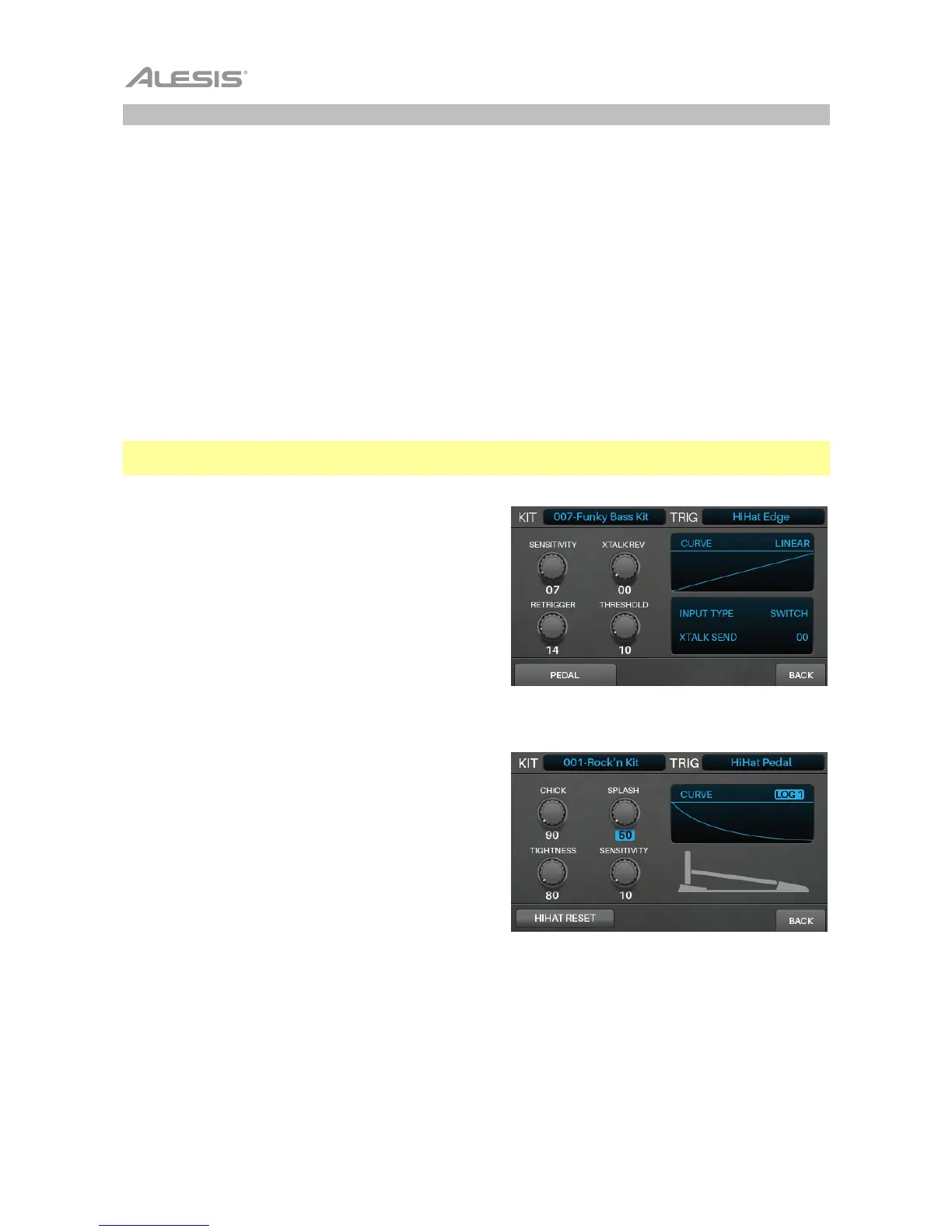
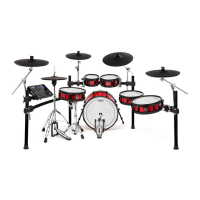
If you cannot produce the “chick” or “splash” sounds
consistently, follow these steps:
1. Press Edit > Triggers to enter Trigger Mode.
2. Select the hi-hat bow or edge trigger by doing one of
the following:
• If the Note Chase button is off, press it so it
turns on. Press the hi-hat pedal or strike the
hi-hat.
• Use the cursors to select the Trig field in the
upper-right corner. Turn the data dial to
select HiHat Bow or HiHat Edge.
3. Press F1/F2/Pedal.
4. Press F1/F2/HiHat Reset to calibrate your hi-hat pedal.



 To Next Page