7
Operation
This chapter contains information on how to use your Strike Performance Drum Module.
Navigation
Controls
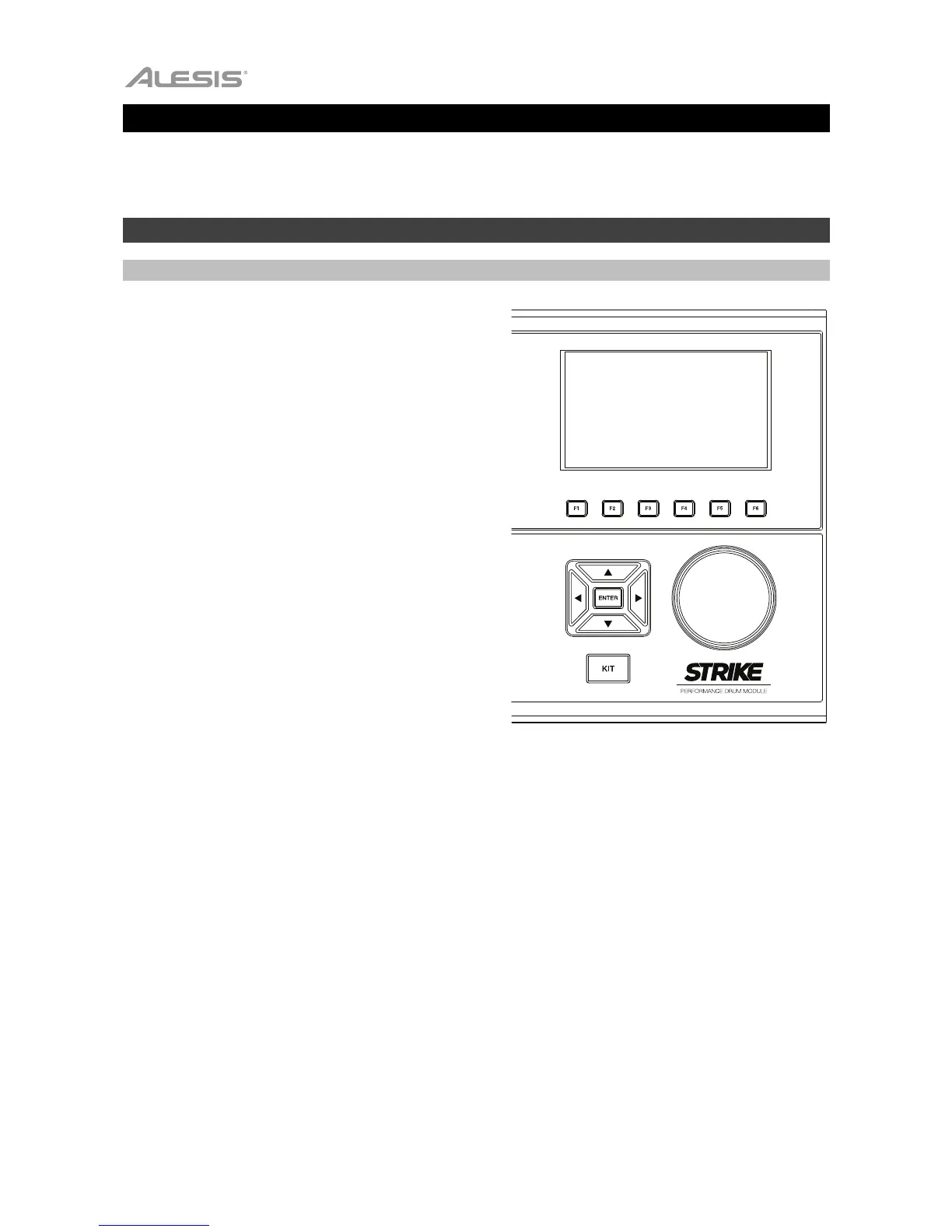
The Strike module’s display shows information about its
current mode and operations. You can navigate its different
modes, pages, etc. by using the following controls:
• Data Dial: Use this dial to scroll through a menu or
to change the selected parameter value, setting,
etc. in the display.
• Cursors: Use these buttons to select different
areas shown in the current page in the display.
• Enter: Press this button to confirm a selection
shown in the display.
• Function Buttons (F1–F6): Press one of these 6
buttons to select the corresponding tab shown
above it (at the bottom edge of the display).
• Mode Buttons (not shown): Press one of these
buttons to enter its mode: Kit, Mixer, Sample,
Utility, Save, Kit FX, Voice, or Triggers. When
you power on the drum module, it’ll always start
in Kit Mode.



 To Next Page