9
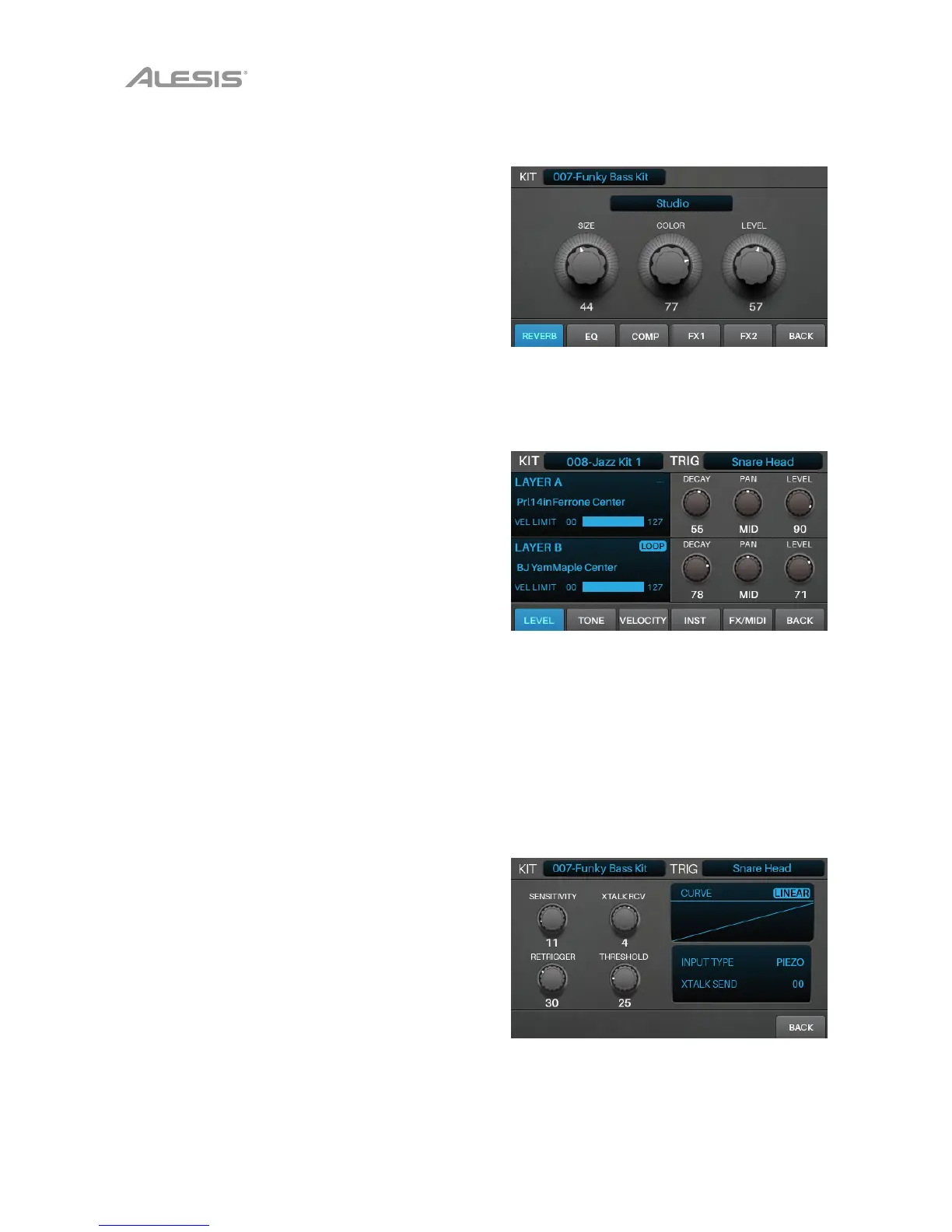
Kit FX Mode
Kit FX Mode lets you adjust the settings for the Reverb,
EQ, Comp (compressor), and FX processors. You can
then how much of each to apply to each voice in the kit
(see Kits > Editing Kits > Editing Voices).
To enter Kit FX Mode, press Edit > Kit FX.
See Kits > Editing Kits for more information about Kit
FX Mode.
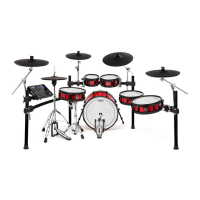
Voice Mode
Voice Mode shows the settings for each voice within the
kit. A voice is the sound produced by each trigger of your
Strike Kit.
Each tab in this screen lets you edit different settings of
each voice.
To enter Voice Mode, press Edit > Voice.
To select a trigger, do one of the following:
• Press Note Chase so it’s on. Strike the
desired trigger on your Strike Kit.
• Use the cursors to select the Trig field in the
upper-right corner. Turn the data dial to
select the desired trigger.
See Kits > Editing Kits for more information about Voice
Mode settings.
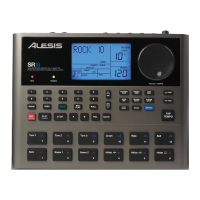
Trigger Mode
Trigger Mode shows the settings for each trigger of your
Strike Kit, including its sensitivity, threshold, velocity curve,
and crosstalk settings.
To enter Trigger Mode, press Edit > Trigger.
To select a trigger, do one of the following:
• Press Note Chase so it’s on. Strike the
desired trigger on your Strike Kit.
• Use the cursors to select the Trig field in the
upper-right corner. Turn the data dial to
select the desired trigger.
See Kits > Editing Kits for more information about
Trigger Mode settings.



 To Next Page