27
Utility Menu
The Utility menu contains settings that determine the module’s overall operation, including global metronome
functions, global trigger settings, and system information.
Press the corresponding function button to show its settings:
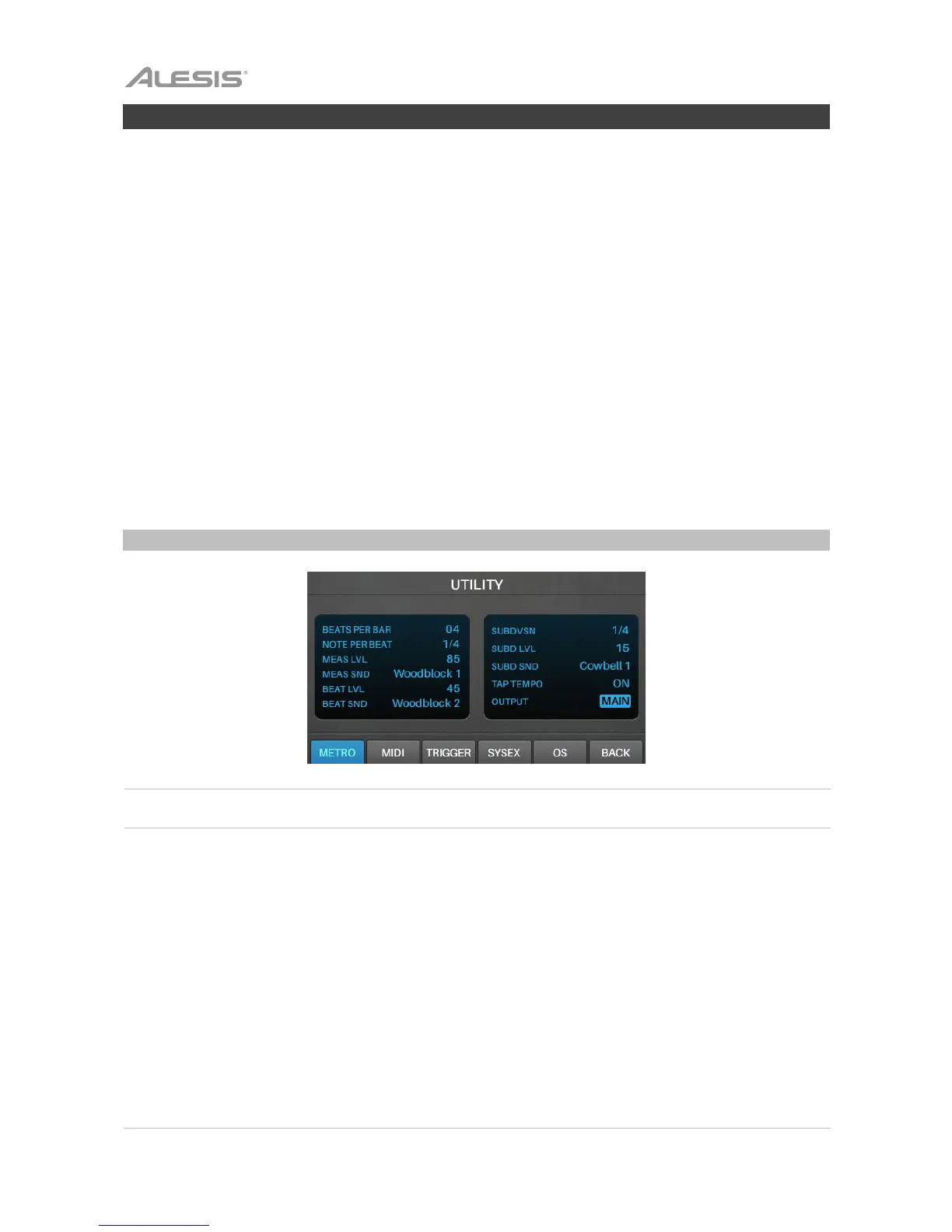
• F1/Metro: Metronome settings. See Metronome (Metro) in this chapter.
• F2/MIDI: MIDI settings. See MIDI in this chapter.
• F3/Trigger: Trigger settings. See Trigger in this chapter.
• F4/SysEx: Send the trigger settings as a MIDI SysEx file. See SysEx in this chapter.
• F5/OS: Current operating system information. See OS in this chapter.
On each page, use the cursors to select a setting, and turn the data dial to change it.
To reset to the default settings in Trigger Mode and in the Utility menu, press and hold the Stop and
Enter buttons while powering on the Strike Module.
Metronome (Metro)
Setting Description
alues/Settings
Beats Per Bar
This is the number of beats in each bar (the top
number of a time signature).
00–99
Note Per Beat
This is the time division of each beat (the bottom
number of a time signature).
1/2, 1/4, 1/8, 1/16
Meas Lvl
This is the volume level of the first beat of each bar.
00–99
Meas Snd
This is the sound used for the first beat of each bar.
Woodblock 1, Woodblock 2,
Cowbell 1, Cowbell 2, Shaker
Beat Lvl
This is the volume level of each beat except the first.
00–99
Beat Snd
This is the sound used for each beat except the first.
Woodblock 1, Woodblock 2,
Cowbell 1, Cowbell 2, Shaker



 To Next Page