23
Sample Mode
You can use your Strike module to record, edit, and save samples from another audio source. You can
then assign those samples as instruments in a kit or play them back as loops or backing tracks.
Recording Samples
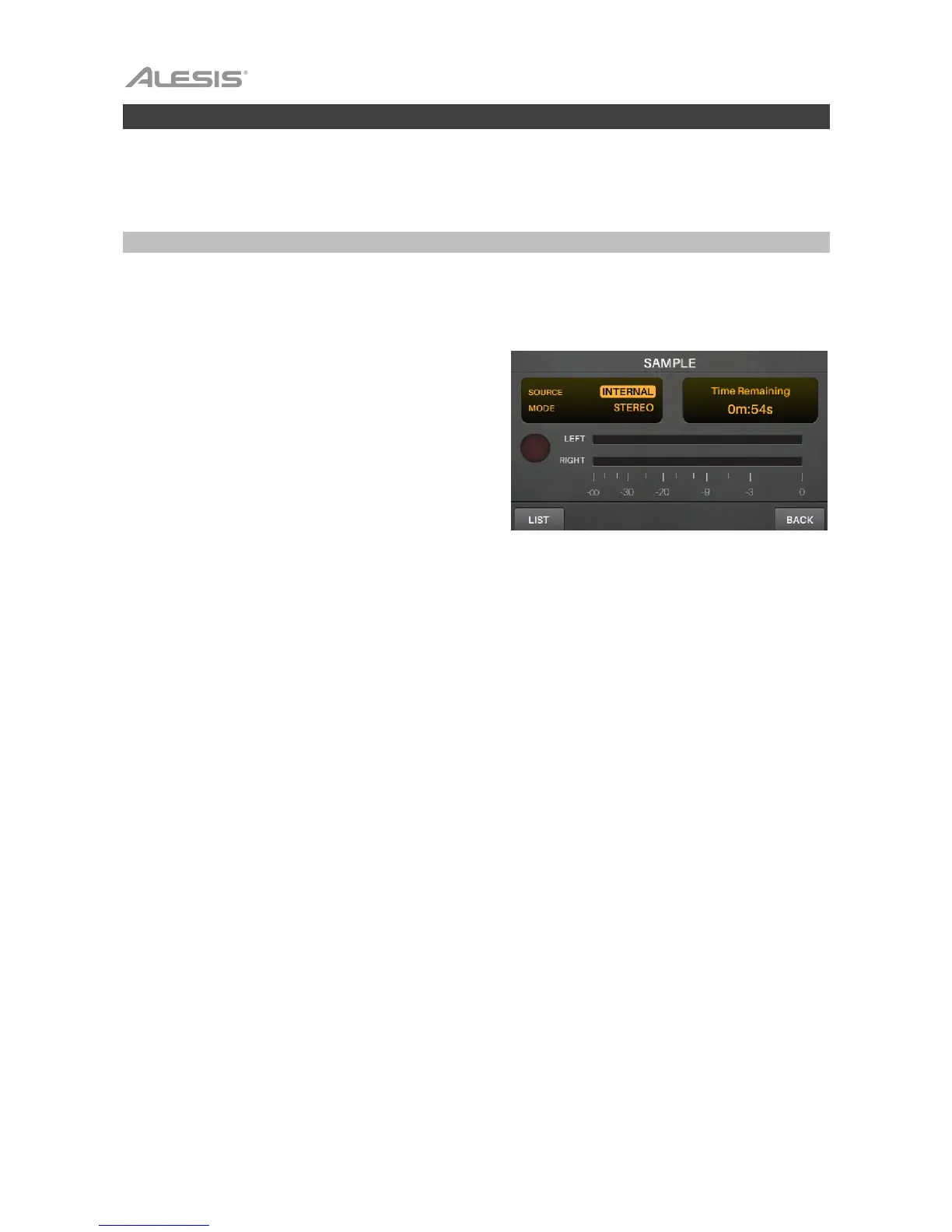
Sample Record Mode contains controls for recording from an audio source connected to the Strike
module’s Aux In or its own internal audio signal.
To record a sample:
1. Press Record () to enter Sample Record Mode.
2. Turn the data dial to select the source you want to
record:
• Aux Input: the signal sent into the aux in (on
the rear panel).
• Internal: the module’s internal audio signal
(i.e., you playing the Strike Kit).
• Aux+Internal: the signal sent into the aux in
(on the rear panel) as well as the module’s
internal audio signal (i.e., you playing the
Strike Kit).
3. If you selected Aux Input or Aux+Internal, use a
1/8” (3.5 mm) stereo/TRS cable to connect your
audio source to the aux in.
4. Turn the data dial to select the channels you want to
record:
• Stereo: the left and right channels in stereo.
• Mono Left: the left channel only.
• Mono Right: the right channel only.
• Mono Summed: both channels summed into
a mono signal.
5. Play your audio source and/or play your Strike Kit,
and set the volume to a listenable level. If you are
recording an external audio source, turn the Aux In
knob (on the top panel) to adjust the input recording
level, which will appear in the Left and Right level
meters. When you have set an appropriate level, find
the part of your audio that you want to record.
6. Press the Record () button to start recording. The
button in the display will light red and the Time
Remaining counter will start counting.
7. Play your audio source and/or play your Strike Kit.
8. Press the Record () button again to stop recording
and enter Sample Edit Mode.
9. If you are recording an external audio source, stop its
playback, and/or turn the Aux In knob back down.



 To Next Page