- 21 -
Default Gateway - Enter the gateway IP address in dotted-decimal notation provided by your
system administrator.
DHCP – S
e
l
e
c
t
Disabled,
C
li
e
n
t
or
Server in
d
i
ff
e
r
e
n
t
op
e
r
a
t
i
on
mode for AC1200R
DHCP Client Range -
Fill in
the start
IP
address and end
IP
address to
a
ll
o
c
a
t
e
a
range of
IP
addresses;
c
li
e
n
t
w
i
t
h
DHCP
f
un
c
t
i
on
set
will
b
e
a
ss
i
g
n
e
d
an
IP
address automatically.
Show Client – Press open to
a
c
t
i
v
e
the
DHCP
C
li
e
n
t
T
a
b
l
e
w
i
ndo
w
that s
ho
w
s the
a
c
t
i
v
e
c
li
e
n
t
s
w
i
t
h
t
h
e
i
r
a
ss
i
g
n
e
d
IP
address,
MAC
a
ddr
e
ss and
t
i
m
e
e
x
p
i
r
e
d
i
n
f
or
m
a
t
i
on
.
[
S
e
r
v
e
r
mode only]
DHCP Lease Time – Amount of time the IP address is leased for.
Set Static DHCP -
M
a
nu
a
l
setup
Static
DHCP IP
address for
specific M
AC
a
ddr
e
ss.
[
S
e
r
v
e
r
mode
on
l
y]
Domain Name -
Assign Domain
Name and
d
i
s
p
a
t
c
h
to
DHCP
c
li
e
n
t
s [optional]
802.1d Spanning Tree -
E
n
a
b
l
e
or
d
i
s
a
b
l
e
the
IEEE
802.1d
Spanning
T
r
ee
f
un
c
t
i
on
from
pull-down
m
e
nu
.
Clone MAC Address -
Fill in
the
MAC
address for
the
MAC
address to be
c
l
on
e
d.
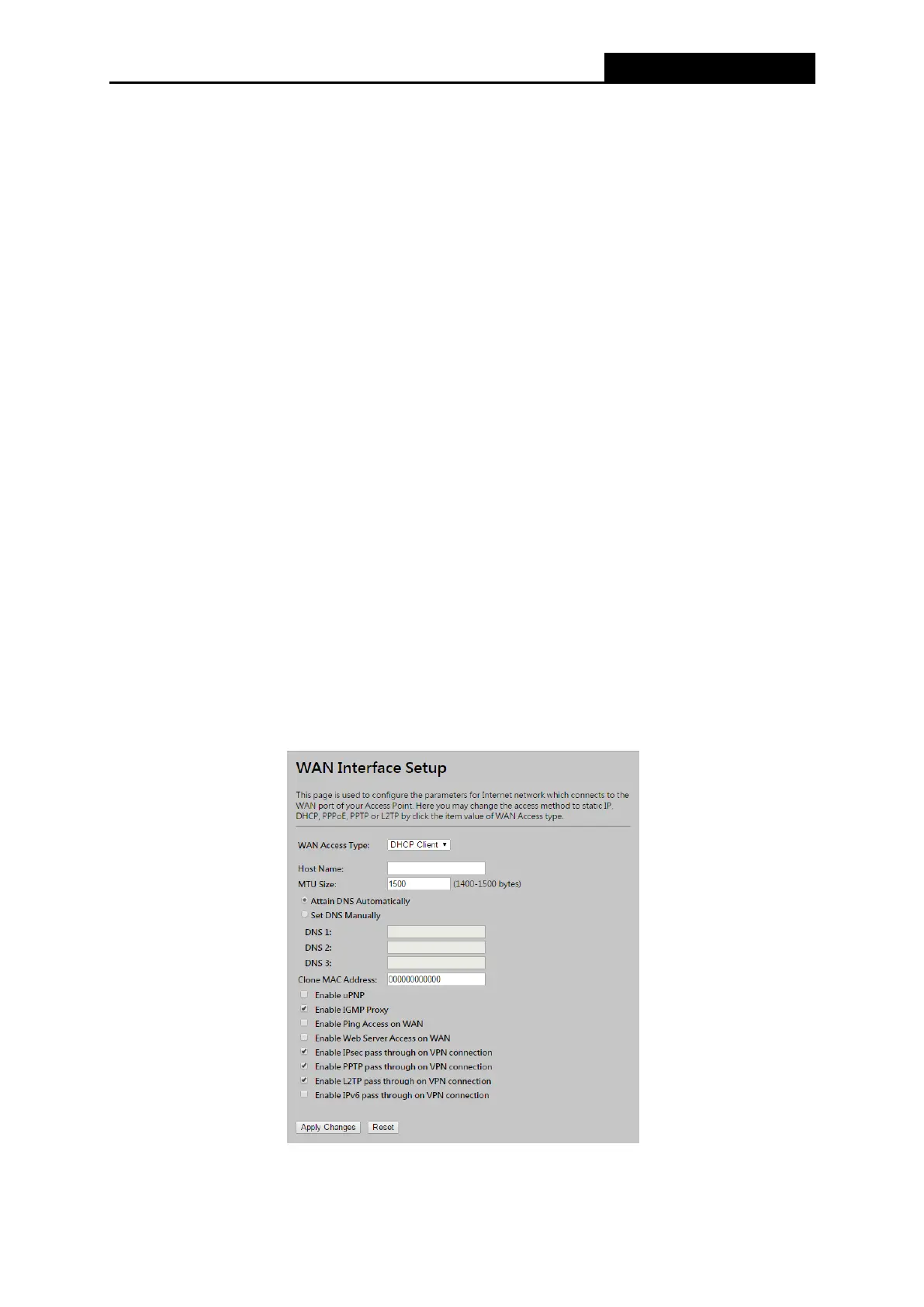
4.5.2 WAN Interface
Choose menu “TCP/IP Settings → WAN”, you can configure the IP parameters of the WAN on
the screen shown below.
Figure 4-7 WAN – Static IP



 To Next Page