- 44 -
Enable MAC Filtering – Check to Enable MAC filtering feature.
MAC Address - The wireless station's MAC address that you want to filter.
Be sure to click the Apply Changes button to save your settings on this page.
4.7.4 Port Forwarding
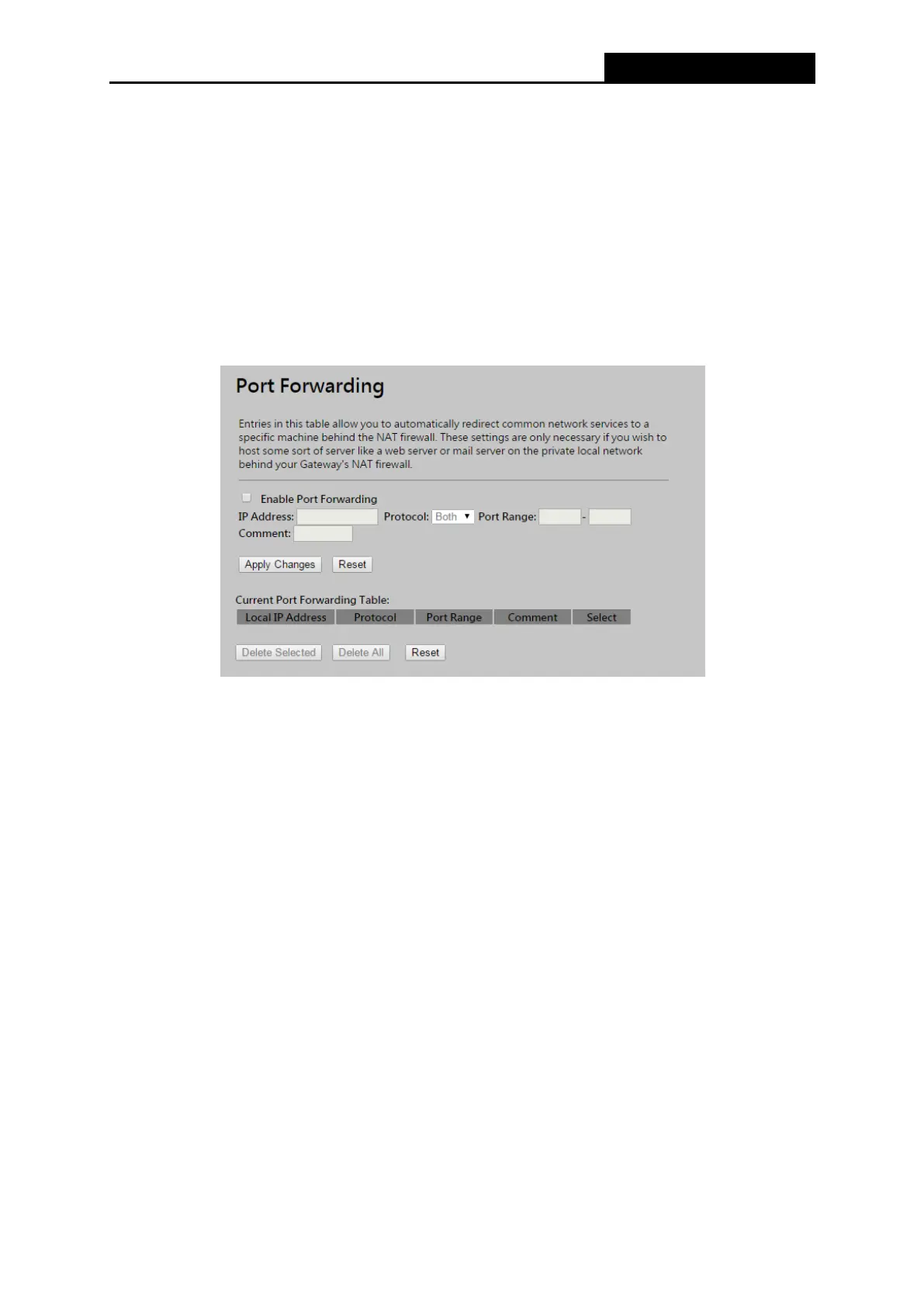
Choose menu “Firewall → Port Forwarding”, you can redirect the network traffic by configuring
the Port Forwarding function as shown in Figure 4-30.
Figure 4-30 Port Forwarding
Enable Port Forwarding – Check to Enable port forwarding feature.
IP Address – Forward data packets to specific IP address in your local area network.
Protocol - The protocol used for forwarding data packets, either TCP or UDP, or BOTH
Port Range - The port range used by the remote system when it responds to the forwarding
request. A response using one of these ports will be forwarded to the PC that triggered this
rule.
Be sure to click the Apply Changes button to save your settings on this page.



 To Next Page