- 40 -
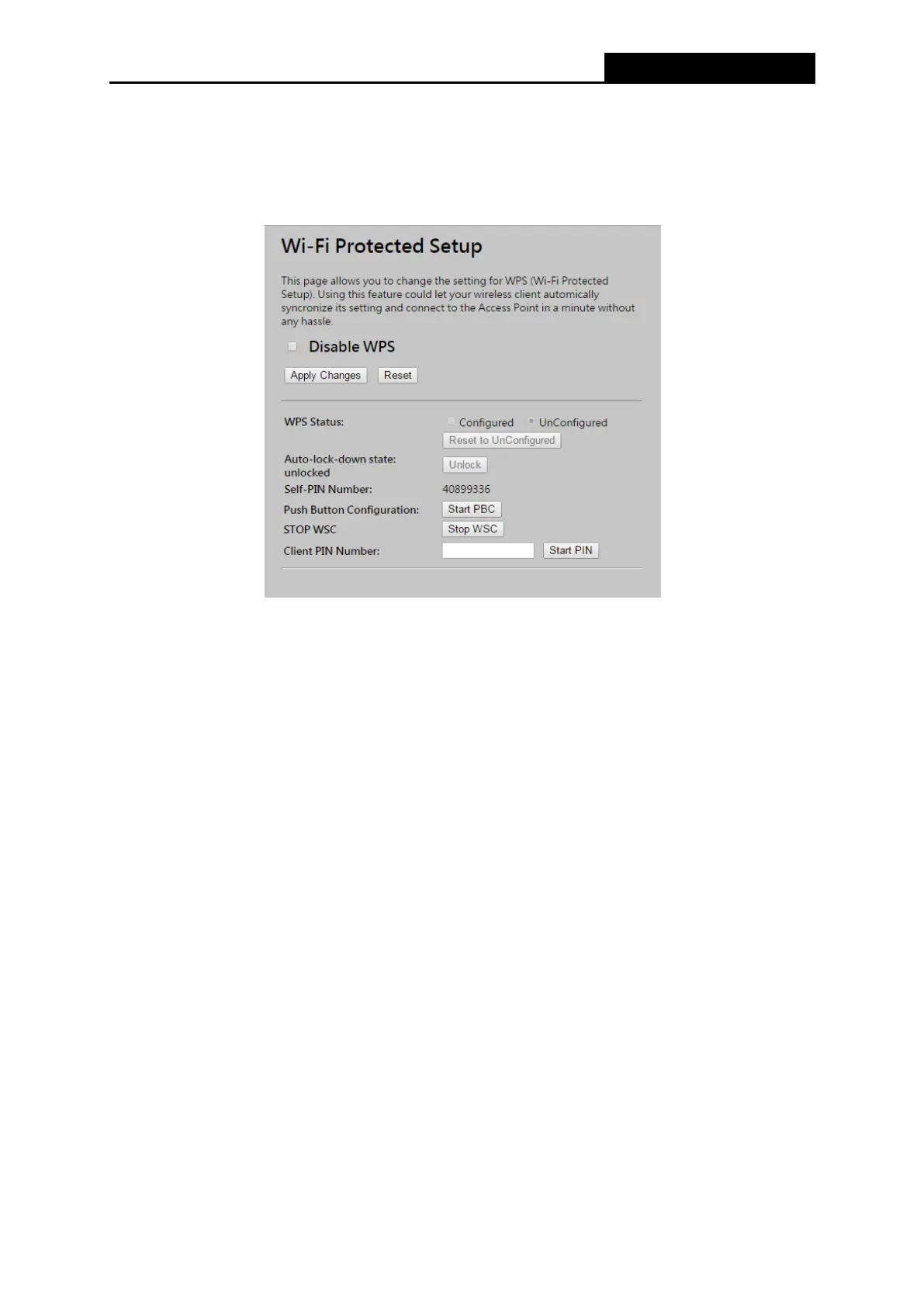
4.6.7 WPS
Choose menu “Wireless → WPS”, where you to add a new wireless device to an existing
2.4GHz or 5GHz network quickly.
Self-PIN Number - The current value of the Router's PIN is displayed here.
PIN Configuration - You will need to enter Self-PIN Number into adapter’s configuration
utility or on the adapter itself. Press the Start PIN button on the router and on the adapter.
Note: You will have two minutes to push the PIN button on the router and device(s) you want
to connect.
Push Button Configuration - You will need an adapter that supports it via a utility or on the
adapter itself. Press the Start PBC button on the router and on the adapter.
Note: You will have two minutes to push the PIN button on the router and device(s) you want
to connect.



 To Next Page