- 42 -
4.7 Firewall
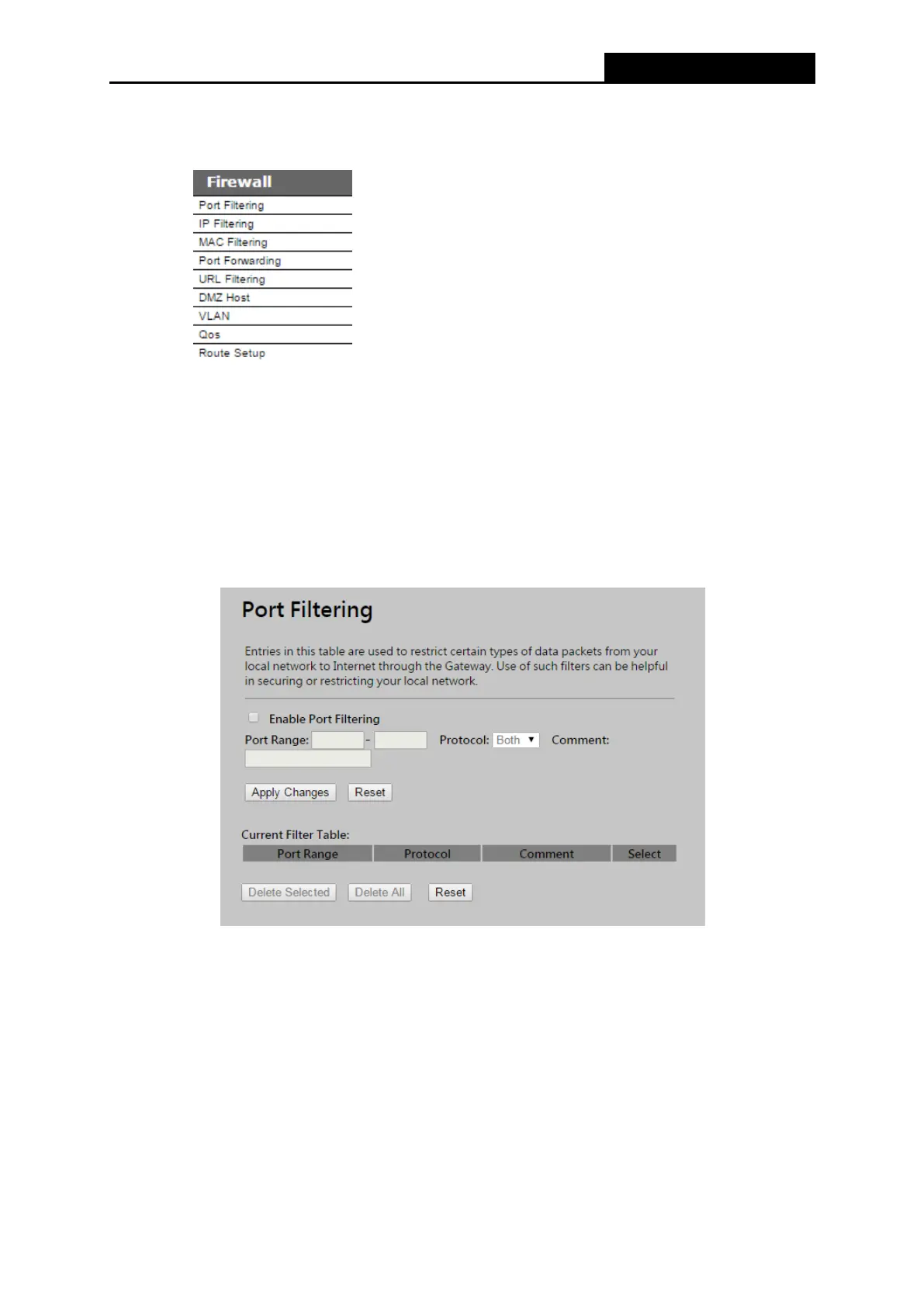
Figure 4-26 The Firewall menu
There are submenus under the Firewall menu (shown in Figure 4-26). Click any of them, and you
will be able to configure the corresponding function.
4.7.1 Port Filtering
Choose menu “Firewall → Port Filtering”, you can control the wireless access by configuring
the Port Filtering function as shown in Figure 4-27.
Figure 4-27 Port Filtering
Enable Port Filtering – Check to Enable port filtering feature.
Port Range / Protocol / Comment - Specify the port range from start-port to end-port and
put your comment to remind you why you have restriction on these ports. You can restricted
TCP, UDP, or both protocol.
Be sure to click the Apply Changes button to save your settings on this page



 To Next Page