- 45 -
4.7.5 URL Filtering
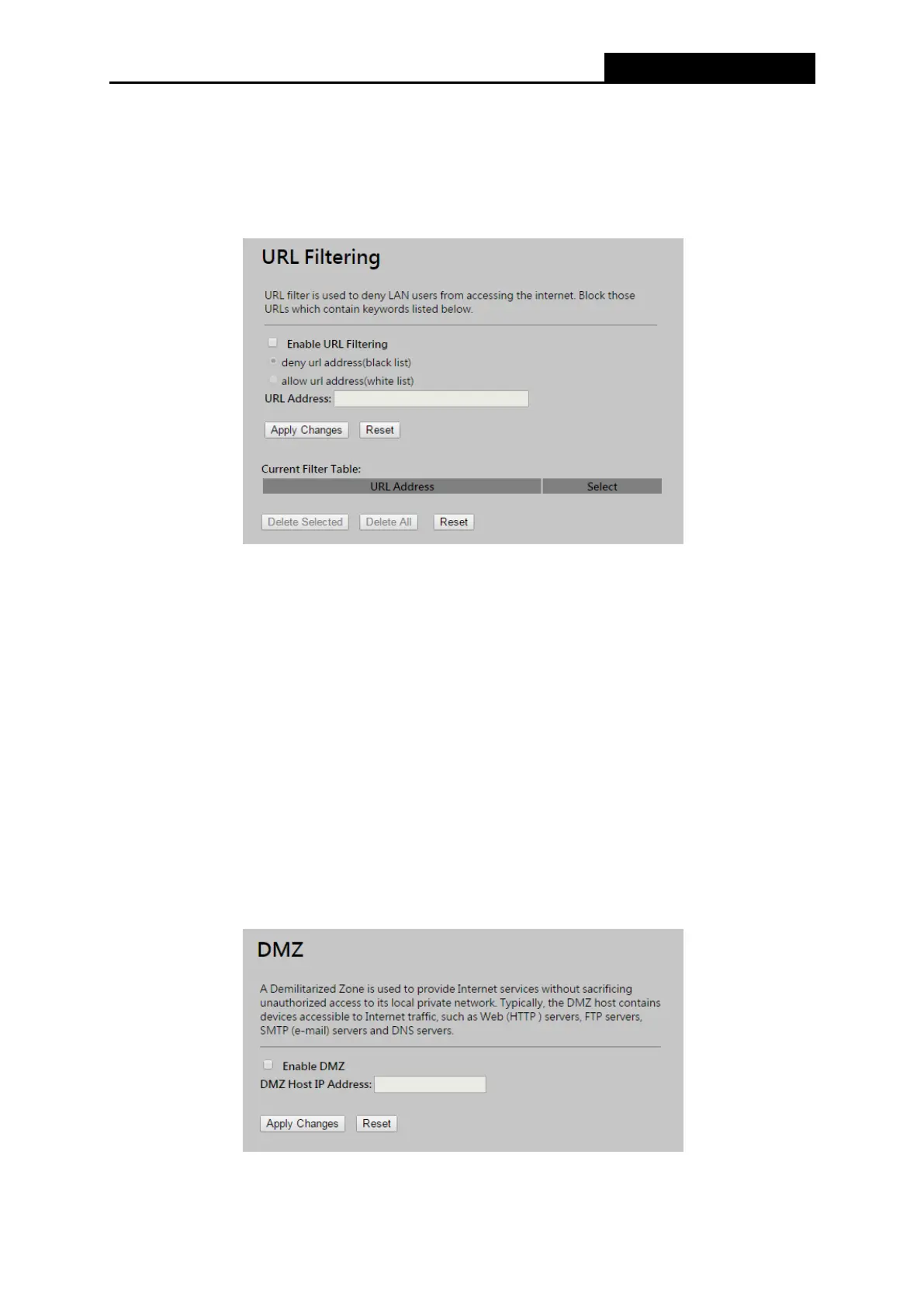
Choose menu “Firewall → URL Filtering”, you can restrict user to access specific web page by
configuring the URL Filtering function as shown in Figure 4-31.
Figure 4-31 URL Filtering
Enable URL Filtering – Check to Enable URL filtering feature.
URL Address - The address that you want to restrict user to access.
Be sure to click the Apply Changes button to save your settings on this page.
4.7.6 DMZ
Choose menu “Firewall → DMZ”, you can view and configure DMZ host in the screen as shown
in Figure 4-32. The DMZ host feature allows one local host to be exposed to the Internet for a
special-purpose service such as Internet gaming or videoconferencing. DMZ host forwards all the
ports at the same time. Any PC whose port is being forwarded must have its DHCP client function
disabled and should have a new static IP Address assigned to it because its IP Address may be
changed when using the DHCP function.
Figure 4-32 DMZ



 To Next Page