- 29 -
4.6 Wireless
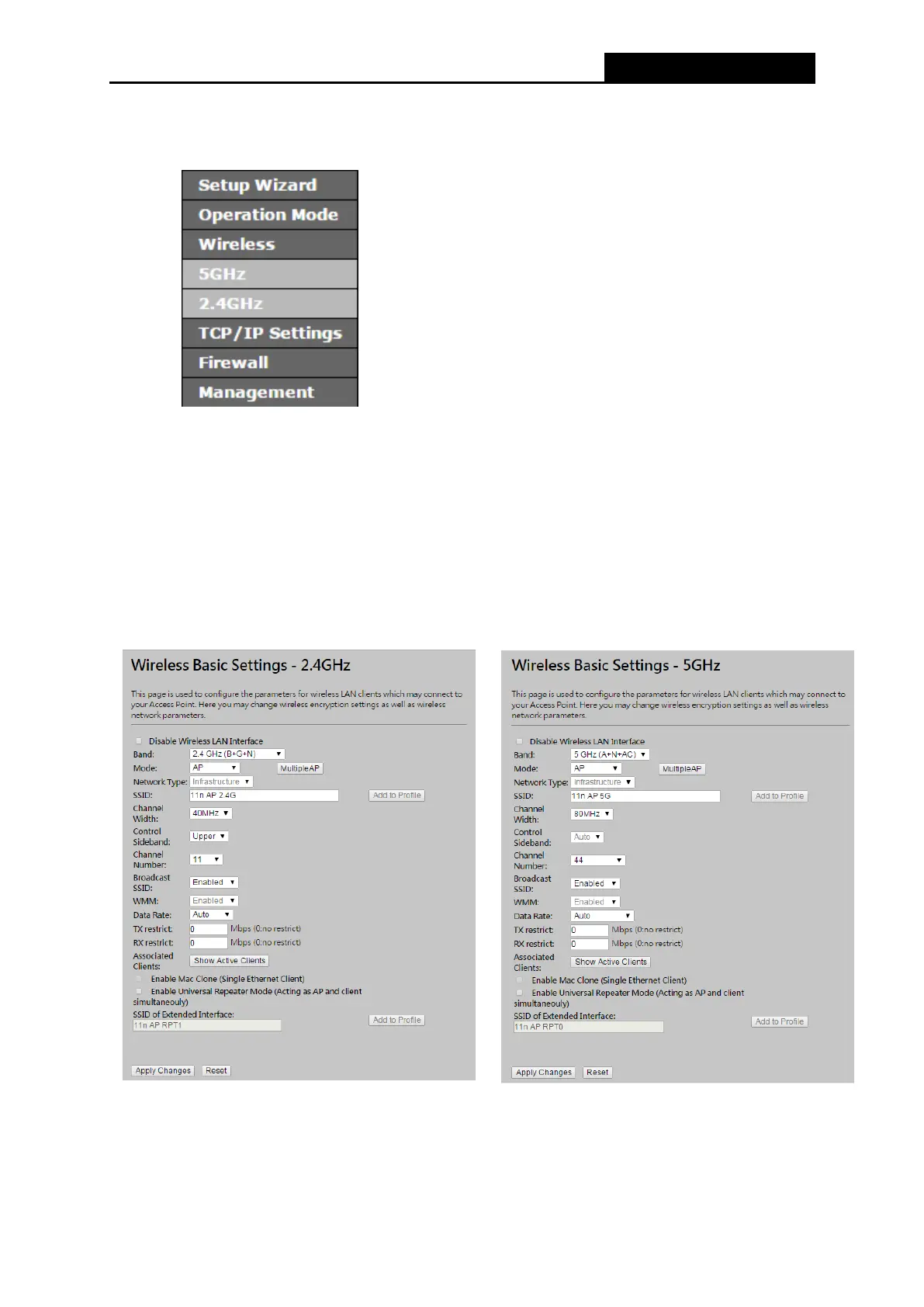
Figure 4-15 Wireless menu
There are eight submenus under the Wireless menu (shown in Figure 4-15): Basic Settings,
Advanced Settings, Security, Access Control, WDS Setting, Site Survey, WPS, and
Schedule. Click any of them, and you will be able to configure the corresponding function.
4.6.1 Basic Settings
Choose menu “Wireless → Basic Settings”, you can configure the basic settings for the 2.4GHz
/ 5GHz wireless network.
Figure 4-16 Wireless Settings
Band - Select the desired protocol. The default setting is 2.4GHz (B+G+N).
2.4GHz (B) - Select if all of your wireless clients are 802.11b.



 To Next Page