- 33 -
4.6.3 Security
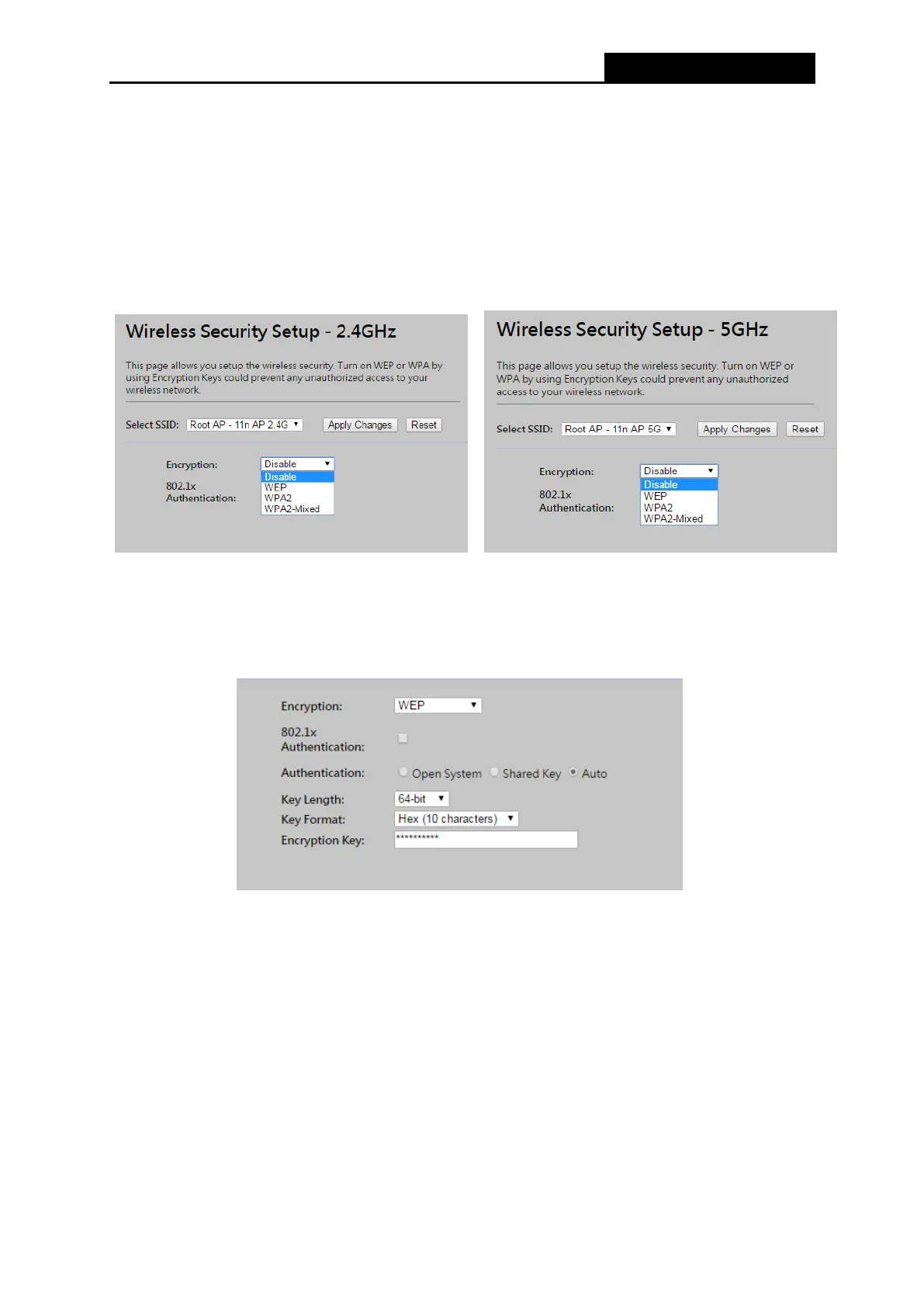
Choose menu “Wireless → Security”, you can configure the security settings of your wireless
network.
There are four wireless security modes supported by the Router: WEP (Wired Equivalent Privacy),
WPA (Wi-Fi Protected Access), WPA2 (Wi-Fi Protected Access 2), WPA-Mixed (Pre-Shared Key
or Enterprise).
Figure 4-18 Wireless Security
Disable - If you do not want to use wireless security, check this radio button. It’s strongly
recommended to choose one of the following modes to enable security.
WEP - It is based on the IEEE 802.11 standard. If you check this radio button, you will find a
notice in red as shown in Figure 4-19.
Figure 4-19
802.1x Authentication – Check to enable 802.1x authentication via RADIUS server.
Authentication - You can choose the type for the WEP security on the pull-down list. The
default setting is Auto, which can select Shared Key or Open System authentication type
automatically based on the wireless station's capability and request.
Key Length - You can select the WEP key length (64-bit, or 128-bit) for encryption.
64-bit - You can enter 10 hexadecimal digits (any combination of 0-9, a-f, A-F, zero key is
not recommended) or 5 ASCII characters.
128-bit - You can enter 26 hexadecimal digits (any combination of 0-9, a-f, A-F, zero key is
not recommended) or 13 ASCII characters.



 To Next Page