16
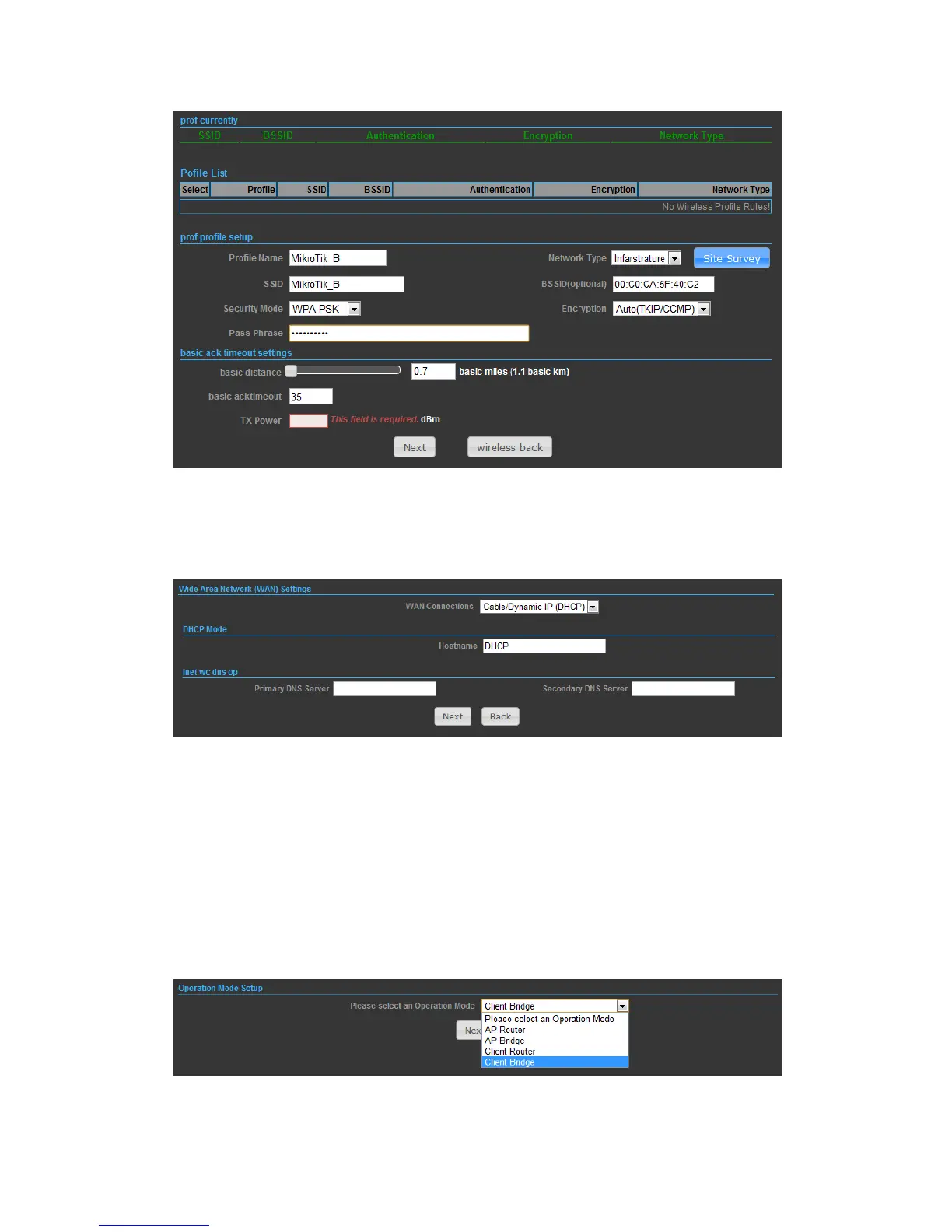
4) Finally, you need to tell the system about IP address received from WAN, DHCP
Hostname, and DNS Server then press Next button to finish the wizard.
OPERATION MODE – CLIENT BRIDGE
In the Client Bridge mode your N2 will behave just the same as Wireless adapter.
With Client Bridges, the WLAN and the LAN are on the same subnet. Consequently,
NAT is no longer used and services that are running on the original network.
2) Press Site Survey button and look for available wireless network then click on the


 To Next Page