33
WIRELESS SETTINGS
BASIC
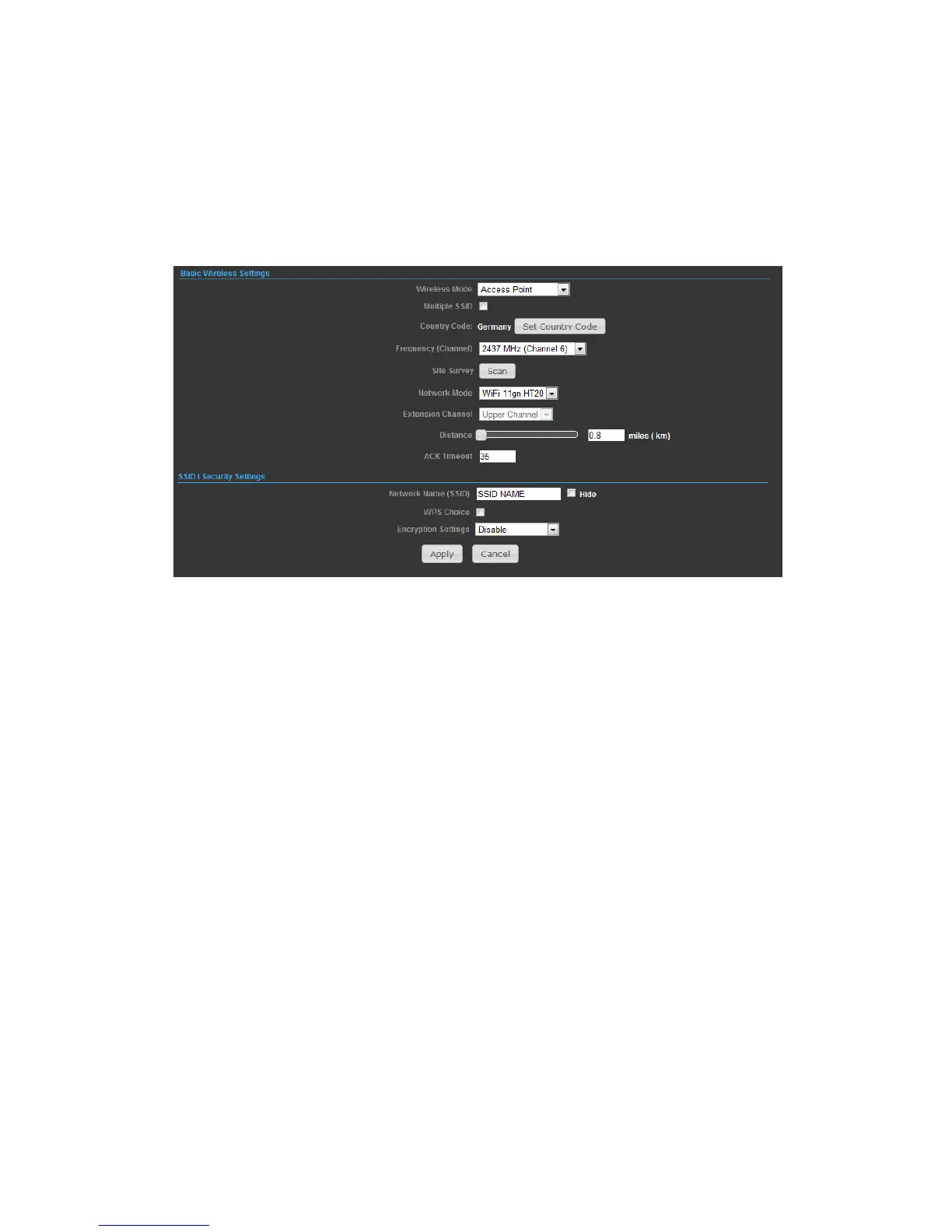
◆ Wireless On/Off — Enables or Disable the radio. (Default: Turn On)
◆ Wireless Mode — There are 4 wireless mode, those are Access Point, WDS
Access Point, WDS Repeater and WDS Client
Note.
If WEP authentication is selected for WDS communication, you will then only have
one set of encryption for the entire channel.
◆ Network Name (SSID) — The name of the wireless network service provided by
the N2. Clients that want to connect to the network must set their SSID to the same
as that of N2.
◆ Multiple SSID — One additional VAP interface supported on the device.
◆ Frequency (Channel) — The radio channel that the N2 uses to communicate with
wireless clients.
◆ Network Mode — Defines the radio operating mode.


 To Next Page