21
ADVANCED SETTINGS
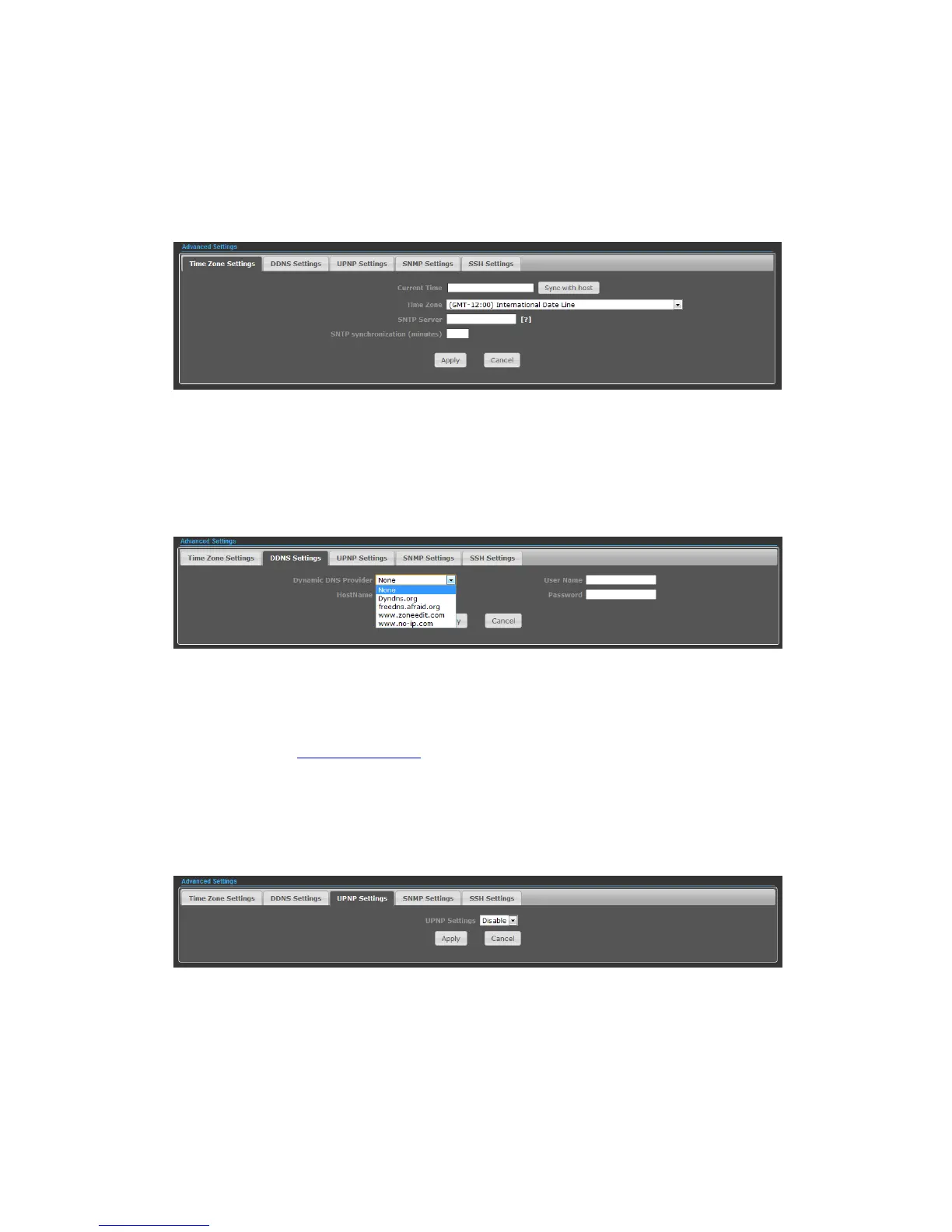
The Advanced Settings section is provided for configuration of Time Zone, DDNS,
UPnP, SNMP, and SSH.
◆ Time Zone Settings — The Time Zone Settings allows you to configure, update
and maintain the correct time on the N2’s internal system clock.
◆ SNTP Server — Enter the address of an SNTP server to receive time updates.
◆ SNTP synchronization (minutes) — Specify the interval between SNTP server
updates.
DDNS Settings — DDNS lets you assign a fixed host and domain name to dynamic
Internet IP address. It is useful when you are hosting your own website, FTP server,
or other server behind the N2. Before using this feature, you need to sign up for
DDNS service at www.dyndns.org , a DDNS service provider.
◆ User Name — Sets the DDNS user name for the connection.
◆ Password — Sets a DDNS password for the connection.
◆ HostName — The host name that you selected from the DDNS service provider.
UPNP Settings – UPnP permits network devices to discover other network device(s)
preference and establish functional network services for data sharing,
communication, and entrainment. Default setting is Disabled.


 To Next Page