
 Need help?
Do you have a question about the Alfa Network N2 and is the answer not in the manual?
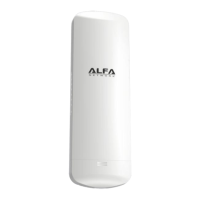
Details of the N2 hardware components, ports, and indicators.
Procedure for opening the weatherproof sliding door of the N2 unit.
Procedure for closing the weatherproof sliding door of the N2 unit.
Guidance on securely attaching the N2 unit to a pole using straps.
Illustration and description of standard pole mounting for the N2.
Details on using the optional L-mount for adjustable antenna positioning.
Details on using the optional wall mount for the N2 unit.
Instructions on how to access the N2's web management interface via IP address.
Description of the status page displayed after successful login.
Configuration settings for the N2 operating as an Access Point Router.
Configuration steps for establishing an internet connection via PPPoE ADSL.
Setting up the Network Name (SSID) and security mode for PPPoE connection.
Configuration steps for establishing an internet connection using a static IP address.
Setting IP Address, Subnet Mask, Gateway, and DNS servers.
Setting up the Network Name (SSID) and security mode for static IP.
Configuration steps for establishing an internet connection via DHCP.
Setting Hostname and DNS servers for DHCP connection.
Setting up the Network Name (SSID) and security mode for DHCP connection.
Configuration steps for establishing an internet connection via PPTP.
Setting Server IP, User Name, Password, and Address Mode.
Setting up the Network Name (SSID) and security mode for PPTP connection.
Configuration steps for establishing an internet connection via L2TP.
Setting Server IP, User Name, Password, and Address Mode.
Setting up the Network Name (SSID) and security mode for L2TP connection.
Configuring the N2 to bridge its wireless connection to another Access Point.
Setting Network Name (SSID) and Security Mode for AP Bridge.
Configuring the N2 to function as a Client Router, sharing a WISP connection.
Configuring the N2 to act as a Wireless Adapter, bridging WLAN and LAN.
Managing administrative settings, user accounts, and firmware.
Guidelines for setting the administrator password for the N2.
Displays current firmware version and instructions for upgrading.
Options to export current configurations or import saved settings.
Restoring the device to its original factory default settings.
Function to restart the N2 device.
Configuration of system time, DDNS, UPnP, SNMP, and SSH.
Configuring the device's time zone and SNTP synchronization.
Setting up Dynamic DNS service for resolving dynamic IP addresses.
Enabling Universal Plug and Play for network device discovery.
Configuring Simple Network Management Protocol for network monitoring.
Enabling Secure Shell protocol for secure remote access.
Explanation of the four primary operation modes of the N2.
Bridging wired and wireless connections.
Using the N2 as a wireless router with a WAN connection.
N2 acts as a client router for WISP connections.
N2 acts as a wireless adapter, bridging LAN and WLAN.
Settings to protect the network from unauthorized access and attacks.
Filtering network traffic based on MAC addresses, IP addresses, and ports.
Configuring port forwarding (Virtual Server) for external access to internal services.
Enabling/disabling and setting up port forwarding rules.
Configuring a Demilitarized Zone to expose a host PC to the internet.
Specifying the IP address of the host PC to be placed in the DMZ.
Detailed firewall functions including SPI and NAT.
SPI firewall for tracking network connection states and filtering packets.
Process of modifying IP address information in packet headers.
Options for blocking internet access based on content, URLs, and hostnames.
Filtering inbound Uniform Resource Locators (URLs) to block specific websites.
Restricting access based on web address keywords and domain names.
Configuration of various Wide Area Network (WAN) connection types.
Setting up DHCP connection details like Hostname and DNS.
Setting up PPPoE connection details like User Name, Password, and Operation Mode.
Setting up static IP connection details like IP Address and Subnet Mask.
Setting up PPTP connection details like Server IP, User Name, and Password.
Configuration options for establishing secure IPSec VPN connections.
Selecting the type of IPSec connection (e.g., Road Warrior Tunnel).
Selecting the authentication method for IPSec connections.
Setting up L2TP VPN connection details like Server IP and User Name.
Configuration of the Local Area Network (LAN) settings, including IP and DHCP.
Setting the N2's IP address and subnet mask for the local network.
Configuring the DHCP server for assigning IP addresses to LAN clients.
Configuration of routing rules and protocols for network traffic.
Adding new routing rules with destination, netmask, and interface details.
Basic wireless configuration including mode, SSID, and channel.
Selecting the wireless operating mode (Access Point, Bridge, etc.).
Setting the wireless network name (SSID) for client connections.
Securing the wireless network using WEP, WPA, and WPA2.
Configuration and use of WEP for basic wireless security.
Setting WEP key values for authentication and data encryption.
Implementing WPA and WPA2 for enhanced wireless security.
Selecting WPA/WPA2 algorithms (TKIP/AES) and modes (WPA, WPA2, Auto).
Using WPA/WPA2 with Pre-Shared Keys for personal security.
Inputting and managing the WPA/WPA2 Pre-Shared Key (Pass Phrase).
Network access control using 802.1X with a RADIUS server.
Setting up the RADIUS server IP address, port, and shared secret.
Simplifying wireless security setup using WPS Push-button or PIN methods.
Configuring WPS SSID, AP PIN, and WPS Name.
Selecting WPS security mode and data encryption algorithms.
Inputting the WPA Pre-Shared Key (Pass Phrase) for WPS.
 General
| Model | N2 |
|---|---|
| Frequency Band | 2.4 GHz |
| Maximum Data Rate | 300 Mbps |
| Security | WPA, WPA2 |
| Operating Modes | Access Point, Repeater |
| Antenna | 2 x External Antennas (Dual-Band, Detachable) |

 To Next Page