31
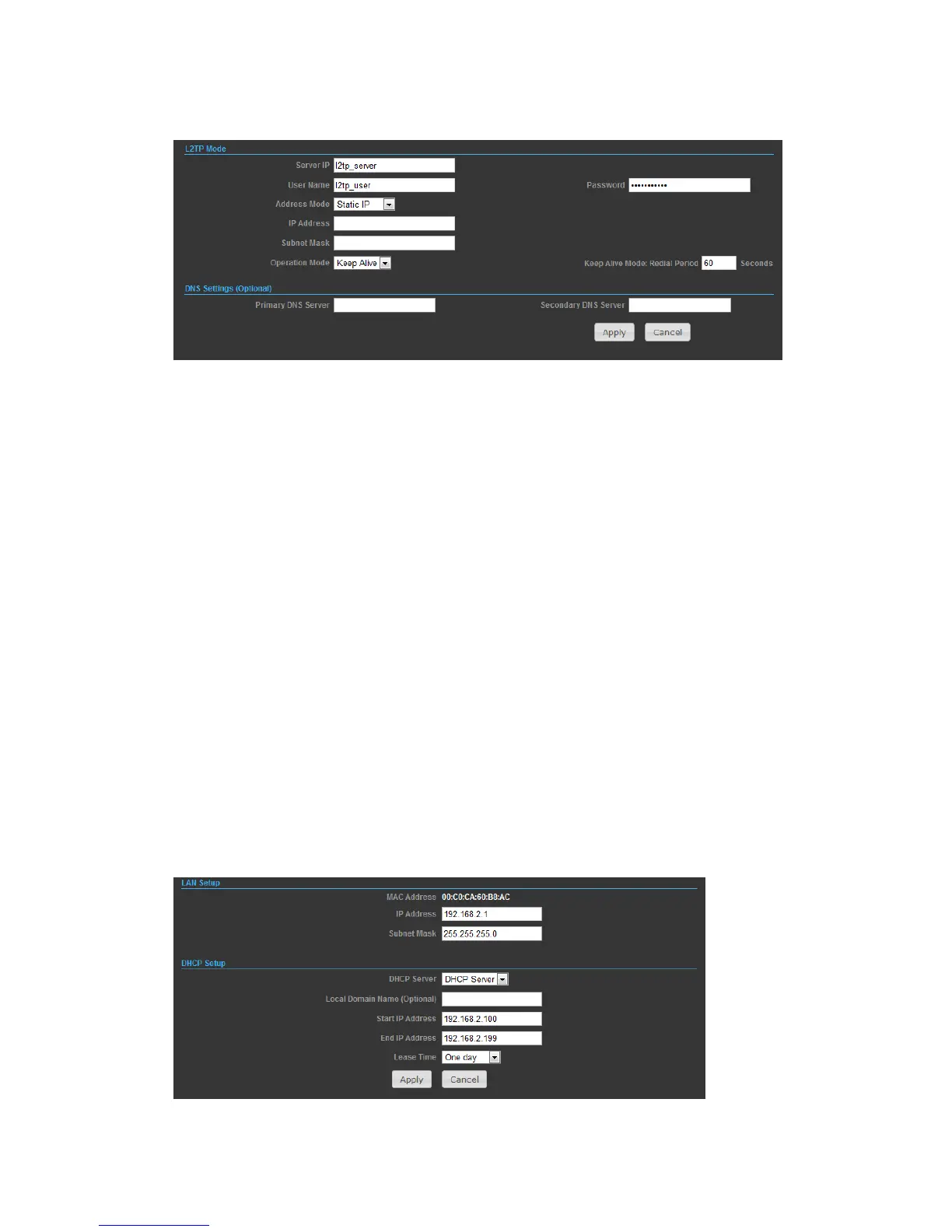
L2TP
◆ Server IP — Sets the L2TP server IP Address. (Default: l2tp_server)
◆ User Name — Sets the L2TP user name for the WAN port.
◆ Password — Sets a L2TP password for the WAN port.
◆ Address Mode — Sets a L2TP network mode. (Default: Dynamic IP)
◆ Operation Mode — Enables and configures the keep alive time.
◆ Primary DNS Server — The IP address of the Primary Domain Name Server. A
DNS maps numerical IP addresses to domain names and can be used to identify
network hosts by familiar names instead of the IP addresses. To specify a DNS
server, type the IP addresses in the text field provided. Otherwise, leave the text
field blank.
◆ Secondary DNS Server — The IP address of the Secondary Domain Name Server.
LAN
In this section, the LAN settings are configured based on the IP Address and Subnet
Mask. The IP address is also used to access this Web-based management interface.
It is recommended to use the default settings if you do not have an existing
network.



 To Next Page