Manual
Timy3 - General
-10-
1.5 Display of Timy3
The Timy3 has a display with backlight. The backlight makes reading of the display at bad light
conditions easier. As the backlight consumes energy it is only switched on automatically when
the Timy3 is connected with an external power supply (e. g. PS12A). If you use the Timy3 in
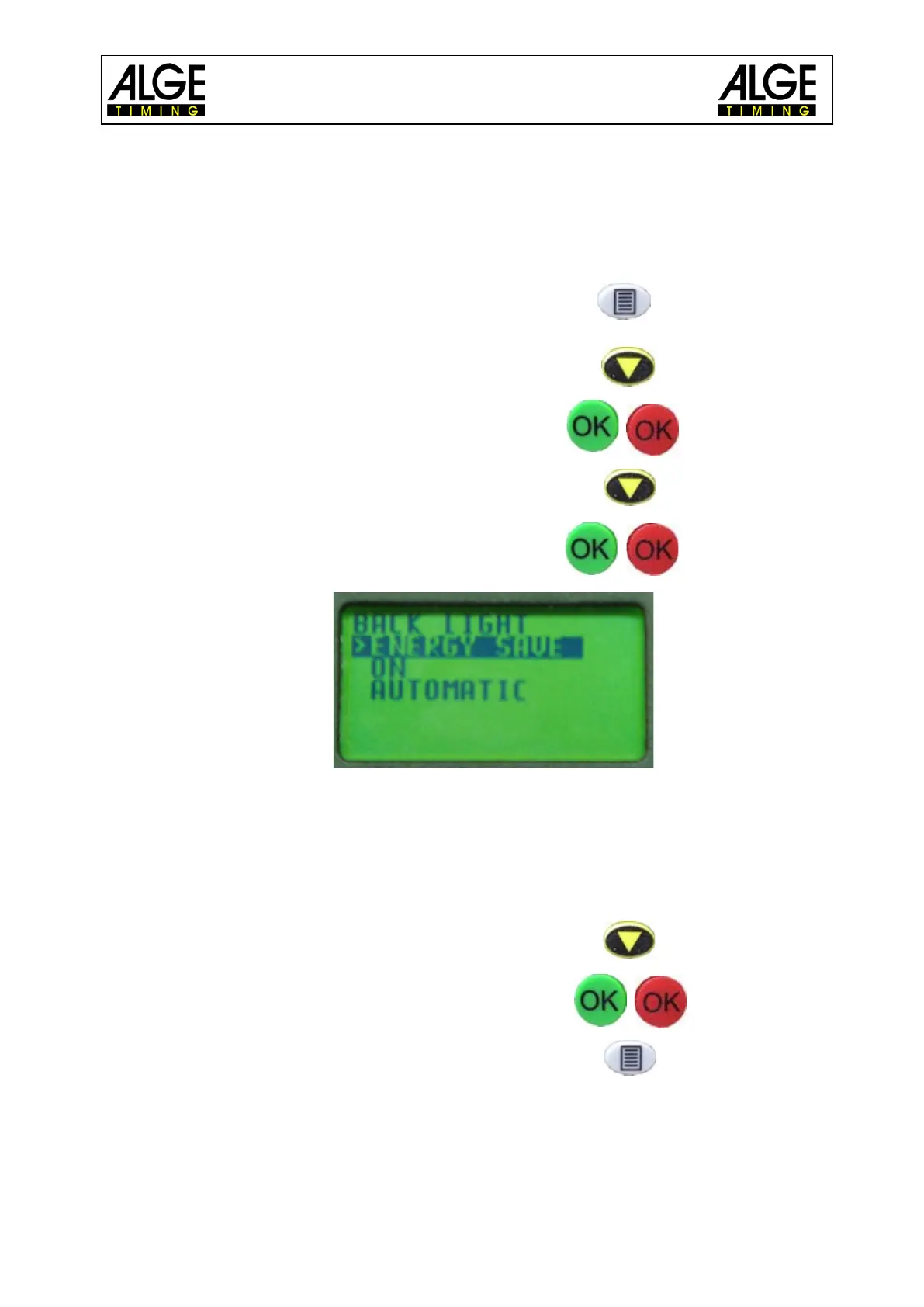
battery mode you can switch on the backlight in the menu.
• Press menu key.
• Select <DISPLAY> with arrow down key.
• Press OK key (red or green).
• Select <Back Light> with arrow down key.
• Press OK key (red or green).
• The display shows:
ENERGY-SAVE: external supply: display back light on (100 % brightness)
battery operation: display back light off
ON: external supply: display back light on (100 % brightness)
battery operation: display back light on (50 % brightness)
AUTOMATIC: After each key stroke or timing impulse the back light is on for 5
seconds.
• Choose desired light function with arrow down key.
• Press OK key (green or red).
• Exit menu by pressing menu key.



 To Next Page