Manual
Timy3 - General
-17-
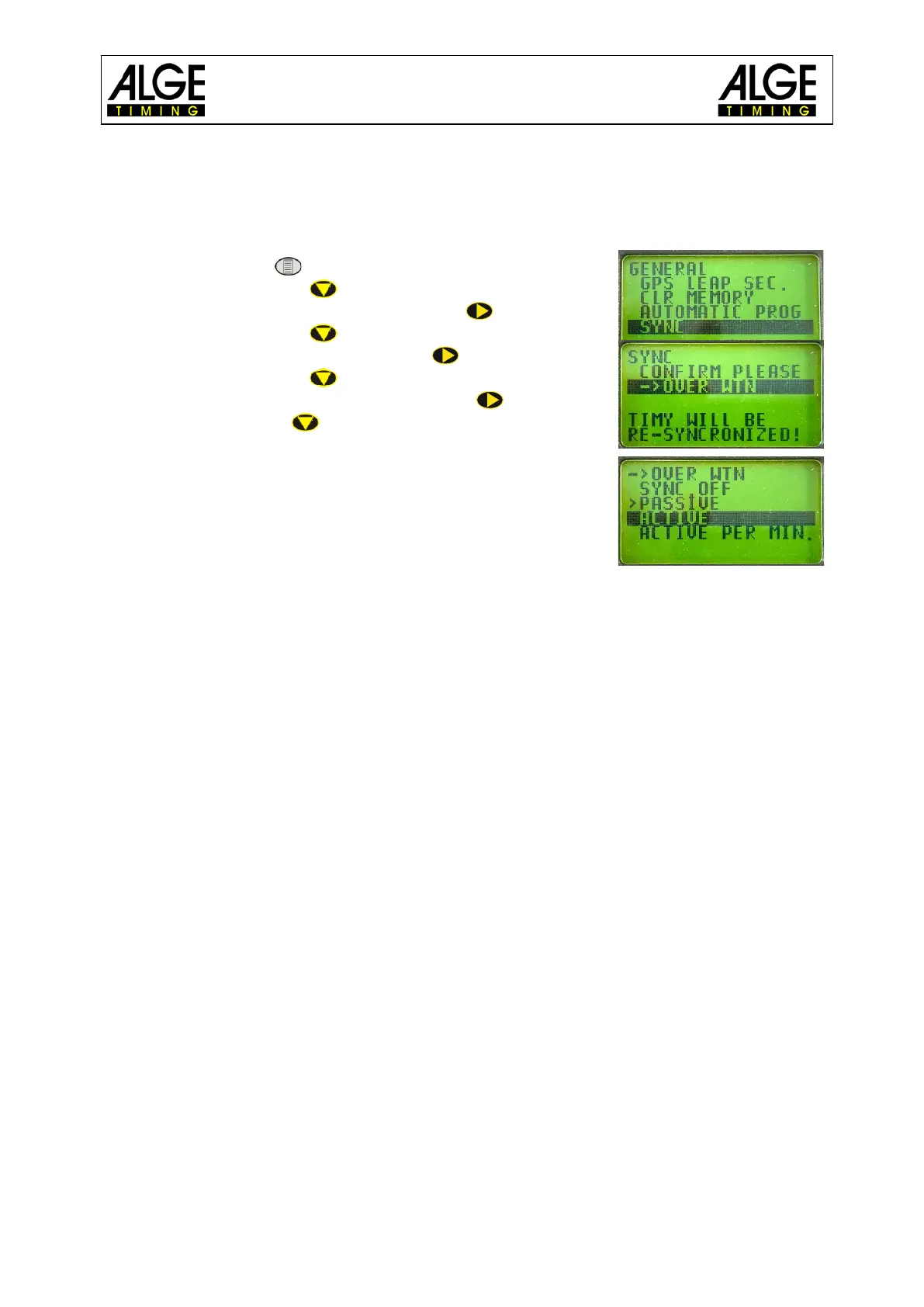
4.4 Synchronization of Timy3 to Timy3 by WTN
It is possible to synchronize the Timy3 from another Timy3 via WTN. For this, the devices
must be set to WTN mode and within radio range. There are two ways for synchronization.
Adjustment:
• press button
• move cursor with to <GENERAL>
• enter menu <GENERAL> by pressing
• move cursor with to <SYNC>
• enter menu <SYNC> by pressing
• move cursor with to <OVER WTN>
• enter menu <OVER WTN> by pressing
• select with key :
<SYNC OFF>
<PASSIVE> (factory setting)
<ACTIVE>
<ACTIVE PER MIN.>
4.4.1 WTN Synchronization Switched Off <SYNC OFF>
Timy3 does not output or read a synchronization time.
4.4.2 Passive Synchronization by WTN <PASSIVE>
The Timy3 can read and resume synchronization times from other Timy3. If the time
deviation is more than 0.0005 seconds, the new time of day must be confirmed or re-
jected at the passive Timy3.
4.4.3 Single Synchronization Output <ACTIVE>
The active Timy3 that executes the synchronization outputs the time of day to all pas-
sive Timy3 once.
4.4.4 Synchronization Output every Minute <ACTIVE PER MIN.>
The active Timy3 that executes the synchronization outputs the time of day to all pas-
sive Timy3 every minute.



 To Next Page