Manual
Timy3 - General
-12-
2 Start Up
2.1 Switch On
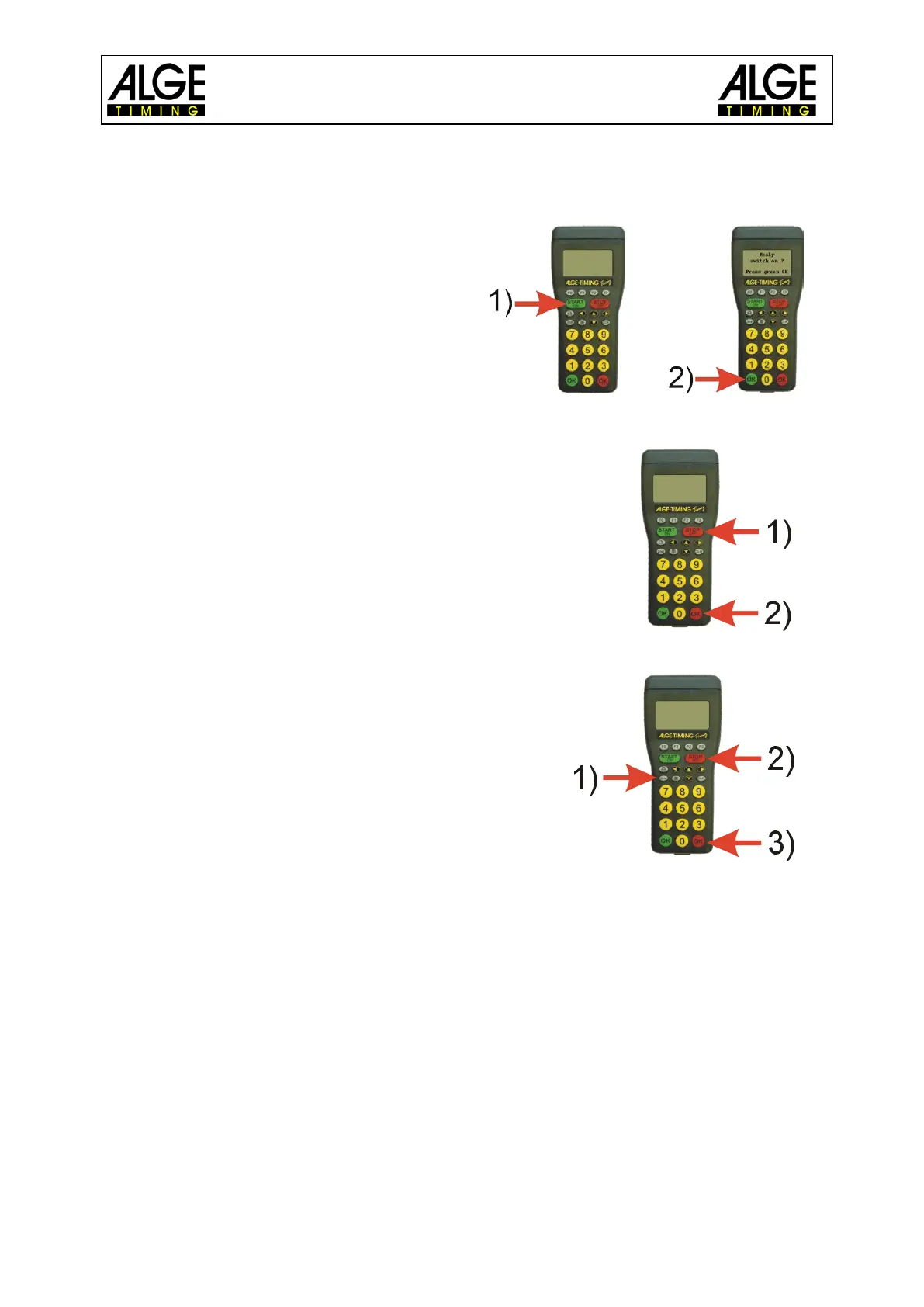
• Press „START/ON“ key.
• Display shows:
“Really switch-on? Press the green OK
button!“
• If you press the green OK key within 10
seconds, the Timy3 switches on, other-
wise it automatically switches off again.
2.2 Switch Off
You have got two possibilities to switch off the Timy3:
Method 1:
• Press „STOP/OFF“ key for 3 seconds.
• Display shows:
“Really switch-off? Press the red OK button!“
• If you press the red OK key within 10 seconds, the
Timy3 switches off, otherwise it returns to the pro-
gram.
Method 2:
• Press „2nd“ and „STOP/OFF“ keys
• Display shows:
“Really switch-off? Press the red OK button!“
• If you press the red OK key within 10 seconds, the
Timy3 switches off, otherwise it returns to the pro-
gram.
2.3 Power Supply
The Timy3 has several possibilities for power supply:
External supply +8 to 24 VDC:
• power supply unit PS12
• power supply unit PS12A, ideal as the Deltron socket remains free
• external battery e. g. 12V plumb rechargeable battery
• ALGE-TIMING display board (e. g. GAZ4 or D-LINE)
NLG4 and NLG8 must NOT be used as the off-load voltage is too high. The Timy3 might be
destroyed!
With external supply of at least 11.0 VDC, the internal rechargeable batteries are charged.



 To Next Page