Manual
Timy3 - General
-20-
8 Info Menu
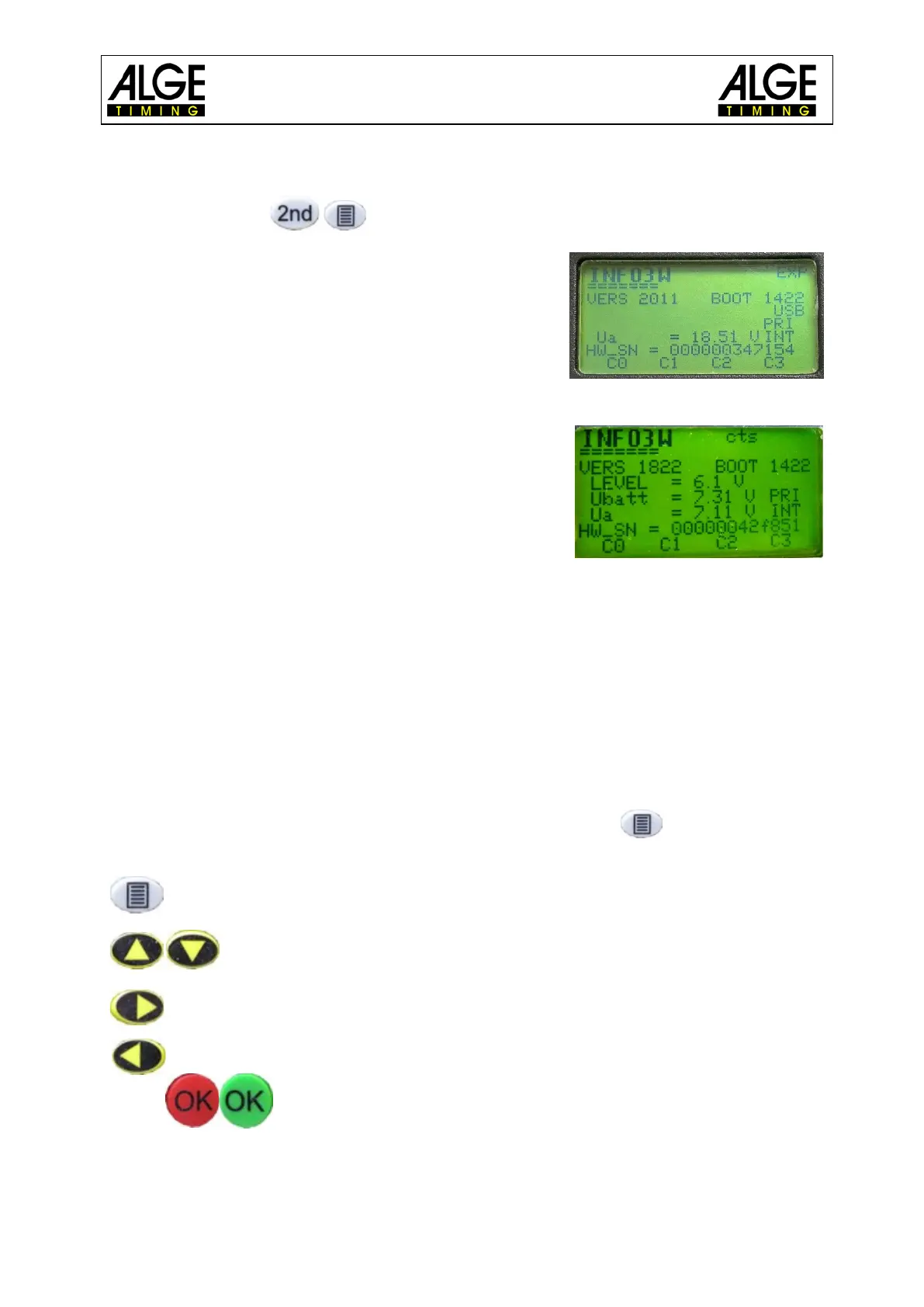
Pressing the buttons opens the info mode. Important data is displayed.
• INFO = TIMY
• INFO2 = Timy2
• INFO3 = Timy3 / INFO3W – WTN module activated
• EXP = operation with external supply
• cts = RS232 cable on channel 1
• VERS = downloaded software version
• BOOT = boot version
• LEVEL = shows from which level the battery voltage is
too low to operate the printer; below this level, the
printer is automatically switched off in order to save
battery
• USB = PC is connected via USB-cable with Timy
• Ubatt = current battery voltage
• Ua = current output voltage
• Ser-Nr = device serial number – alternating every sec-
ond with HW_SN
• HW_SN = hardware serial number
• C0 – C3 = channel number is here if the channel is not triggered. When the channel is
triggered, the channel number and a black bar appear alternately.
• PRI INT = Timy with printer
• PRI EXT = Timy without printer
By pressing the left or right arrow buttons, the calibration date is shown. You return to the info
menu with the same buttons.
9 Menu
The Timy3 menu allows you to adjust individual settings. Push to access the main
menu. With the cursor buttons you can navigate through the menu.
enter or exit the menu
navigate up or down
next submenu
previous menu
confirm input or choice
On the following pages the different menu items are described. The program specific menu
settings are described in the separately available manuals for each program. Settings printed
bold are the ALGE-TIMING factory settings.



 To Next Page