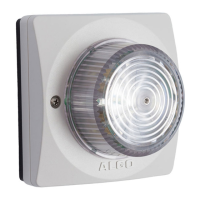
8138 SIP Multicolor Strobe Light
device can have any address on the local network, no security certificate exists, and thus
most browsers will provide a warning when using HTTPS.
Force Strong Password
When enabled, ensures that a secure password is provided for the device’s web interface
for additional protection. The password requirements are:
Must contain at least 10 characters
Must contain at least 1 uppercase character
Must contain at least 1 digit (0 – 9)
Must contain at least 1 special character
Allow Secure SIP Password
Allows SIP passwords to be stored in the configuration file in an encrypted format, to
prevent viewing and recovery. Once enabled, the SIP “Realm” field should be entered and
all the configured Authentication Password(s) must be re-entered in the Basic Settings >
SIP tab, and any other locations where SIP extension have been configured, to save the
encrypted password(s).
If the Realm is changed at a later time, all the passwords will also need to be re-entered
again to save the passwords with the new encryption.
To obtain your SIP Realm information, contact your SIP Server administrator (or check the
SIP log file for a registration attempt). The Realms may be the same or different for all the
extensions used.
SNMP Support
Additional SNMP support is anticipated for future, but the 8138 SIP Strobe Light will
respond to a simple status query for automated supervision. Contact Algo technical
support for more information.
System Integrity Checking
This feature verifies installed system packages to ensure they have not been tampered
with by running ‘Perform Check’. Enabling this feature may cause reboots and upgrades
to take 30 seconds longer. Verification results can be found on the Status page.
Local Management Port
Enter the local management port for the SA-Announce Server.
InformaCast Support
This feature requires a valid InformaCast license to be activated. Please contact
sales@algosolutions.com for assistance.
Document 90-00102C
11/27/2019
Page 37
Algo Communication Products Ltd
4500 Beedie St Burnaby BC Canada V5J 5L2
www.algosolutions.com
(604) 454-3792
support@algosolutions.com



 To Next Page