Interface (Ports & Jacks)
A-3
A
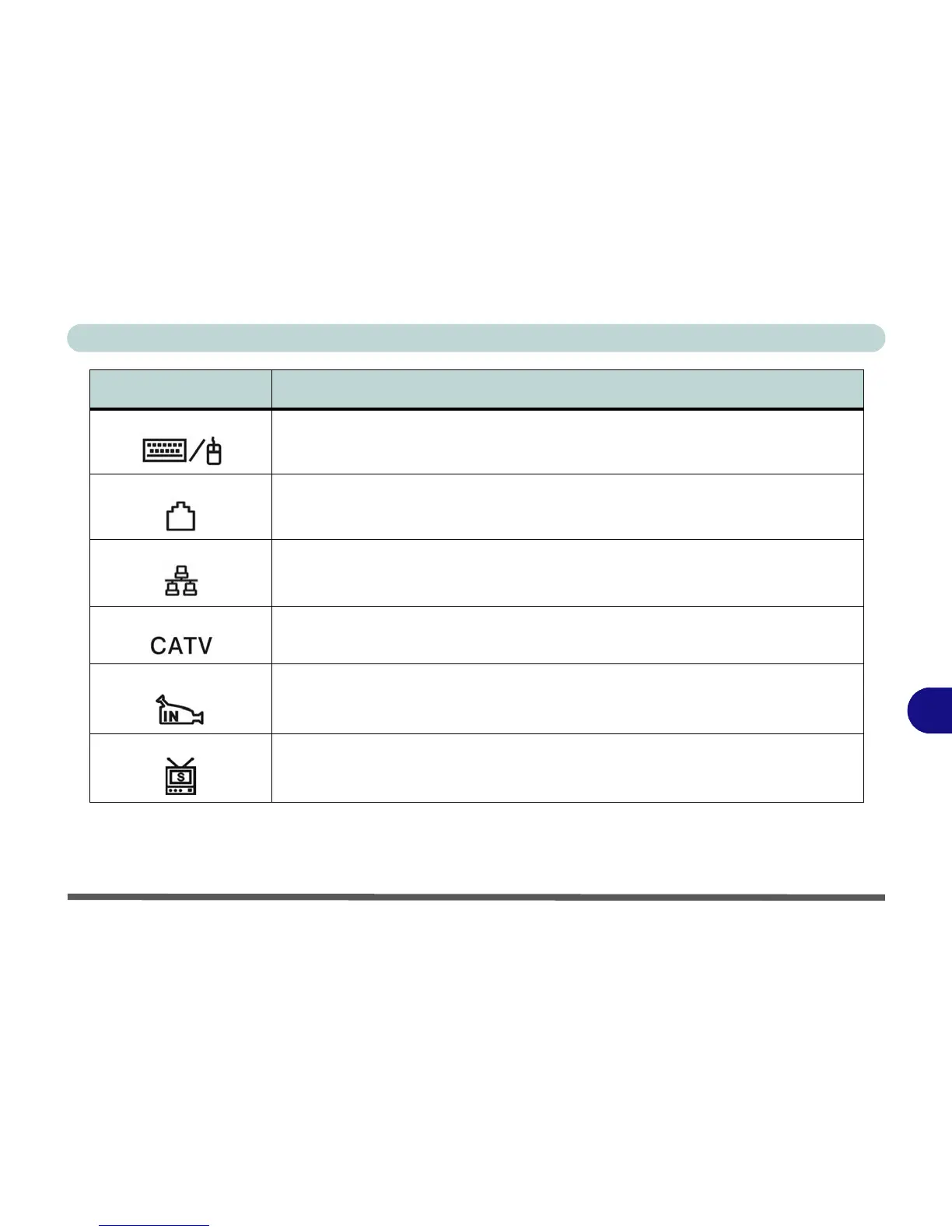
PS/2 Port Connect an external PS/2 type mouse or keyboard to this port. You can use a “Y” splitter if
you want to attach both.
RJ-11 Phone Jack This port connects to the built-in modem. You may plug the telephone line directly into this
RJ-11 telephone connection.
Note: Broadband (e.g. ADSL) modems usually connect to the LAN port.
RJ-45 LAN Jack This port supports LAN (Network) functions.
Note: Broadband (e.g. ADSL) modems usually connect to the LAN port.
CATV-In Jack Use this jack to connect a CATV cable if you have included the optional Mini-PCI TV
Tuner in your purchase.
S-Video-In Jack The S-Video-In jack allows video input to the computer if you have included the optional
Mini-PCI TV Tuner in your purchase.
S-Video-Out Jack Connect your television to your computer and view DVDs, VCDs or anything else your
computer can display. You will need an S-Video cable to make the connection. Enable this
port from the video driver controls.
Item Description















 To Next Page